
Resources
11 Best AI Slide Design Tools to Save You Hours
Compare 11 AI slide design tools tested on real decks, including Plus AI, Copilot, Gamma, and Canva. Find the best fit by workflow, output, and price.

Designing a professional-looking presentation doesn’t have to involve wrangling text boxes, manually formatting charts, or juggling multiple tools to fine-tune copy and generate images. AI presentation makers can take a lot of that work off your plate. Give most of them a prompt or upload a file, and they’ll draft a complete deck in about a minute.
But there are a lot of AI slide design tools on the market, and some are objectively better than others. I’ve tested the most popular tools to see how strong their slide generation and editing capabilities really are. I’ve divided them into two groups, tools that work inside Google Slides and PowerPoint and standalone AI presentation tools.
Automated slide design tools compared at a glance
Here’s how all 11 tools compare on their core strengths, supported platforms, and starting prices
| Tool | Best for | Where it works | Starting price |
|---|---|---|---|
| Plus AI | Professional slide decks that work with the Google or Microsoft 365 ecosystem | Google Slides, PowerPoint, browser | From $10/user per month |
| Copilot | Microsoft 365 teams that want a built-in AI assistant | PowerPoint, Copilot chat | From $27/user per month with Microsoft 365 Copilot plans |
| Claude | High-quality presentation drafts for existing Claude subscribers | PowerPoint add-in, web, app | From $17/month |
| Gemini | Google Workspace teams drafting decks from Drive content | Google Slides | Google AI plans from $4.99/month or Workspace plans from $14/user per month |
| SlidesAI | Generating slide deck outlines | Google Slides, PowerPoint, ChatGPT | Free plan, paid from $10/month |
| Gamma | Polished, creative decks shared on the web | Browser | Free plan, paid from $9/user per month |
| Beautiful.ai | Fast decks with consistent, predesigned layouts | Browser | From $12/user per month |
| Canva | Design-forward decks within an all-in-one creative platform | Browser and app | Free plan, Canva AI 2.0 requires Pro at $15/month |
| Pitch | Sales teams that need collaboration and analytics | Browser and app | Free plan, paid from $13/month |
| Presentations.ai | Fast first drafts with one-click AI edits | Browser | Free plan, paid from $20/month |
| Presentation Intelligence | Quickly generating decks from file uploads | Browser | Free plan, paid from $9/month |
AI slide tools that work inside PowerPoint and Google Slides
If your team already works in Microsoft 365 or Google Workspace, these tools fit into your existing workflow. You can generate and edit decks without exporting files or learning a new app.
1. Plus AI
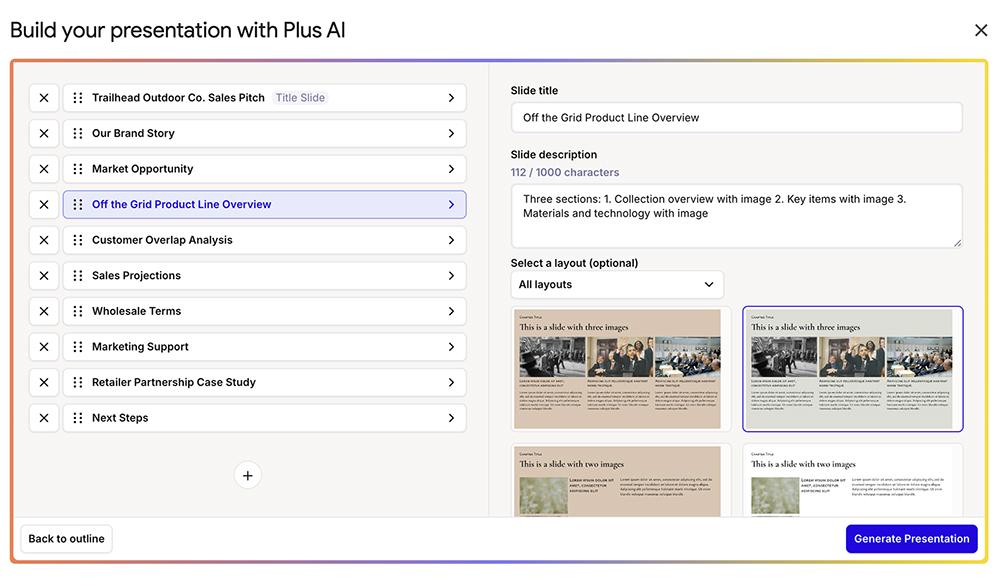
Plus AI is a dedicated presentation tool with add-ins for PowerPoint and Google Slides, as well as a browser-based slide deck generator. From a prompt or file upload, it generates a detailed outline, then a native Google Slides presentation or fully editable PowerPoint (PPTX) file.
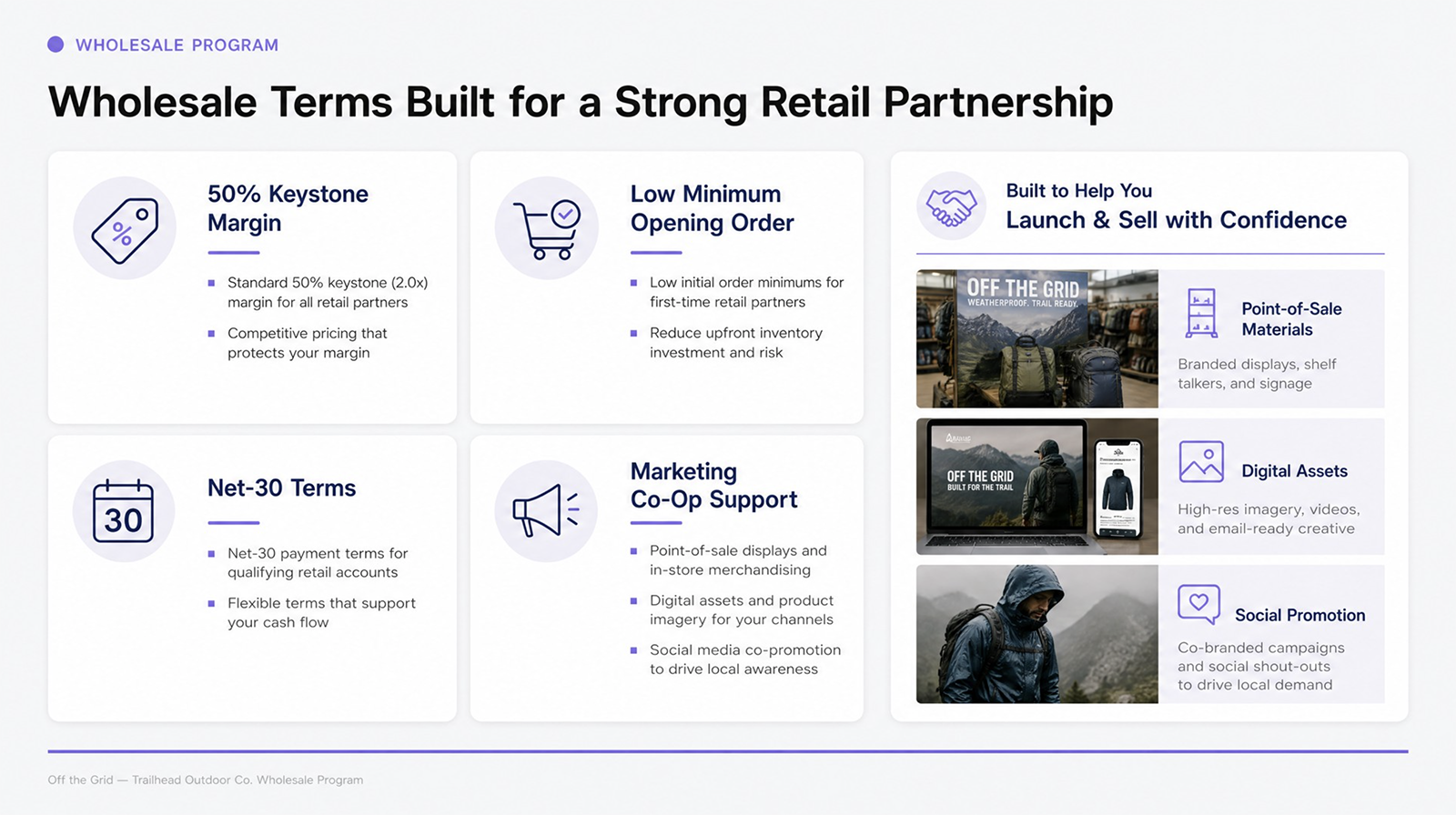
While slide mode is ideal for designing decks with editable elements, Plus AI’s image mode is better for more creative presentations. It generates original image-based designs from your prompt, which you can fine-tune before exporting or presenting.
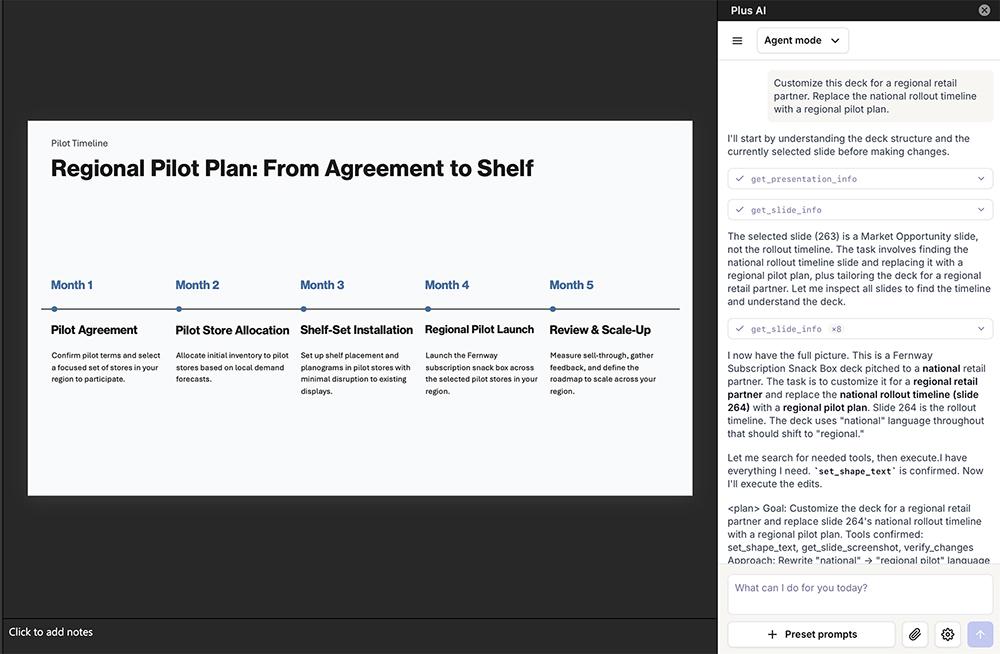
Plus’s editing tools are some of the most useful of any I tried. One-click presets like Remix and Rewrite handle common formatting and copy fixes, while the Plus AI Agent in PowerPoint completes full-deck requests like applying brand colors. Charts are fully editable and link to Google Sheets or Excel, so they refresh when your data changes.
-
Standout feature: Integration with Google Slides and PowerPoint, along with AI editing tools like presets and the AI Agent for full-deck edits
-
Keep in mind: There’s no free plan, but a seven-day trial includes 1,000 AI credits
-
Pricing: Starts at $10/user per month (billed annually)
2. Copilot
Microsoft Copilot is the built-in AI assistant for Microsoft 365, and it generates presentations directly in PowerPoint. Before generating, you can choose your AI model (including options from Anthropic and OpenAI) and image model.
Throughout my tests, using Copilot inside PowerPoint was glitchy. There was a 2,000-character limit that restricted the prompts I could provide, no editable outline, and inconsistent templates. Despite those shortcomings, Copilot did a good job at turning even short prompts into coherent presentations.
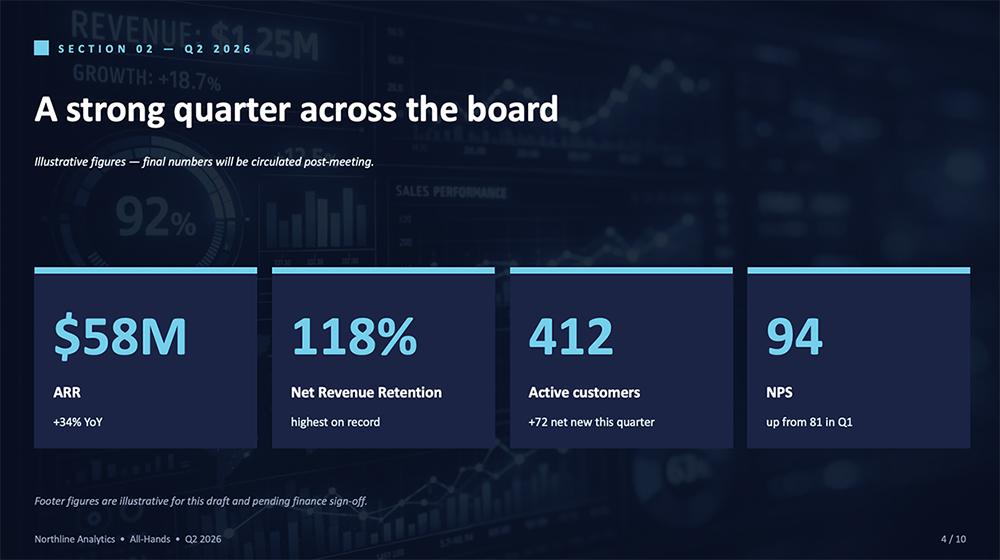
You can edit with presets in the PowerPoint sidebar or via prompts. While Copilot’s prompt-based editing worked most of the time, it flat-out refused one edit after declaring the file we’d been working on to be uneditable. More than once, it was faster to just fix things myself in PowerPoint.
-
Standout feature: Strong reasoning from short prompts, plus model selection for text and images
-
Keep in mind: Editing was unreliable in my tests, with frequent lost context and file access errors
-
Pricing: Requires a Microsoft 365 plan with Copilot, starting at $27/user per month (billed annually)
3. Claude
Anthropic’s Claude offers an official PowerPoint add-in that puts a chat sidebar inside the desktop app, where you describe your deck, answer clarifying questions, and approve a storyline before generation. You can also create PPTX files from Claude in the browser or app.
Claude’s output quality tends to be high, with professional designs and fully editable charts. If you’re already a Claude user, it’s worth testing how well the slide deck capabilities meet your needs.
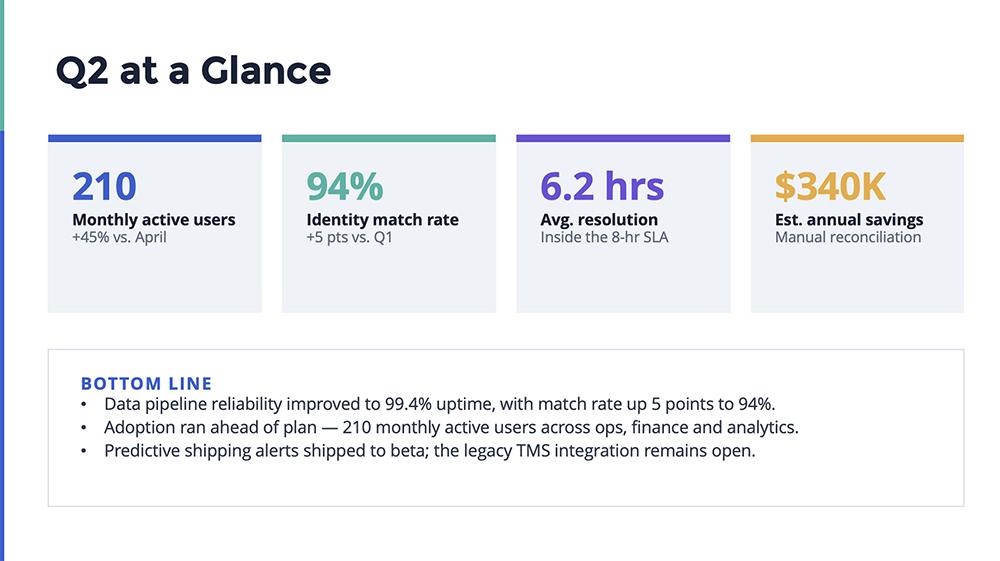
But working with Claude in PowerPoint tends to be very slow. My decks took around 10 minutes each, consuming a significant portion of my session usage in the process. All editing is manual or prompt-based, with no presets. And since Claude can’t generate images, you’d need a separate tool for anything beyond data visualizations.
-
Standout feature: High-quality slide content and editable charts, plus repeatable workflows via Claude skills
-
Keep in mind: Claude doesn’t have templates or design libraries, so getting a consistent layout and look can be challenging
-
Pricing: The PowerPoint add-in requires a paid Claude plan, starting at $17/month (billed annually)
4. Gemini
Gemini generates presentations directly inside Google Slides, pulling sources from Drive, Gmail, the web, and your NotebookLM research. In my tests, it followed detailed slide-by-slide prompts well and let me control the copy density on each slide.

Give it less direction, though, and the output slips. My shorter prompts produced long bullet lists in a robotic tone, and Gemini often inserted low-quality illustrations instead of charts or photos. Generation was also on the slower side, which can add up if you need to create decks frequently.
Editing was one of Gemini’s better surprises. The one-click presets handled quick fixes like enhancing a slide or generating an image, and prompt-based requests like redesigning the deck or adding a slide worked just as smoothly.
The weak spot is data visualizations. Gemini defaults to images (not charts), so if the numbers change, you can’t click in and fix them.
-
Standout feature: Deep Google integration, including Drive sources and NotebookLM content
-
Keep in mind: Gemini is one of the slower AI presentation tools, and it has weaker design instincts
-
Pricing: Bundled with Google AI plans (from $4.99/month) or Google Workspace plans (from $14/user per month, billed annually)
5. SlidesAI
SlidesAI converts text into slides through add-ons for Google Slides, PowerPoint, and ChatGPT. While most tools I tested ask for a prompt and a template, SlidesAI also asked for details like audience, tone, and image frequency.
The tool’s review process is also more elaborate than most, with steps to review the outline and then the copy (complete with speaker notes) before you ever generate a deck. This made the process feel tedious.

The added review steps had a negligible effect, since the output had a surprising number of errors. My test decks included repeated slides, missing slides, overlapping text blocks, and content that bled off the slide. AI images were consistently poor, with issues like people with too many fingers.
-
Standout feature: ChatGPT integration lets you start a deck in the AI tool, so you can prompt in the workspace you already use
-
Keep in mind: Output quality can be questionable, with duplicated slides, broken layouts, and low-quality images
-
Pricing: Free plan available, with paid plans from $10/month (billed annually)
Standalone AI presentation makers for purpose-built decks
These tools operate as their own platforms. You’ll create decks in your browser and export or share from there. They trade native file compatibility for features like unique design engines, engagement analytics, and built-in collaboration.
6. Gamma
Gamma is an AI design tool that generates presentations, documents, and websites from prompts, pasted notes, or imported files. Its content-first approach prioritizes visuals and copy over rigid layouts. And in my tests, its detailed outlines needed little editing before generating.
The finished decks delivered. Gamma showed stronger copywriting and storytelling than most other AI slide design tools. It also had consistently high-quality AI images across 30+ style presets.
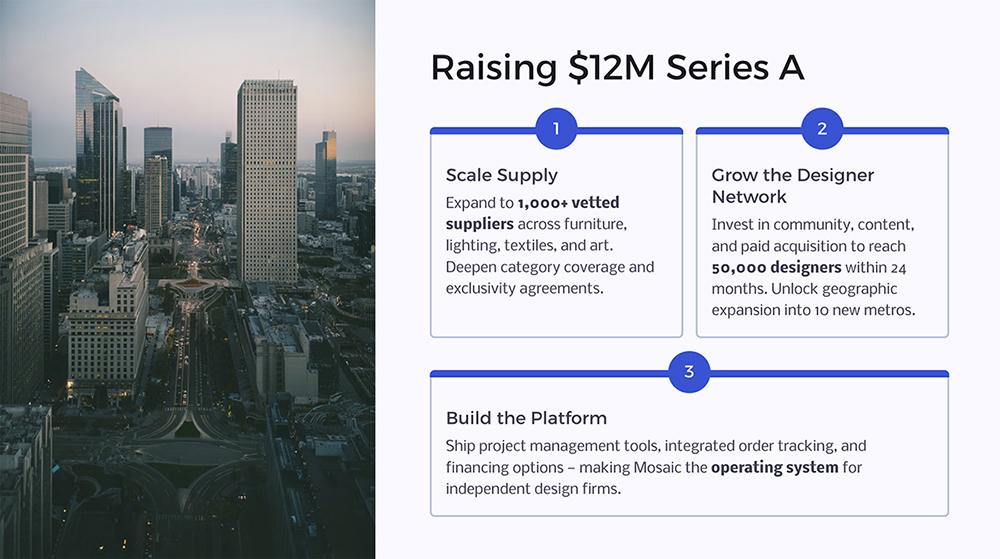
Gamma’s editing tools are just as strong. The conversational agent handles full-deck changes like updating copy, changing styles, or adding slides. And one-click presets make smaller writing tweaks quick. You can also manually edit any element, from charts to layouts.
But there’s a catch. Gamma decks don’t use standard sizing, so exported files don’t always look like what you see in the app. For example, my Gamma export had elements out of place when I imported to PowerPoint.
-
Standout feature: Strong AI copy and image generation and visually strong presentations
-
Keep in mind: Decks are built for web sharing first, so plan for some cleanup if you need editable PPTX files
-
Pricing: Free plan with 400 one-time credits, and paid plans from $9/user per month (billed annually)
7. Beautiful.ai
Beautiful.ai is one of the longest-running standalone AI presentation tools. It’s known for its Smart Slides, which are predesigned slides that adjust as you add content or change the template. This means decks always look visually consistent.
But Beautiful.ai doesn’t have the strongest reasoning or generative AI models. Across all the decks I tested, it produced pretty minimal copy, sometimes leaving placeholders for me to fill in myself. And designs got repetitive quickly since there are only so many Smart Slides for any given layout.
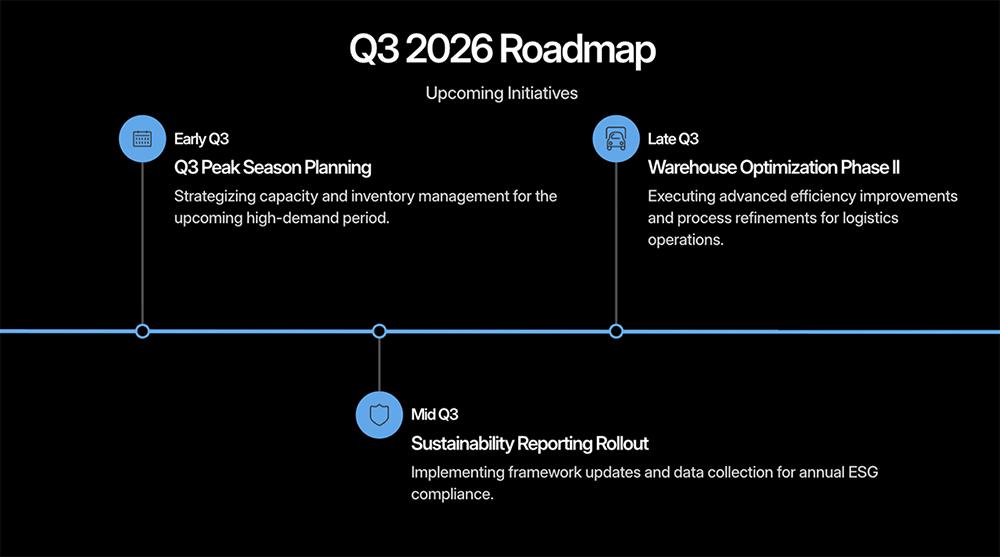
Beautiful.ai has extensive AI editing tools, with options to rewrite copy, regenerate visuals, add slides with a quick prompt, or swap layouts in one click. But I couldn’t find a way to regenerate copy across a whole slide or deck, so bigger revisions required me to address one text block at a time.
-
Standout feature: Design consistency, plus tracking options like view and engagement analytics
-
Keep in mind: Thin generative copy and repetitive layouts can mean you spend more time editing
-
Pricing: Starts at $12/user per month (billed annually)
8. Canva
Canva is an all-in-one design platform that can turn a plain-language prompt into a full deck. On the plus side, it can draw on thousands of templates or incorporate your brand kit. But prompts are capped at 1,000 characters, which limits how much direction you can provide.
Visual quality is Canva’s clear strength. My test decks looked sharp, with coherent color schemes and relevant, high-quality AI images. Generative copy quality lagged behind, though, which meant my slides needed a lot of fine-tuning.

Fortunately, Canva’s AI editing toolkit is extensive. Magic Write rewrites, expands, shortens, or changes the voice of any text box. And for bigger redesigns, you can prompt Canva’s AI agent to revise the deck.
-
Standout feature: Best-in-class visual design within a platform that covers all your other design needs
-
Keep in mind: Underwhelming copy and messy PowerPoint exports in my tests
-
Pricing: Free plan available, but Canva AI 2.0 requires a paid plan, starting at $15/month
9. Pitch
Pitch is an AI presentation tool built for marketing and sales teams, with real-time co-editing, shared workspaces, and pitch rooms with engagement analytics. It also integrates with tools like HubSpot, Notion, and Slack. Pitch’s AI capabilities are newer, with the AI agent rolling out in Q2 2026.
In my tests, the newness was pretty apparent. I burned through my AI credits quickly, as there was no outline review option beforehand and my decks needed a lot of fine-tuning. Pitch lets you buy more credits at the reasonable price of $0.004 each, but I’d rather have a plan with more credits and more predictable pricing.

While the AI agent was decent at large-scale requests like changing layouts or reworking the deck for a new audience, it got expensive quickly. Every AI edit pulls from the same scarce credit pool.
-
Standout feature: Collaboration and deck tracking, with pitch rooms for sales motions
-
Keep in mind: Inconsistent AI output and limited credits made regular AI use expensive in my tests
-
Pricing: Free plan with 100 AI credits, paid plans from $13/month (billed annually)
10. Presentations.ai
Presentations.ai focuses on fast drafting with design guardrails. You input a prompt or upload a file and then pick an AI model tier, information density level, and a template upfront. Then, it quickly generates a draft for you to edit.
For a quick draft, Presentations.ai generated solid slide decks that would be helpful for a time-constrained marketer or salesperson. While the presentation designs, data visualizations, and generative AI images were good, the graphics appeared oddly outdated.

In theory, it should be easy to fix or replace graphics using the built-in editing tools. But my editing experience was hit-or-miss. One-click AI edits worked well for expanding or tightening content and adjusting tone. But every edit regenerated the entire slide rather than addressing the text box or image in question. And Presentations.ai doesn’t have an editing agent, so all edits come from presets or manual changes.
-
Standout feature: One-click editing presets and an option to hire a design expert for assistance
-
Keep in mind: The automatic full-slide editing tool and lack of an editing agent make it difficult to fine-tune slide decks
-
Pricing: Free plan with 100 AI credits, and paid plans starting at $20/month (billed annually)
11. Presentation Intelligence
Presentation Intelligence generates decks through its Pi Agent, which gives you a choice between a creative presentation (image-based slides) and a professional design (editable slides). Like many tools, it researches on the web while generating content, which can help with quality and accuracy.
When speed is a priority, this presentation maker comes through. It turned the quarterly business report (QBR) I uploaded into a deck instantly. If you regularly need to repackage existing documents as slides, this speed alone may make it worth a look.
The prompt-based workflow was a different story, though. Of all the tools I tested, this was one of the few that failed to follow my slide-by-slide instructions. My decks included extra slides and the slides themselves had generic repeated layouts. And in several cases, the tool neglected to generate charts, leaving the notes in text format.
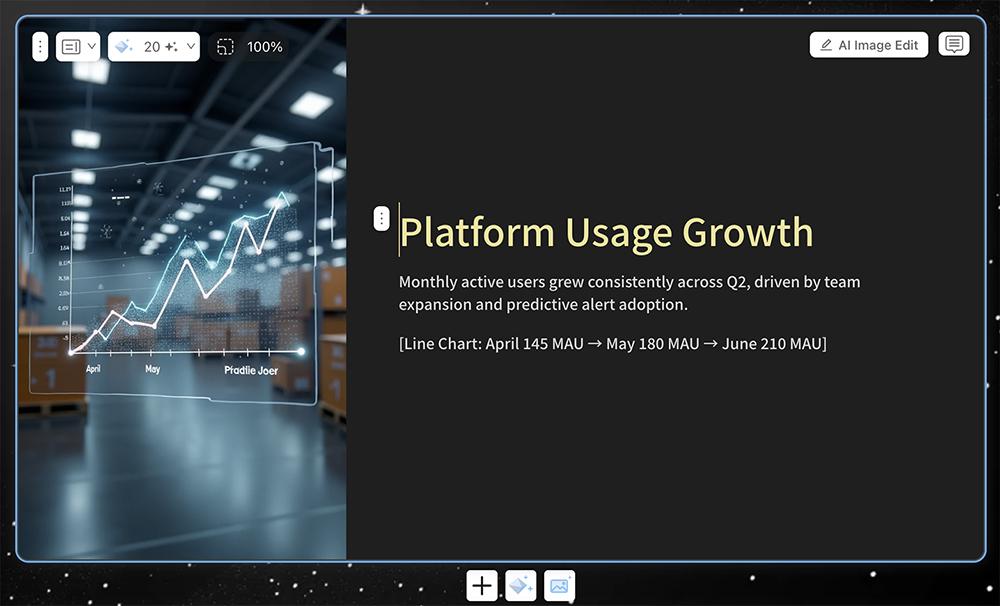
Strangely, the editing features didn’t do much to get the decks ready to present. In one case, an AI preset converted the entire slide into an image that I couldn’t edit further. And in another case, the rewrite preset rewrote my slide — in Chinese.
-
Standout feature: Converting uploaded files into decks in under a minute, and options for creative slide formats
-
Keep in mind: Ignored slide-by-slide instructions, and editing tools were unpredictable
-
Pricing: Free plan available, with paid plans from $9/month
How to choose the right automated slide design tool
The best AI presentation maker depends on where your team works and where your slide decks need the most help. Here’s how I’d match AI presentation software to common situations:
-
You already work in PowerPoint or Google Slides: Start with the in-editor tools. Plus AI works in both platforms, Copilot fits Microsoft 365 teams, and Gemini works for Google Workspace teams.
-
Your team needs brand consistency: Plus AI generates decks in your custom template, Beautiful.ai’s Smart Slides keep layouts uniform, and Canva applies your brand kit.
-
Your decks incorporate images or data: Canva and Gamma produced the best AI images in my tests, while Plus AI, Claude, and Beautiful.ai stood out for fully editable charts.
-
You want to track engagement after you share: Pitch’s pitch rooms and Beautiful.ai’s built-in analytics both show how viewers interact with your deck, which is especially useful for sales teams.
-
You’re drafting from research or documents: Claude, Gemini with NotebookLM, and Copilot can all build decks from source material in their respective ecosystems.
If you’re still deciding, take advantage of free plans and trials. Create a trial deck with your own content to put the AI tool you’re considering to the test.
Design your next deck with Plus AI
An AI slide tool only saves you hours if it produces a deck you’d feel good presenting. From copy and images to data visualizations and branding, any tool you choose has to produce high-quality presentation designs that require minimal cleanup.
With Plus AI, you can stop spending time formatting slides and editing presentations and focus more on the message and the impact instead. Start a free seven-day trial of Plus AI and try it for yourself.