
Resources
9 best AI agents in 2026: What each does best
We compare the 9 best AI agents in 2026 for research, decks, data, and meetings—clear strengths, honest limits, and real pricing for each.

The difference between an agent and a chatbot is what happens after you ask. A chatbot answers your question. An agent takes the goal and works the steps: it pulls the sources, cross-checks the numbers, drafts the deck, and files the output, planning and acting across your tools with limited hand-holding.
That is what makes agents genuinely useful for research, writing, analysis, decks, and the stack of calls and documents that all need to turn into something useful. Some of these agents are ready to use as-is. Others are powerful but need real setup, and a few are platforms you build on rather than products you pick up. The right choice depends on the job in front of you and how much configuration you’re willing to do.
This guide covers nine AI agents worth knowing in 2026, ordered roughly from ready-to-use to build-your-own. Each entry lays out what the agent does, who it’s best for, where it’s strong, and where it falls short, so you can match the tool to the work rather than the marketing.
What are AI agents?
An AI agent is software that takes a goal and works out the steps to reach it. It plans, chooses tools, acts, checks the result, and adjusts. A chatbot responds one turn at a time. An agent keeps going until the task is done or it hits a point where it needs you.
Not every agent does the same kind of work. It helps to sort them into two groups.
-
Research agents gather information and make sense of it. They plan a line of inquiry, search across many sources, read what they find, and hand back a synthesis—usually a report. Deep research tools sit in this group.
-
Action agents do things in your tools. They plan a task and then carry it out—sending an email, updating a record, building a deck. The output is a change in your systems, not a document about them.
Both plan and work on their own. The difference is what they produce at the end. Most of the tools below do one or the other, and a few do both.
A note on trust and your data
Agents act on your behalf, so two things matter before you hand over real work.
-
The first is oversight. Reliability in 2026 is good, not perfect. Keep a human in the loop for anything high-stakes.
-
The second is data. An agent is only safe if it respects who can see what. Business-grade tools handle this with permissions and isolation. Check how a tool treats your data before you connect it to anything sensitive.
TL;DR: 9 best AI agents in 2026
Here’s a quick summary of the AI agents in this list:
| Agent | Best for | Category | Price |
|---|---|---|---|
| General purpose agents: ChatGPT, Claude, Gemini | Everyday research, drafting, and analysis for almost anyone—the first agent most people should try before reaching for anything specialized | General purpose AI agents | Depends on your LLM |
| Plus AI | Anyone who turns research, notes, or documents into presentations—and wants the slides made where they already work, in PowerPoint or Google Slides | Presentation agent | Starts at $10/month |
| Deep research agents: Perplexity and Gemini | Anyone who needs to turn one big question into a sourced, multi-page report—market scans, competitor research, due diligence, or background reading | Deep research agents | Depends on your LLM |
| Manus | Anyone who wants to hand over a whole multi-step task—research, a report, a working web page—and get a finished result back | Autonomous general purpose agent | Starts at $20/month |
| Julius AI | Anyone who works with spreadsheets or databases and wants answers, charts, and forecasts without writing code | Data analysis agent | Free plan available. Paid plans start at $20/month |
| Granola | Anyone in back-to-back meetings who wants clean notes and action items without a recording bot in the call | Meeting notes agent | Free plan available. Paid plans start at $14/month |
| Microsoft Copilot | Teams that live in Microsoft 365—Word, Excel, PowerPoint, Outlook, and Teams—and want agents that work against that data | Ecosystem assistant with built-in agents | Depends on your org’s license |
| Glean | Larger teams that want agents grounded in the company’s own knowledge—docs, tickets, chats—across every app | Enterprise work platform | Not publicly available |
| Gumloop and n8n | Teams that want to build their own agents and automations—Gumloop for non-technical builders, n8n for those who want code and control | Agent builder platforms | Gumloop’s pricing starts at $37/month and n8n starts at $20/month |
1. General-purpose agents: ChatGPT, Claude, and Gemini
Best for: Everyday research, drafting, and analysis for almost anyone—the first agent most people should try before reaching for anything specialized
Category: General-purpose AI agents
Price: Depends on your LLM
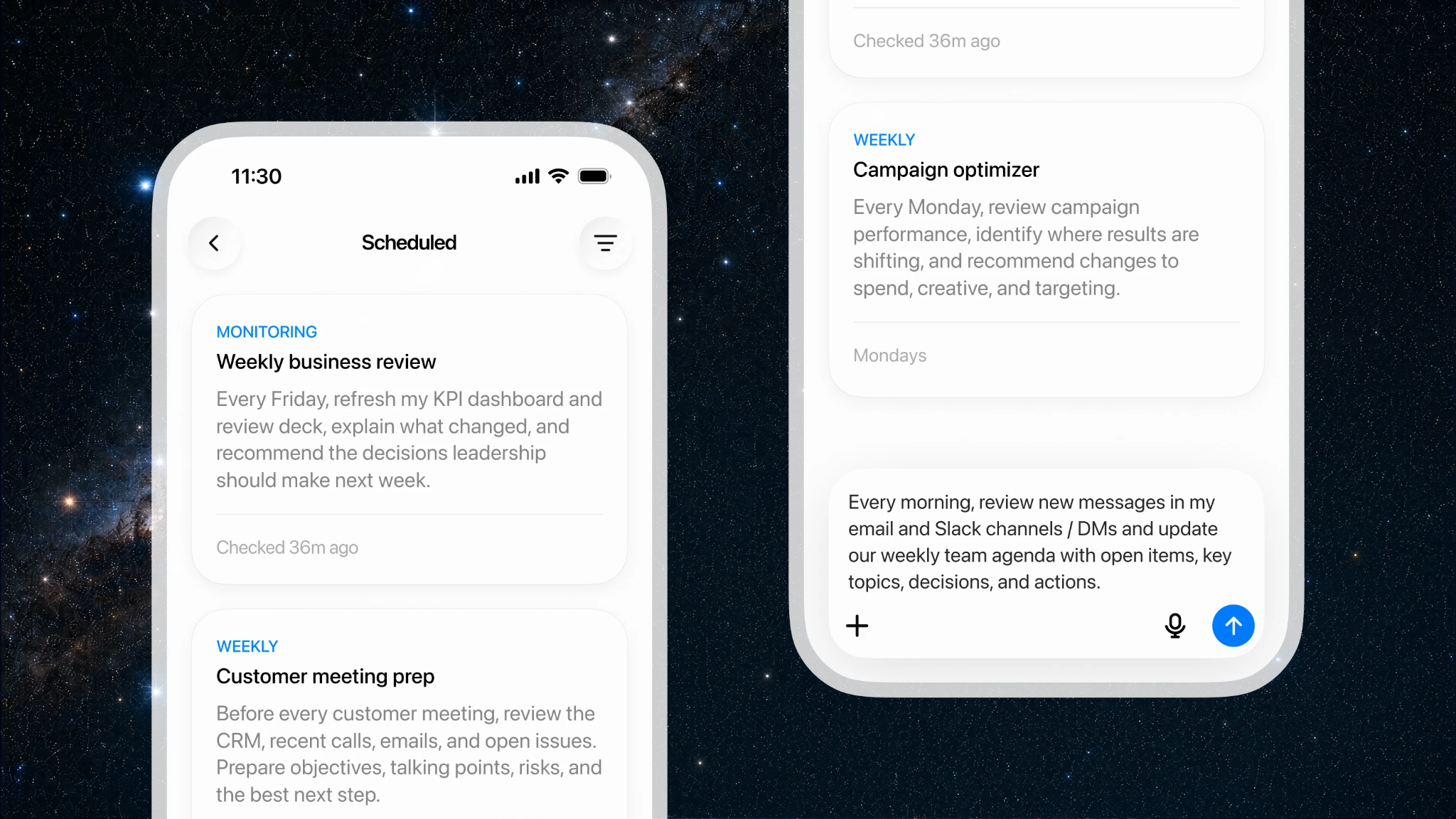
The three big assistants all now run in an agentic mode, where instead of returning an answer they take a goal and work through it: browsing the web, opening your files, running code, and handing back a finished document, spreadsheet, or set of slides.
They’re the natural starting point because you likely already pay for at least one, and the agent capability is bundled in rather than sold separately.
They’ve settled into distinct strengths.
-
OpenAI folded its agent capability into a mode now called ChatGPT Work, which spins up a sandboxed virtual computer, connects to tools like Slack, Gmail, and Google Drive, and can run tasks on a schedule to produce a finished deliverable.
-
Claude leans toward tighter oversight—it’s strong on careful reasoning and document work, and gates consequential actions rather than running fully hands-off.
-
Gemini’s advantage is that it lives inside Google Workspace, so it works directly against the Gmail, Calendar, and Docs you already use.
You can, of course, run more than one agent using these tools. For example, you can use Gemini for daily mail and calendar, Claude for deep analysis and drafting, ChatGPT for multi-tool tasks.
Key strengths:
-
Already included in a subscription you probably have, with no separate agent product to buy
-
Handle the widest range of tasks with the least setup—genuinely ready to use
-
Produce real deliverables (spreadsheets, reports, slides), not just text replies
-
Confirmation gates before consequential actions keep a human in the loop
Limitations:
-
Usage is capped and metered, so heavier automated tasks draw down a monthly allowance quickly
-
These mostly act when you start a task—they run the job and stop, rather than working continuously in the background on their own
-
Reliability is good, not flawless—anything high-stakes still needs review
If you’re not sure where to start, start here. One of these covers most of what the rest of this list does in a more specialized way—and it tells you which specialized tool is actually worth adding later.
2. Plus AI
Best for: Anyone who turns research, notes, or documents into presentations—and wants the slides made where they already work, in PowerPoint or Google Slides
Category: Presentation agent
Price: Starts at $10/month
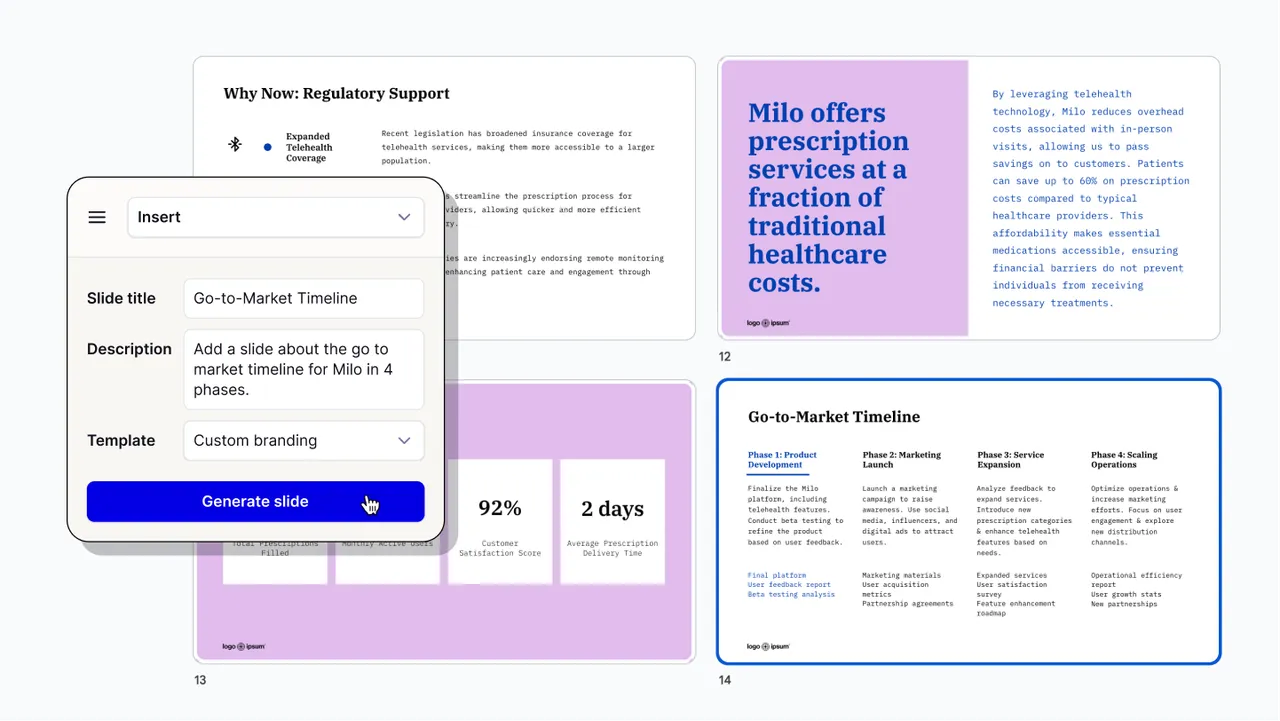
Plus AI does one job and goes deep on it: building decks. It works as a native add-on for PowerPoint and Google Slides, so the output lands in the tool you already use. It creates native PPTX and Google Slides files that stay compatible with your existing templates, using its own Open XML renderer rather than a lookalike export.
You can start from a prompt or from a document—a PDF, Word file, PowerPoint, or plain text—and get back a full deck or a single slide. The Remix feature reformats existing slides into new layouts, and you can rewrite slides in one click.
Plus AI is not an autonomous agent—you stay in the driver’s seat. But it connects to your agents, which is why it belongs here. Through its Presentation Agent, another agent can hand it a finished piece of research and get a built-out deck back.
So you can do the thinking in ChatGPT or a research agent, and let Plus AI turn the result into slides—the deck becomes the last step in the chain instead of a separate job you do by hand.
Key strengths:
-
Works inside PowerPoint and Google Slides—no new app to learn, and you edit the result with your normal tools
-
Handles brand colors, logo, custom themes, and org-wide custom templates
-
Connects to other agents, so deck-making becomes one step in a bigger workflow
-
SOC 2 Type II compliant, which matters if decks pull in sensitive material
Limitations:
-
Scope is deliberately narrow—it makes presentations, not a general assistant for email, research, or analysis
-
It does not act on its own; you or another agent has to drive it
-
Using the Presentation Agent inside another agent needs the MCP or API setup—the simplest path stays the add-on
If slides are a regular part of your output, this is the one specialized tool worth adding early. It also pairs well with the research agents further down this list—do the research in one, build the deck in Plus AI. Paid plans start at $10/month, with a free trial.
3. Deep research agents: Gemini Deep Research and Perplexity
Best for: Anyone who needs to turn one big question into a sourced, multi-page report—market scans, competitor research, due diligence, or background reading
Category: Deep research agents
Price: Depends on your LLM
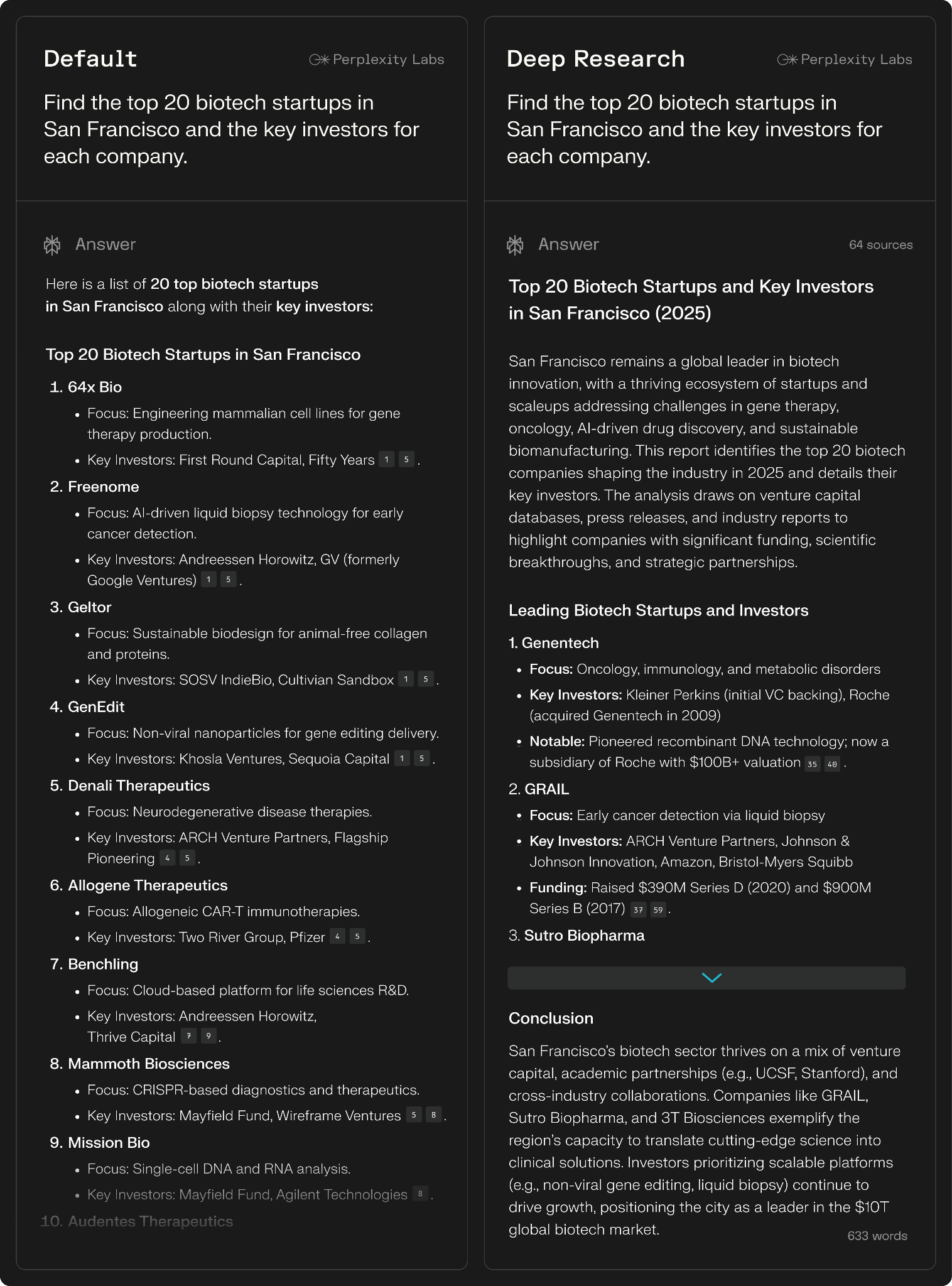
A deep research agent takes a complex question and does the digging for you. It plans the work, searches across many sources, reads what it finds, and writes up a report in minutes. Two tools lead here for most people.
(ChatGPT does this too—OpenAI folded its old Deep Research feature into ChatGPT Work, covered in entry 1.)
-
Gemini Deep Research is an agentic feature in the Gemini app. It turns your prompt into a multi-point research plan, then browses up to hundreds of websites on your behalf—and your Gmail, Drive, and Chat if you choose—and returns a multi-page report in minutes. You see the plan before it runs and can edit it, and you can watch which sites it reads.
-
Perplexity Research works the same way and puts citations first. It runs dozens of searches, reads hundreds of sources, and delivers a report in two to four minutes. Every claim links back to a primary source. You can export the report to PDF or turn it into a shareable Perplexity Page.
Key strengths:
-
Turn a broad question into a sourced report in minutes instead of an afternoon of open tabs
-
Show their work—Gemini lists the sites it browsed, and Perplexity cites every claim to a primary source
-
Pull from your own material—Gemini reads your Gmail, Drive, and Chat if you allow it, and Perplexity crosses your files with the live web
-
You review the plan before it runs with Gemini, so you can correct the direction early
Limitations:
-
The report is only as good as the sources it finds. It can still pull in weak or wrong material, so you check the citations.
-
Free tiers cap how many research runs you get per day
-
A clean, well-formatted report can read as more certain than it is. The reasoning still needs a human check.
Use one of these when a question would otherwise cost you half a day of reading. Start with whichever assistant you already pay for, then add Perplexity if source quality and citations are the priority.
4. Manus
Best for: Anyone who wants to hand over a whole multi-step task—research, a report, a working web page—and get a finished result back
Category: Autonomous general-purpose agent
Price: Starts at $20/month
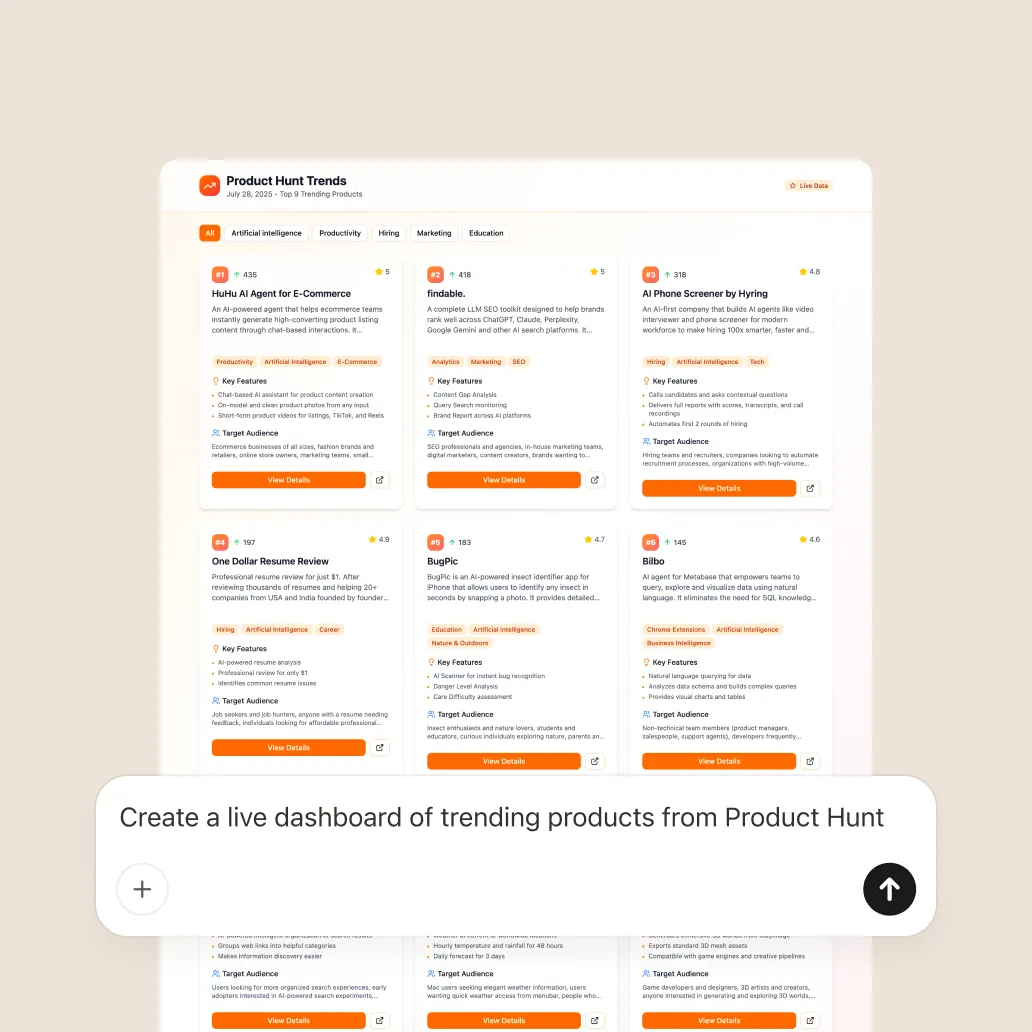
Manus goes further on autonomy than most tools here. It is a general AI agent that takes action rather than just answering questions.
You delegate a task, and Manus plans and completes it without constant supervision. It runs in an isolated virtual machine where it can browse the web, run code, and work with files, then delivers the finished output.
Where a deep research agent stops at a report, Manus keeps going and builds the thing. It can research a topic, analyze the data, generate visualizations, and produce a complete report, and it uses a parallel multi-agent approach to work on several parts at once.
Key strengths:
-
Handles a task end to end—from research to a built deliverable—without step-by-step prompting
-
Runs in its own sandboxed environment, so it can use a browser, code, and files together
-
Good for one-off projects you would otherwise assemble by hand across several tools
Limitations:
-
More autonomy means less moment-to-moment control—you review the result rather than each step
-
Long autonomous runs can take a while and can go off-track, so bounded, well-specified tasks work best
-
Handing a full task to an agent needs a clear brief up front—vague goals produce vague output
Reach for Manus when the job spans several steps and you would rather define the outcome than drive every move. For quick answers or a single draft, a general-purpose assistant is the lighter choice.
5. Julius AI
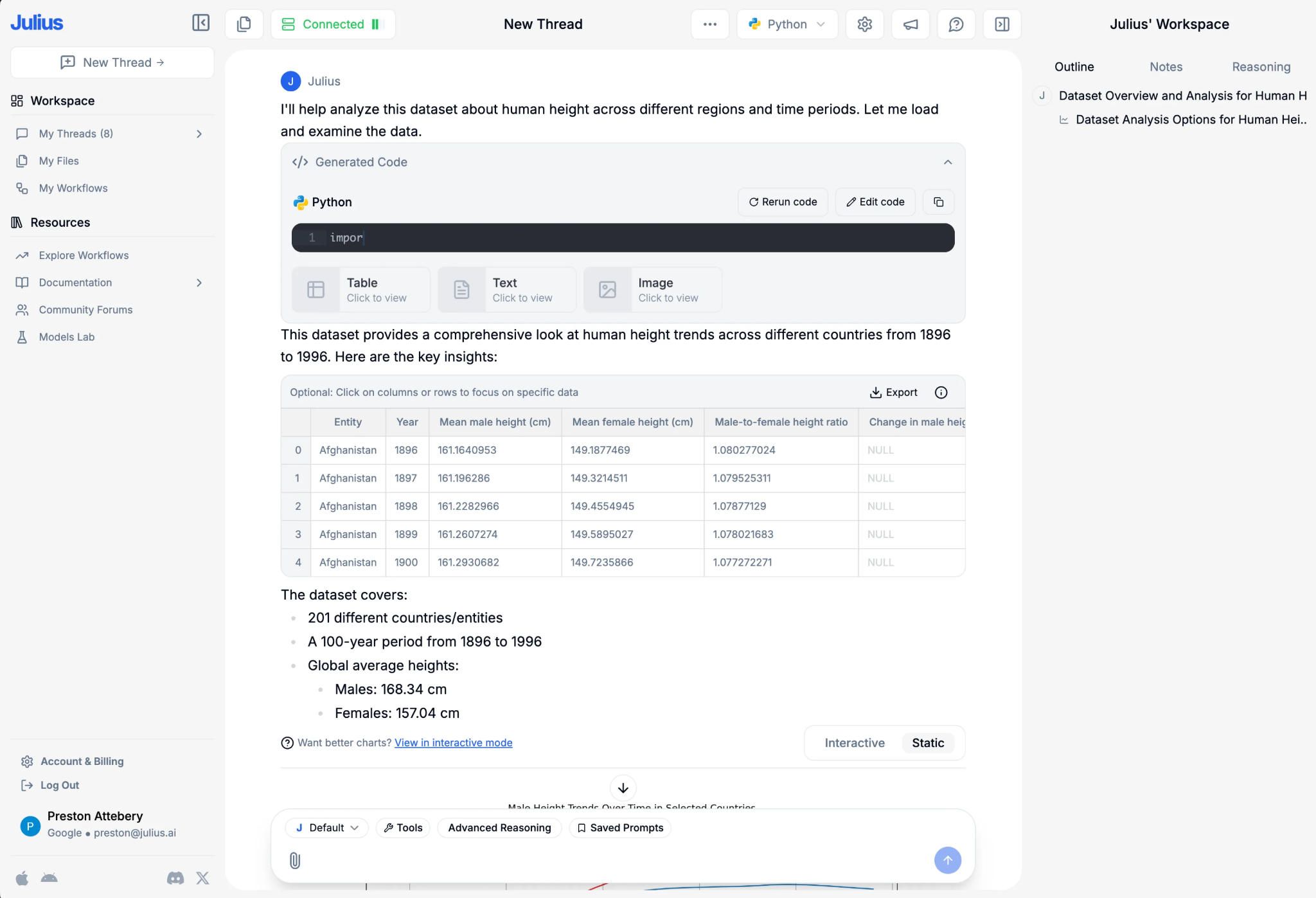
Best for: Anyone who works with spreadsheets or databases and wants answers, charts, and forecasts without writing code
Category: Data analysis agent
Price: Free plan available, paid plans start at $20/month
Julius is a data analyst you talk to in plain English. It is an AI data workspace that reasons through your question, writes the SQL and Python it needs, and surfaces the result with context.
Ask it something, and it runs the query on your spreadsheet or database and returns a chart, table, or summary. It retries failed queries on its own and lets you save an analysis to rerun as the data changes.
You connect your data directly. Julius links to local files, Google Sheets, and databases, and pulls from several sources at once. That means the answers come from live data rather than a stale export.
Key strengths:
-
Ask questions in plain English and get charts and summaries back—no SQL or Python required
-
Connects straight to your databases and files, so results reflect current data
-
Save a repeatable analysis and schedule it, so recurring reports refresh themselves
-
Explains its results in plain language, which helps non-analysts read them
Limitations:
-
The output depends on clean, well-structured data. Messy inputs produce shaky answers
-
It reasons and can still make mistakes, so you sanity-check important numbers
-
Team features like scheduled runs and governed access sit on the higher tier
Add Julius when spreadsheet work is a regular tax on your week and you want answers in minutes rather than an afternoon in Excel. General-purpose assistants can also analyze data, but a dedicated tool connects to live sources and handles recurring analysis more cleanly.
6. Granola
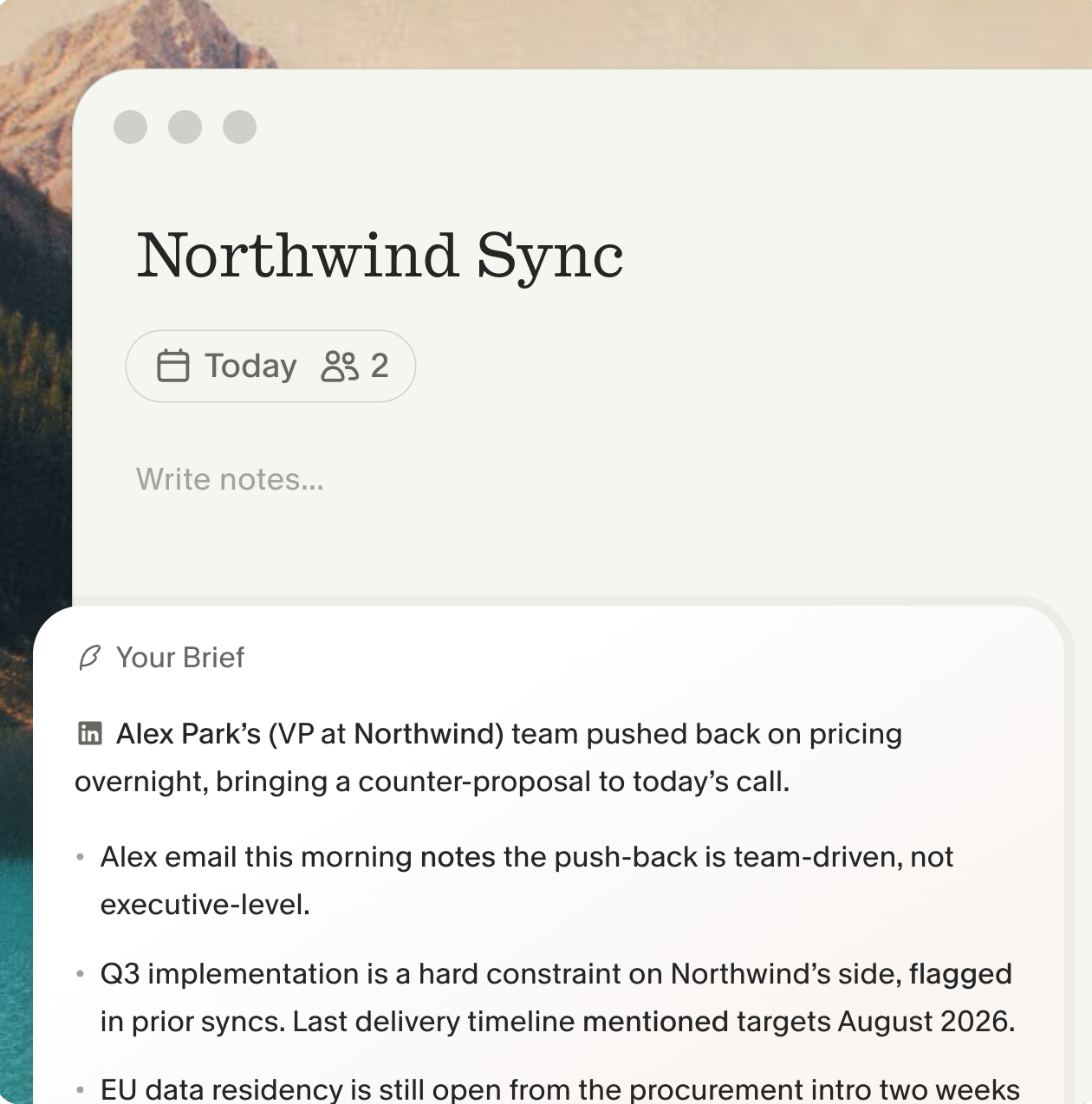
Best for: Anyone in back-to-back meetings who wants clean notes and action items without a recording bot in the call
Category: Meeting notes agent
Price: Free plan available, paid plans start at $14/month
Granola is a notepad that listens. You type rough notes during the meeting, and when it ends, Granola combines what you wrote with what it heard to produce clean, structured notes.
It uses your computer’s audio to transcribe the call, so there is no bot joining the meeting, and it works with Zoom, Google Meet, Teams, and other apps. It also syncs with your calendar and preps a brief before each meeting: who is attending and what you discussed last time.
Its lighter agent side handles the follow-through. Granola can push action items into Linear, Jira, or Asana, send summaries to Slack, and connect to your CRM, and its MCP integration carries meeting context into Claude, ChatGPT, and other tools.
Key strengths:
-
No meeting bot—it captures device audio, so nothing shows up as a visible participant in a client call
-
Merges your own notes with the transcript, so the output reflects what you cared about
-
Sends action items to your project tools and CRM and carries meeting context into your other AI tools
-
Lets you search across past meetings to recall what someone actually said
Limitations:
-
It captures device audio, so it fits calls and in-person conversations rather than remote meetings you do not join
-
The quality of the notes depends partly on the rough notes you type during the call
-
Follow-up automations still deserve a glance before they create tickets or CRM entries
Add Granola if meetings eat your day and the after-work of writing them up is the real cost. The notes stay yours, and the follow-ups leave the meeting instead of your memory.
7. Microsoft Copilot
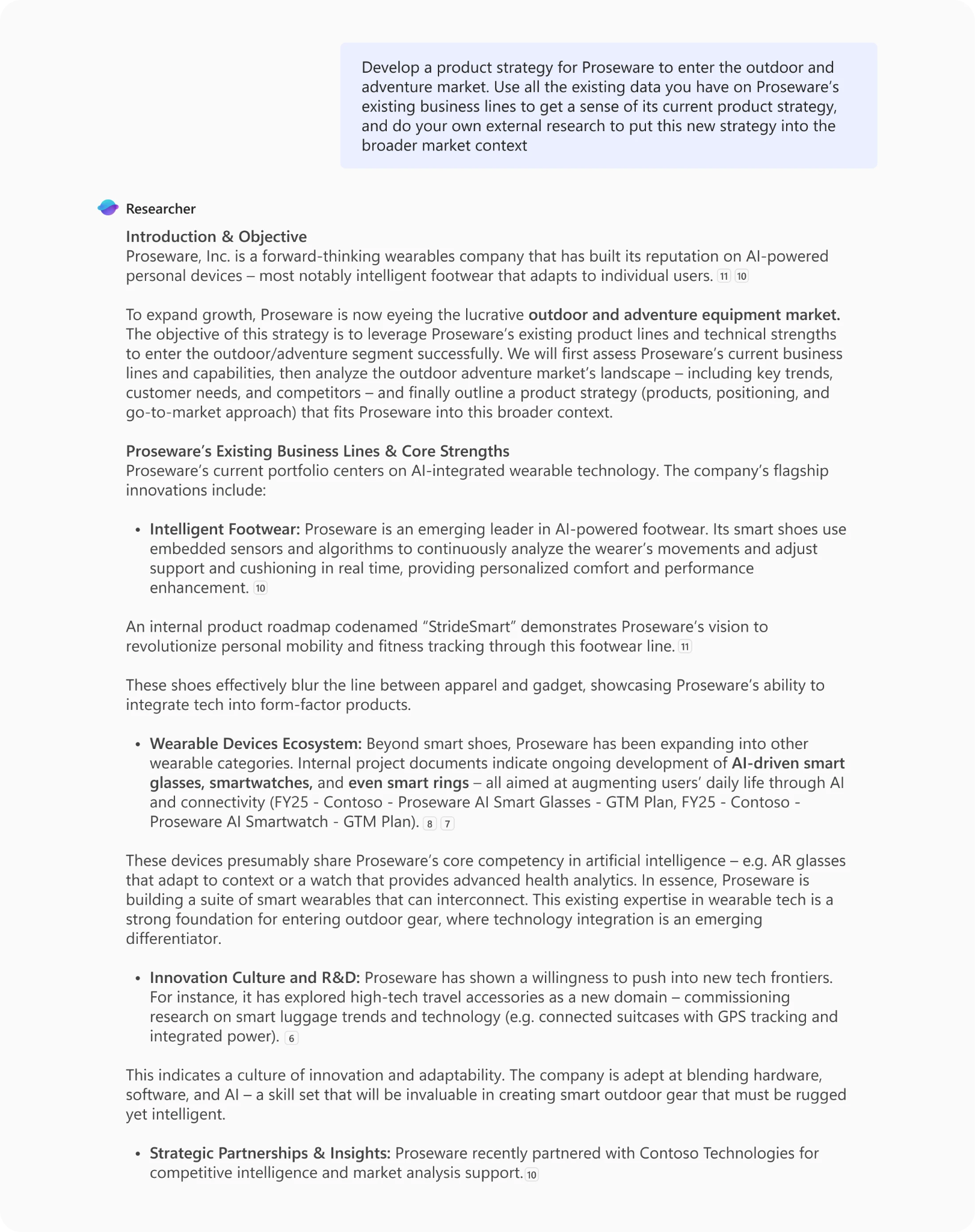
Best for: Teams that live in Microsoft 365—Word, Excel, PowerPoint, Outlook, and Teams—and want agents that work against that data
Category: Ecosystem assistant with built-in agents
Price: Depends on your org’s license
If your work sits in Microsoft 365, Copilot brings agents to where it already is. Two built-in reasoning agents matter most. Researcher handles complex, multi-step research and delivers a source-cited report, drawing on both the web and your work content—files, emails, meetings, and chats you have access to. Analyst runs Python to work through data queries, and you can watch the code it runs and check its work.
The reach into your own work data is the real draw. Because Copilot sits inside Microsoft 365, its agents can act on the documents and mail you already have, under your existing permissions. Copilot Cowork, an agentic system that plans, executes, and delivers a finished result, is now generally available and billed by usage.
Key strengths:
-
Works against your Microsoft 365 data under existing permissions—no separate data setup
-
Researcher delivers source-cited reports, and Analyst runs visible Python for data work
-
Agents live inside the apps you already use, so there is little to learn
Limitations:
-
The value depends on being committed to Microsoft 365. Outside that stack, much of it does not apply.
-
Reasoning agents are metered—a Copilot license includes up to 25 combined Researcher and Analyst queries per month
Copilot makes the most sense when Microsoft 365 is already your workplace. The agents earn their keep by working on your real files and mail rather than starting from a blank page.
8. Glean
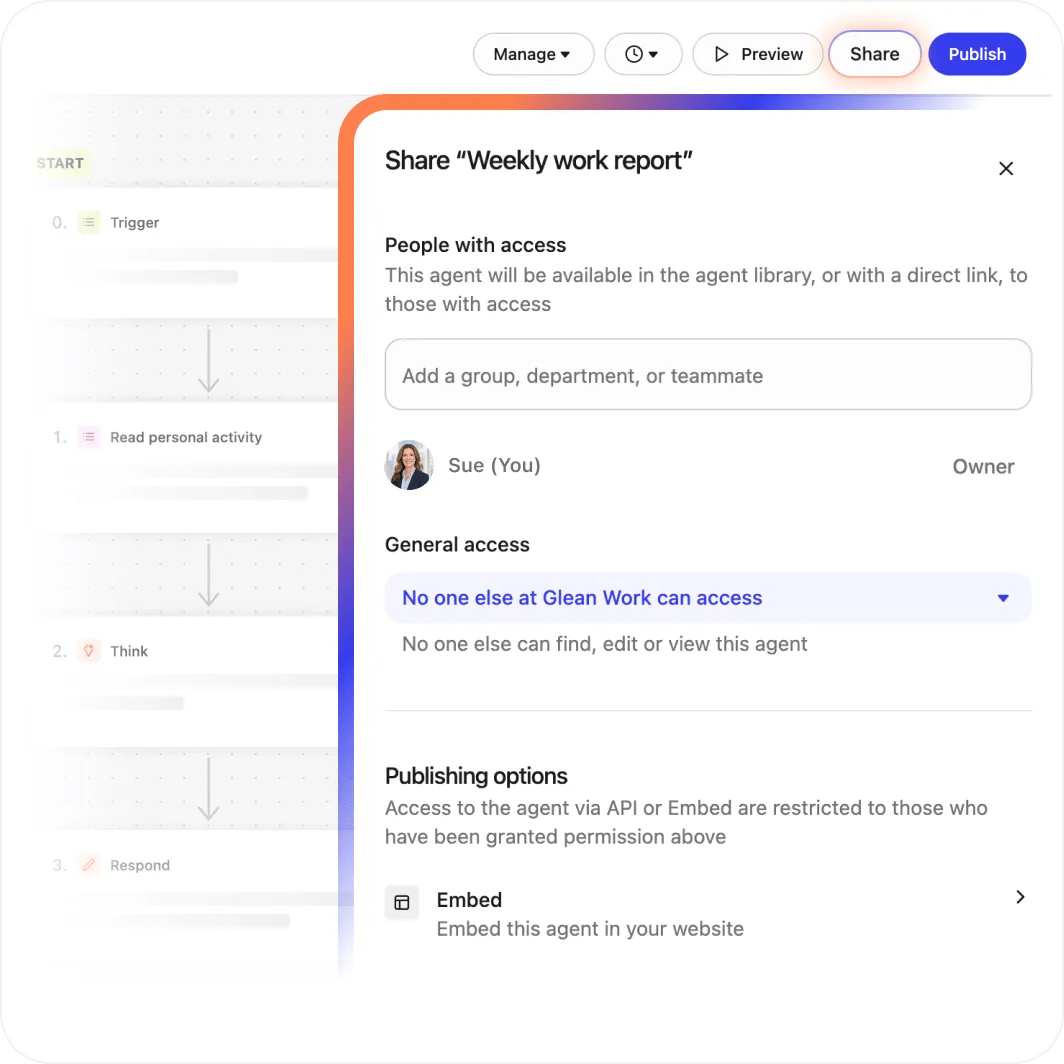
Best for: Larger teams that want agents grounded in the company’s own knowledge—docs, tickets, chats—across every app
Category: Enterprise work platform
Price: Not publicly available
Glean connects your company’s tools and builds agents that work on top of that shared knowledge. It unifies enterprise search, assistants, and agents on your company’s context, runs in your single-tenant cloud, enforces strict permissions, and validates every agent action.
Its assistant searches across your company’s tools, docs, and the web, then builds a multi-step plan and coordinates sub-agents to do the work.
Answers are permissions-aware and reference back to the source documents, and Glean connects to over 100 apps. On top of search, it offers an agent builder, orchestration, and governance so teams can build and run their own agents with controls.
Key strengths:
-
Grounds answers and agents in your company’s own data, with every answer traceable to its source
-
Permissions-aware—people only see what they are allowed to see
-
Build, orchestrate, and govern your own agents with over 100 connectors
Limitations:
-
Built for organizations, not individuals—it needs company-wide setup and connectors
-
Value depends on how much of your knowledge is connected. A thin index gives thin answers.
-
It is a platform, so expect a rollout rather than a same-day start
Glean fits when the problem is that your company knows things but people cannot find them. It turns that scattered knowledge into answers and agents, with the permissions and audit trail a larger organization needs.
9. Gumloop and n8n
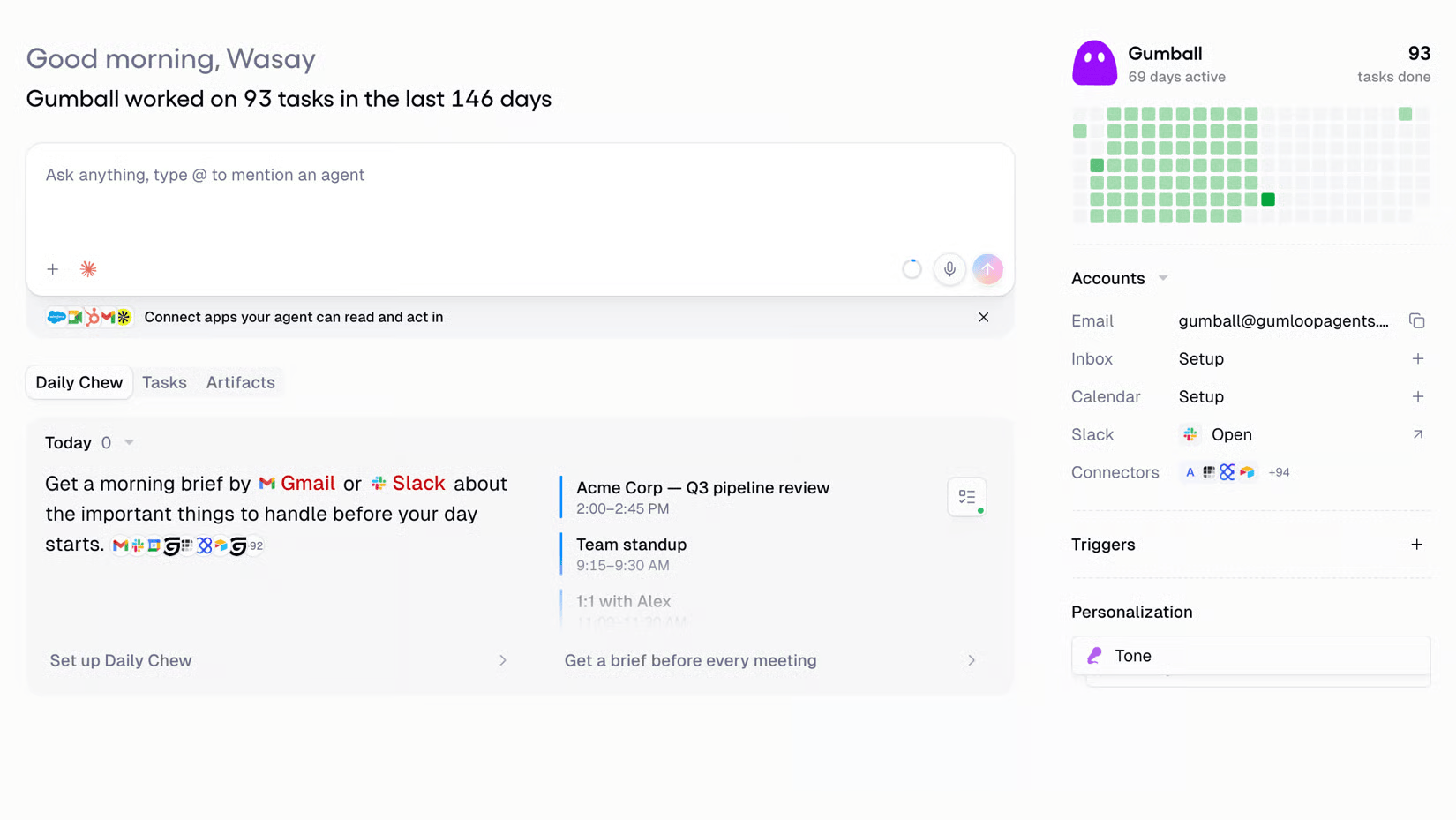
Best for: Teams that want to build their own agents and automations—Gumloop for non-technical builders, n8n for those who want code and control
Category: Agent builder platforms
Price: Gumloop’s pricing starts at $37/month and n8n starts at $20/month
When no ready-made agent fits, you build one. These two platforms cover the range from no-code to full control.
Glean (above) also builds agents, but it grounds them in your company’s internal knowledge on an enterprise platform. Gumloop and n8n are lighter and more general. You use them to wire your apps together and automate a workflow, from no-code to full control, without a company-wide knowledge layer behind them.
Gumloop is the no-code option. Non-technical teammates build agents in a visual, drag-and-drop flow, and Gumloop agents can build integrations from natural-language descriptions and write and run their own sandboxed code.
n8n is the option for control. Its source code is auditable and it offers a fully self-hosted deployment, so you own your workflows and can keep data on your own infrastructure. You build AI agents in a drag-and-drop editor, and developers can go deeper with custom nodes and scripting.
Key strengths:
-
Gumloop lets non-technical people build working agents without code
-
n8n gives self-hosting and auditable source code, so sensitive data can stay in-house
-
Both let you automate a workflow that no off-the-shelf agent covers
Limitations:
-
Gumloop is cloud-only with no self-hosting, which rules it out for some regulated setups
-
n8n has a steeper learning curve
-
Both need you to design and maintain the workflow—more capable, more upkeep
Choose Gumloop if the people closest to the work should build the automation themselves. Choose n8n if you want full control, custom logic, or data kept on your own servers.
How to choose, and how to start
The best agent depends on the job in front of you, not on which one tops a ranking. A few practical guidelines:
-
Start with what you already pay for. A general-purpose assistant covers research, drafting, and analysis on day one. Prove the value there before adding anything.
-
Add a specialist for a job you do often. If you build decks weekly, add Plus AI. If meetings eat your day, add Granola. If spreadsheets are a tax, add Julius.
-
Match the tool to your stack. If you’re deep in Microsoft 365, Copilot fits. A larger team with scattered knowledge, Glean fits.
-
Move to build-your-own only when ready-made runs out. Gumloop and n8n let you build custom automations.
Whatever you pick, start small and keep a human in the loop. Let an agent draft, research, and summarize before you let it send, post, or change anything. Give it read access before write access, review what it does for the first few weeks, and widen its reach as it earns your trust.