
Resources
In-Depth Genspark Review (and 9 alternative AI presentation tools)
Genspark review: decent as an AI assistant, but limited for slide decks

Genspark is a popular AI presentation tool that’s great at generating marketing buzz. But between its positioning as an all-in-one AI assistant and its unclear pricing structure, it’s not the best choice for every use case.
To help you decide if it’s right for you, I’ll walk you through an in-depth Genspark review and share a few alternatives to consider, whether you’re creating slide decks for internal meetings, clients, or investors.
Genspark review: Features, pricing, and pros and cons
Genspark is an AI workspace that generates slides, docs, sheets, images, and much more. It also has an AI assistant and custom AI agents to help with completing almost any work or personal task.
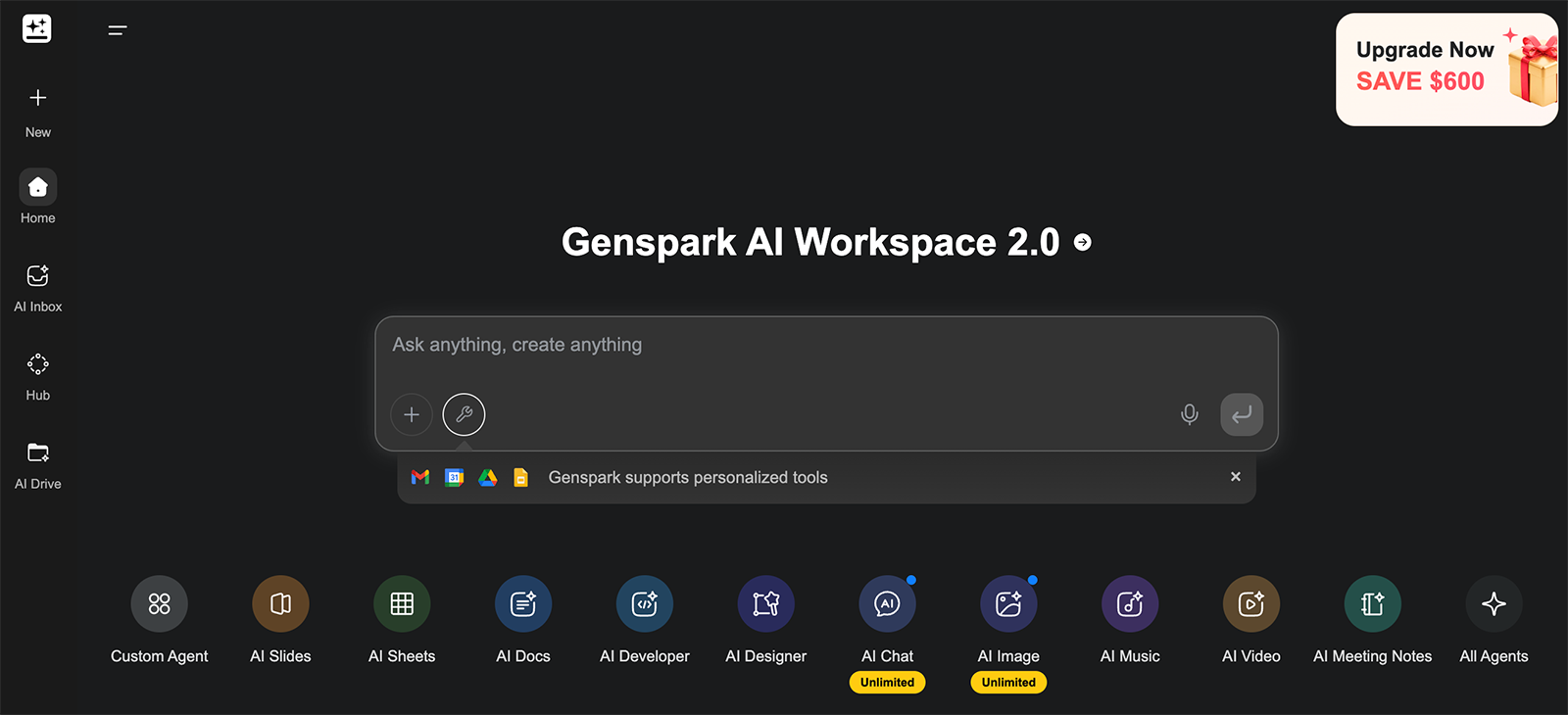
Genspark’s AI presentation tool
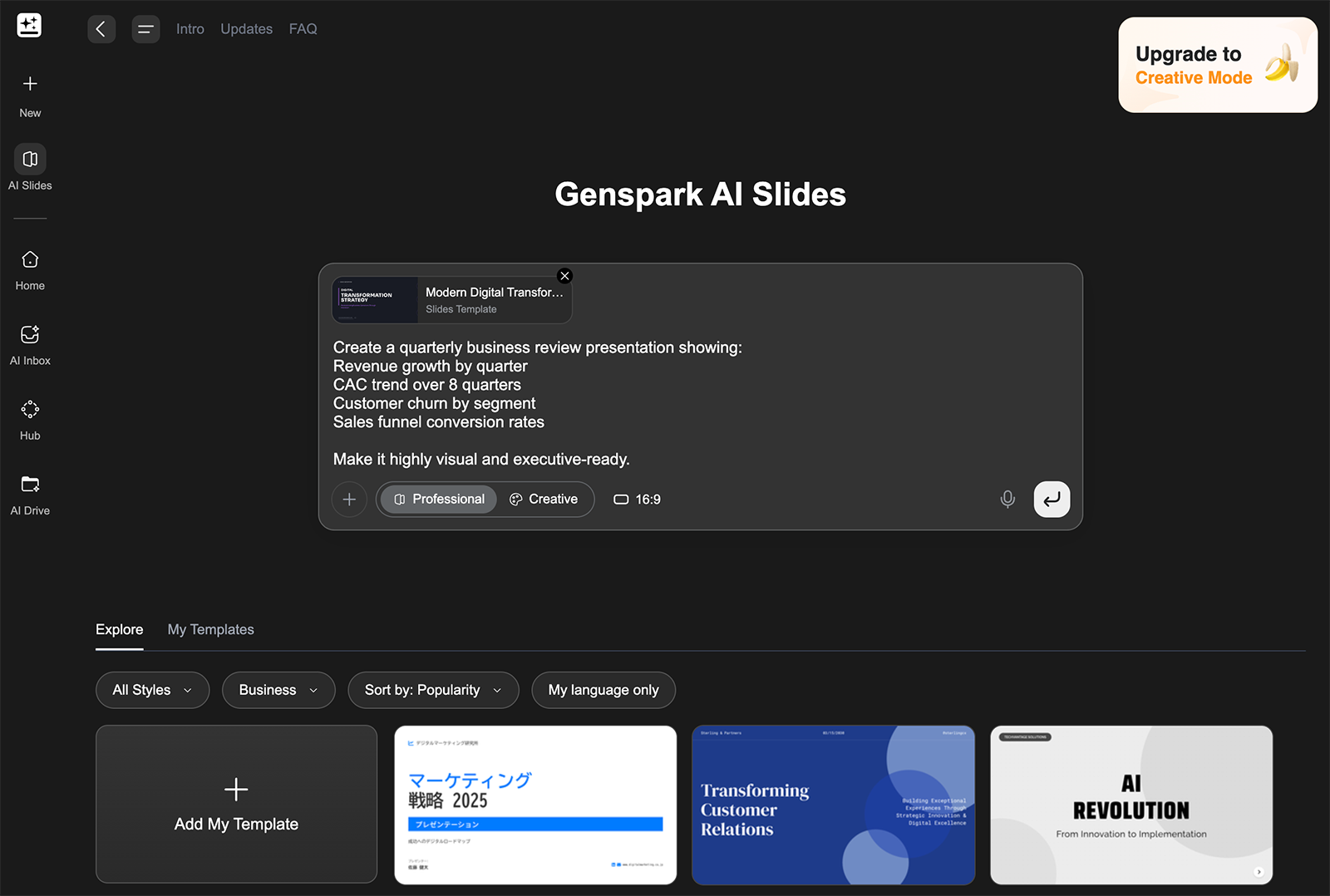
Using Genspark AI to generate slides is pretty straightforward. You input your topic and requirements, select a size, and pick out a template.
While you can use the filters to sort through the options, none of the templates look particularly eye-catching or current. I picked one at random and hoped for the best.
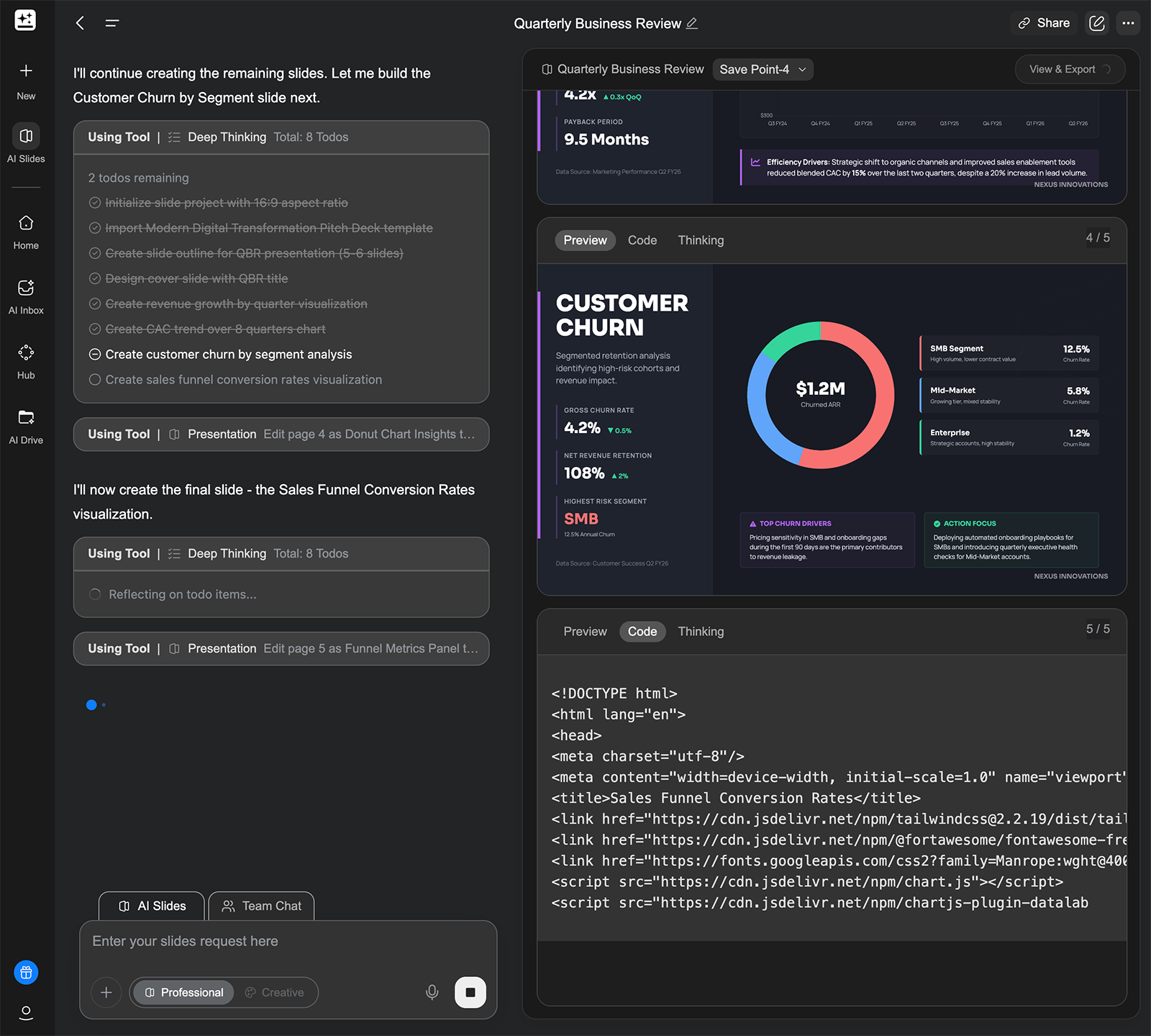
Then, sit back and wait for a while while the platform codes your slides. This process took much longer with Genspark than with any other AI presentation tool I tested.
When it’s finished, you can review the slides and edit elements like the font and the colors. But I wasn’t able to manually edit the copy, adjust the graphs, or update the layout in Genspark.
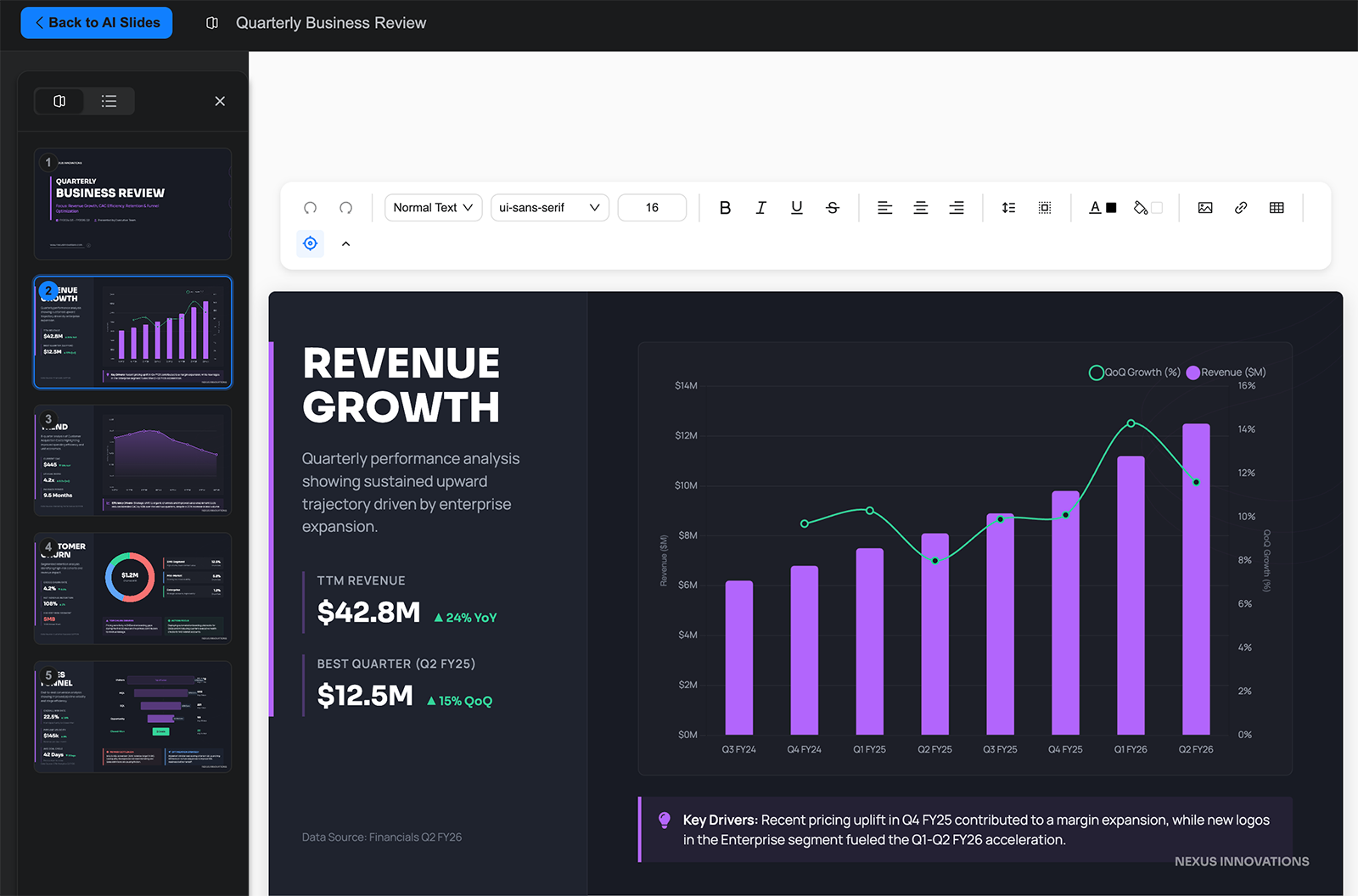
The dashboard does have tools for fact checking and editing. But it would be much more helpful if Genspark allowed manual edits, too.
When you’re finished reviewing the deck, you have the option to export to PDF, Google Slides, or PowerPoint. While Genspark has free plans, you need a paid account to export your work.
Other Genspark tools and features
In addition to its AI slide generator, Genspark has several other creative and agentic tools, including:
- Docs and sheets: Describe the document or spreadsheet you need, and let Genspark create it for you. You can also upload files to share context.
- Media: Use Genspark to generate images, videos, music, or designs. But note that Genspark provides a limited commercial use license for AI-generated content, so using it for business may be tricky.
- Meeting notes: Automatically transcribe and enhance meeting notes so you can keep projects on track and follow up on tasks.
- Super agent: Prompt Genspark to complete complex tasks and take action on your behalf. It can do research, make purchases, and make calls.
What I liked about Genspark
- It’s an all-in-one tool that can do much more than just design presentations. If you’re in the market for an AI assistant with creative chops, Genspark may be able to replace multiple other tools in your tech stack.
- Genspark’s slides look sharp, so it could be a decent option for AI-powered content creation.
- It has built-in AI editing tools, which might be helpful for reviewing AI-generated copy and improving the design.
What I didn’t love about Genspark
- It’s an AI assistant, not a dedicated tool for creating slide decks. If you’re looking for a best-in-class AI presentation tool that works where you do, Genspark isn’t it.
- Genspark doesn’t work directly in Google Slides or PowerPoint. When you’re ready to edit your slides, you have to export the file to the platform of your choice to finish the job and share your presentation.
- It isn’t a particularly strategic thinking partner. Most other slide generators I tested understood the assignment and generated additional slides to build out my example deck. Genspark did the bare minimum.
- The pricing is tough to find and even more difficult to understand. Genspark uses a credit-based system, but there’s no clear information on how many credits each task costs. So, you may end up having to upgrade or purchase more credits, making the platform much more expensive than you anticipated.
Genspark AI pricing
The free plan includes 100 free credits per day. Paid plans start at $19.99/month (billed annually) for 10,000 monthly credits and 50 GB of storage.
9 Genspark alternatives for AI-powered presentations
If you’d rather use a dedicated AI presentation tool to create professional slide decks, consider these alternatives to want a dedicated AI presentation tool, consider these alternatives to Genspark instead.
| Platform | Who it’s best for | Starting price |
|---|---|---|
| Plus AI | Teams that want native Google Slides and PowerPoint integrations to create unlimited presentations | $10/month |
| MagicSlides | Small teams on a very limited budget | $6.70/month |
| Decktopus | Teams that want robust AI editing and image generation options | $14.99/month |
| Beautiful.ai | Users who want to manually customize individual slides | $12/month |
| PPT AI | Teams repurposing existing content into slides | $6.90/month |
| Gamma | Teams that need presentations, websites, and docs in one tool | $9/month |
| Slidebean | Startups building pitch decks for VC funding | $7/month |
| Pitch | Teams creating branded presentations with AI-assisted editing | $13/month |
| Gemini | Google Workspace users who want AI slides without leaving the ecosystem | $14/month |
1. Plus AI
Plus AI is an AI presentation maker for generating and editing slides directly in the app, Google Slides, or PowerPoint. Designed for professional presentation creators, it supports building from scratch or starting from a prompt or a file (like a call transcript or an annual report).
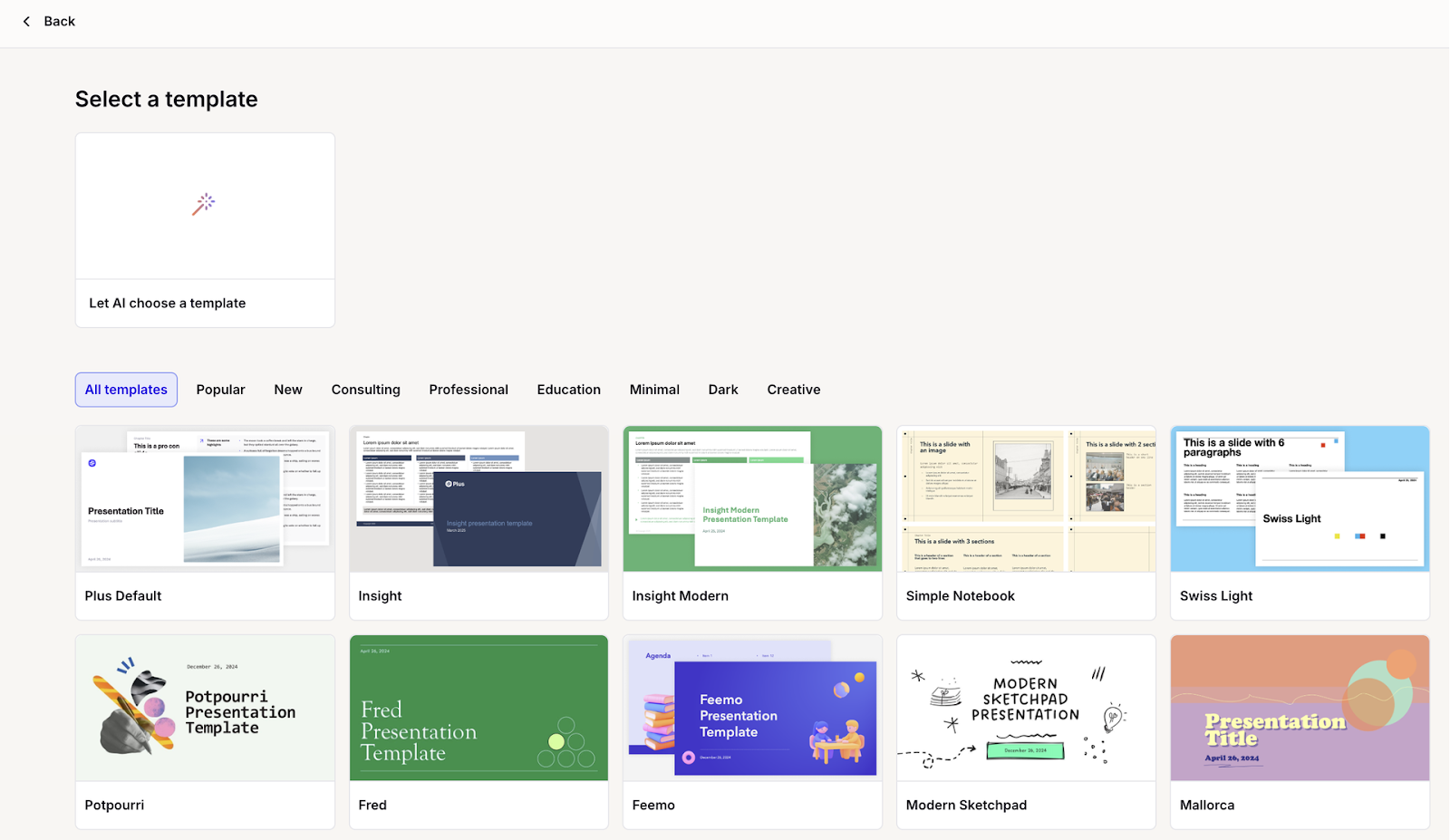
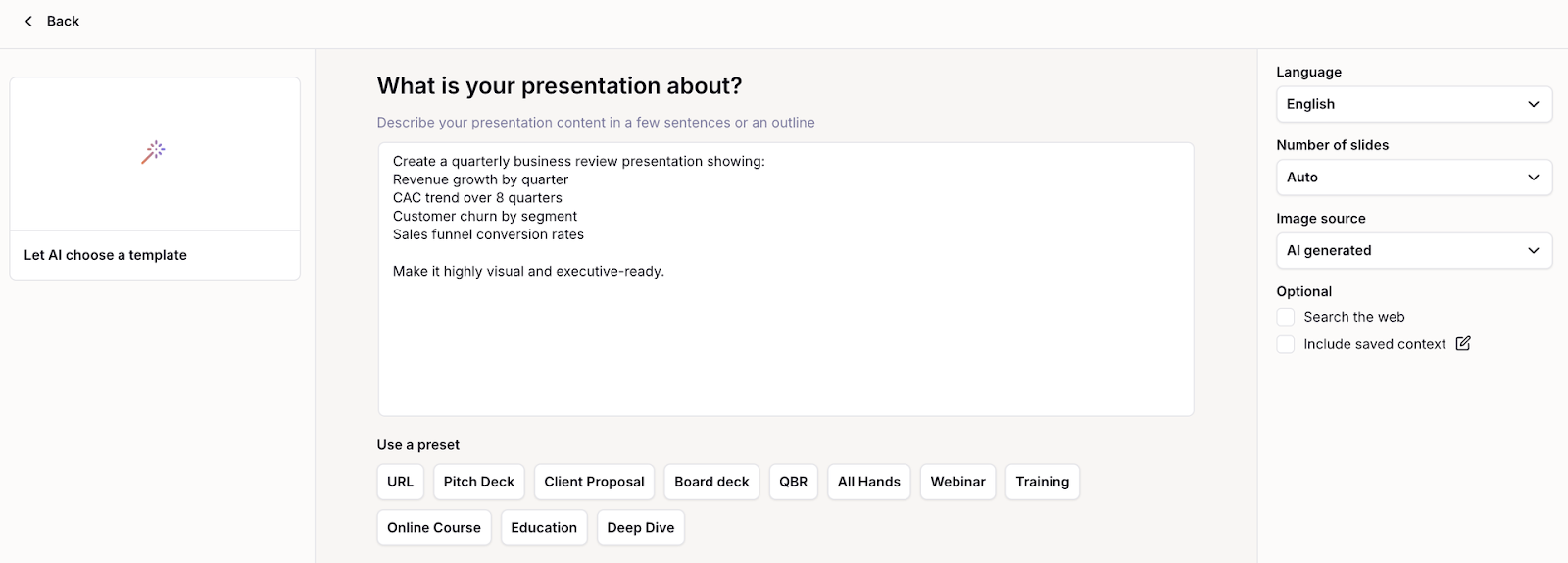
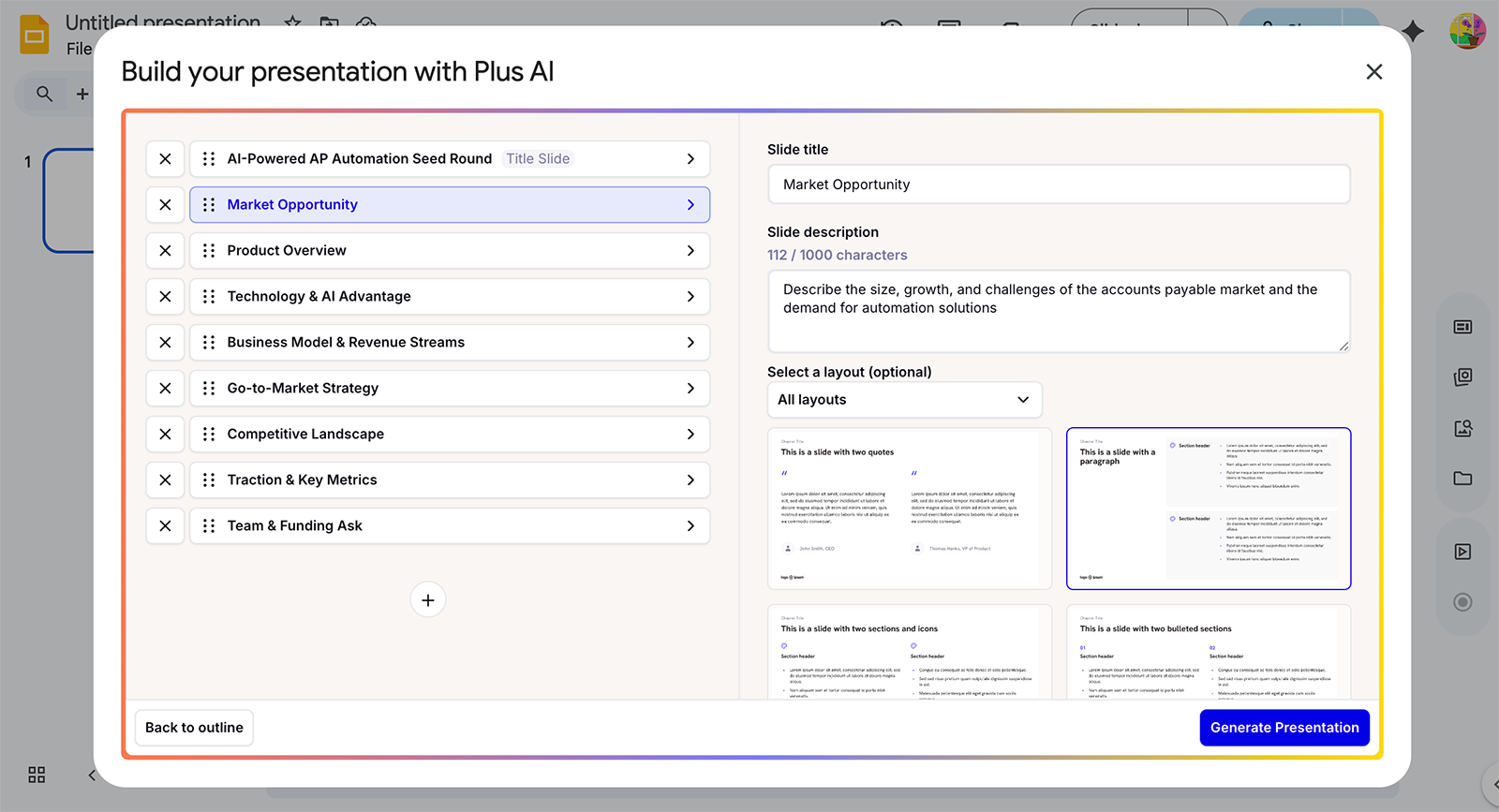
Choose from Plus AI’s template library, upload your own, or let AI select one for you based on the information you provide. After you confirm the language, number of slides, and image source (AI-generated, web search, or stock), you generate an outline for review.
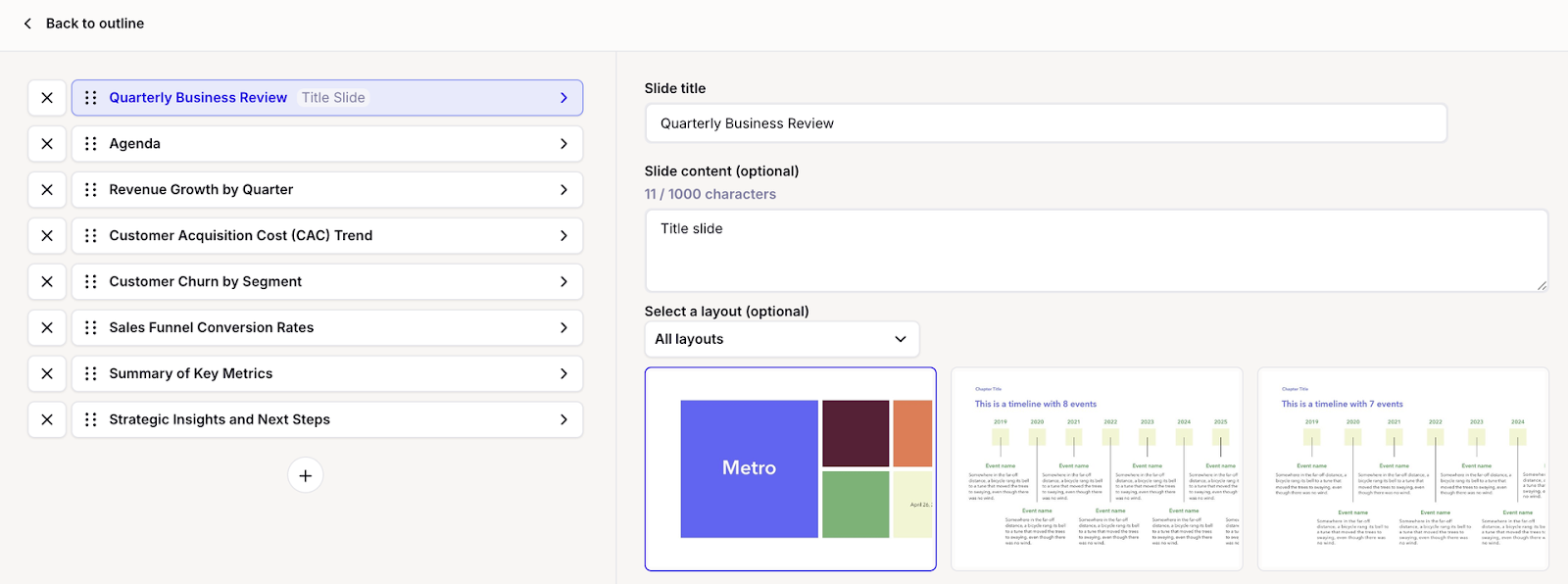
This is your opportunity to check the design, review the slide order, and add or remove any slides. You can also select a layout and update the slide content.
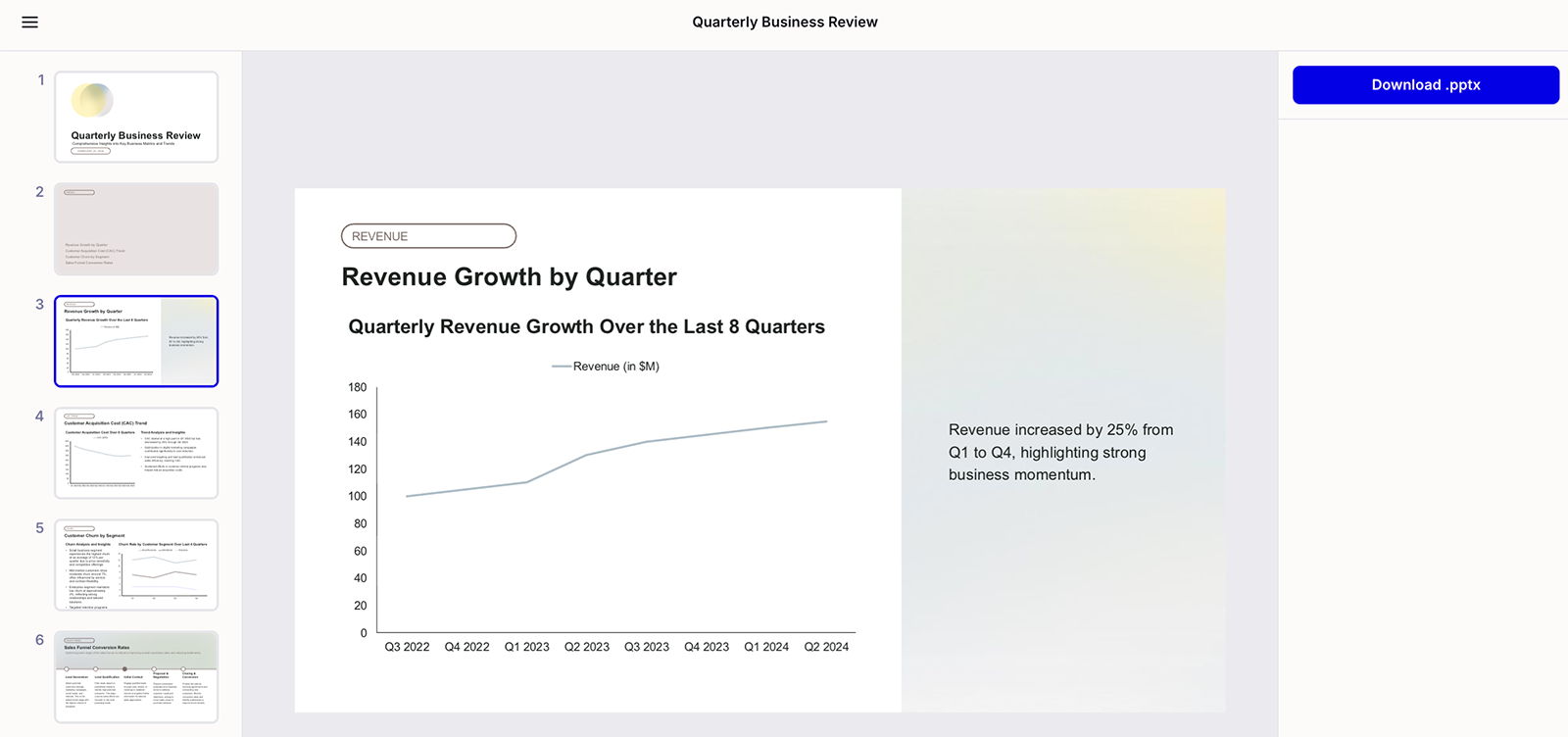
Then, Plus AI generates the deck for you to download and present. Unlike most other presentation tools, Plus AI creates real PowerPoint slides, not HTML converted to PPTX.
Creating in the Plus AI web app isn’t your only option. You can also access Plus AI where you already work — in tools like Google Slides and PowerPoint.
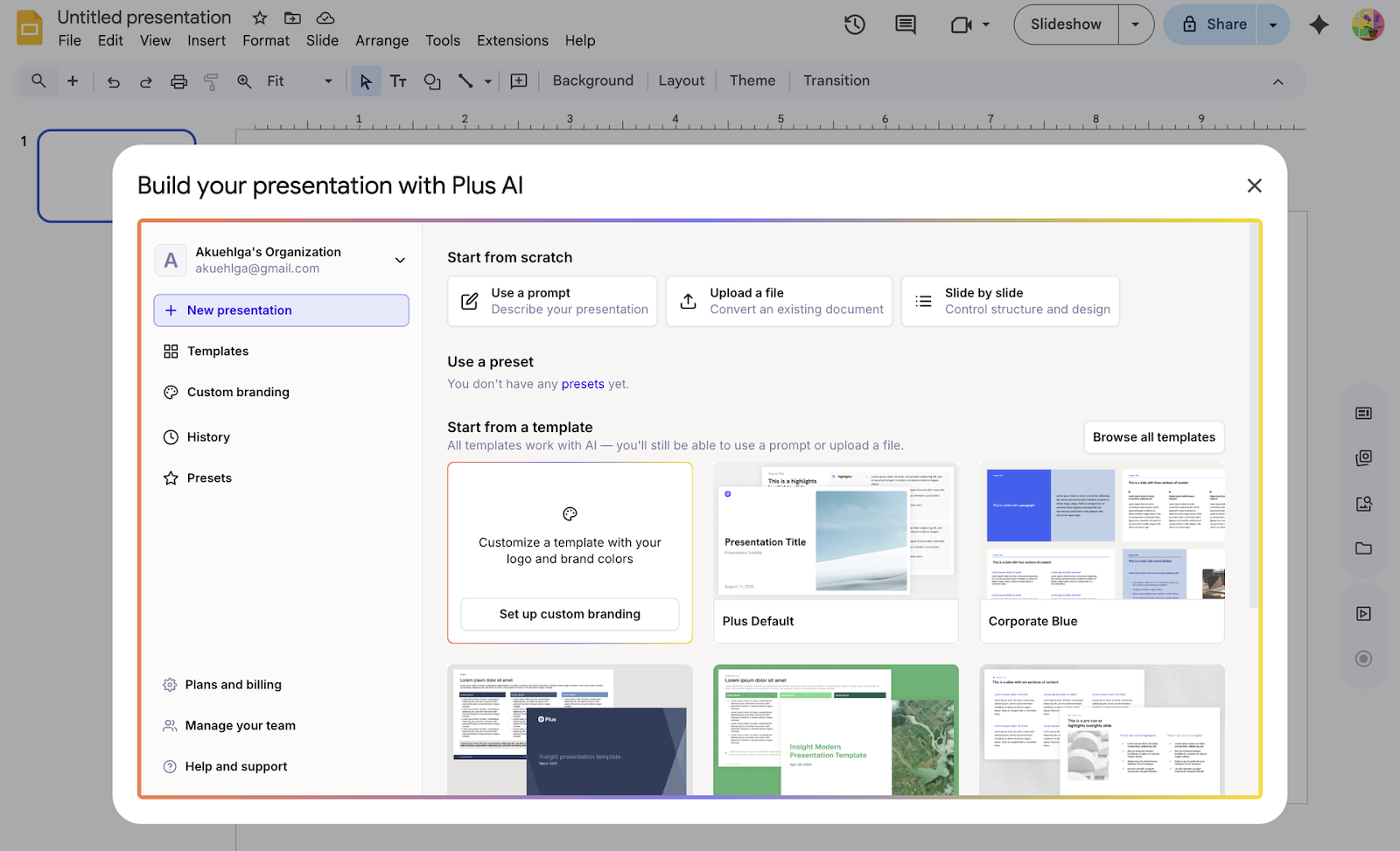
The workflow is similar: start with a prompt, a file, a custom design, or a preset. Then, review your outline and generate the presentation.
You can use Plus AI’s editing tools to refine presentations directly in Google Slides or PowerPoint. Rewrite text with AI, remix slides with one click, or add images and icons.
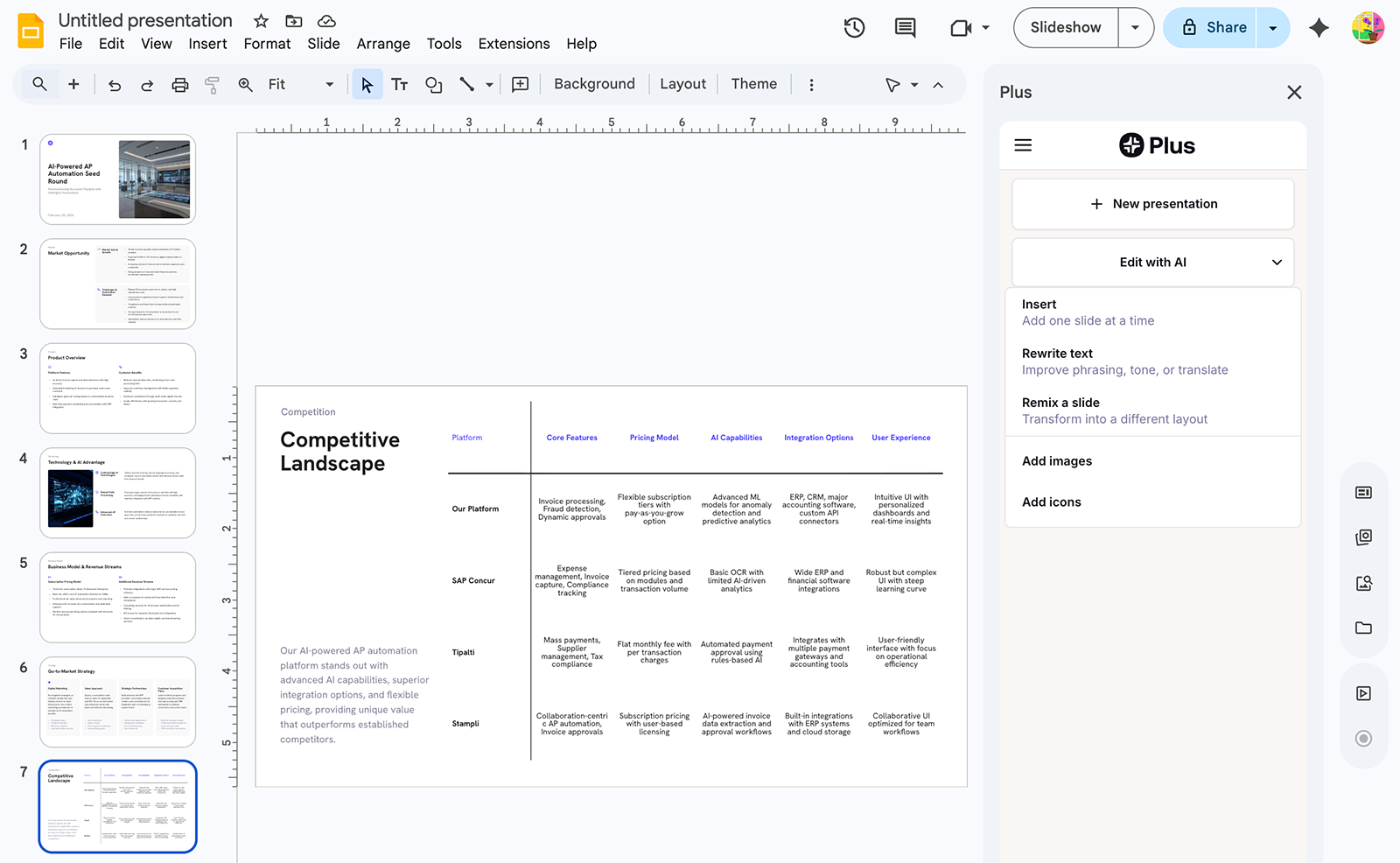
After reviewing the presentation, you’re ready to share and present — no need to export or upgrade to access your files.
What real users are saying about Plus AI
“Hands down the best AI presentation maker on the market when it comes to Google Slides. I can generate entire presentations from a prompt, or I can turn text into slides.”
- Everett Sizemore
“The integration into Google Slides is seamless. It feels like something that should have been there all along! 5/5 stars overall.”
- Avik Lee
“The integration into PowerPoint is what makes this product so helpful. Making plenty of decks on a weekly basis, I turn to Plus AI for powerpoint first.”
- Tracy Scott
Plus AI pricing
Starts at $10/month per user (billed annually) for unlimited AI generation in Google Slides and PowerPoint. Plans include a 7-day free trial.
2. MagicSlides
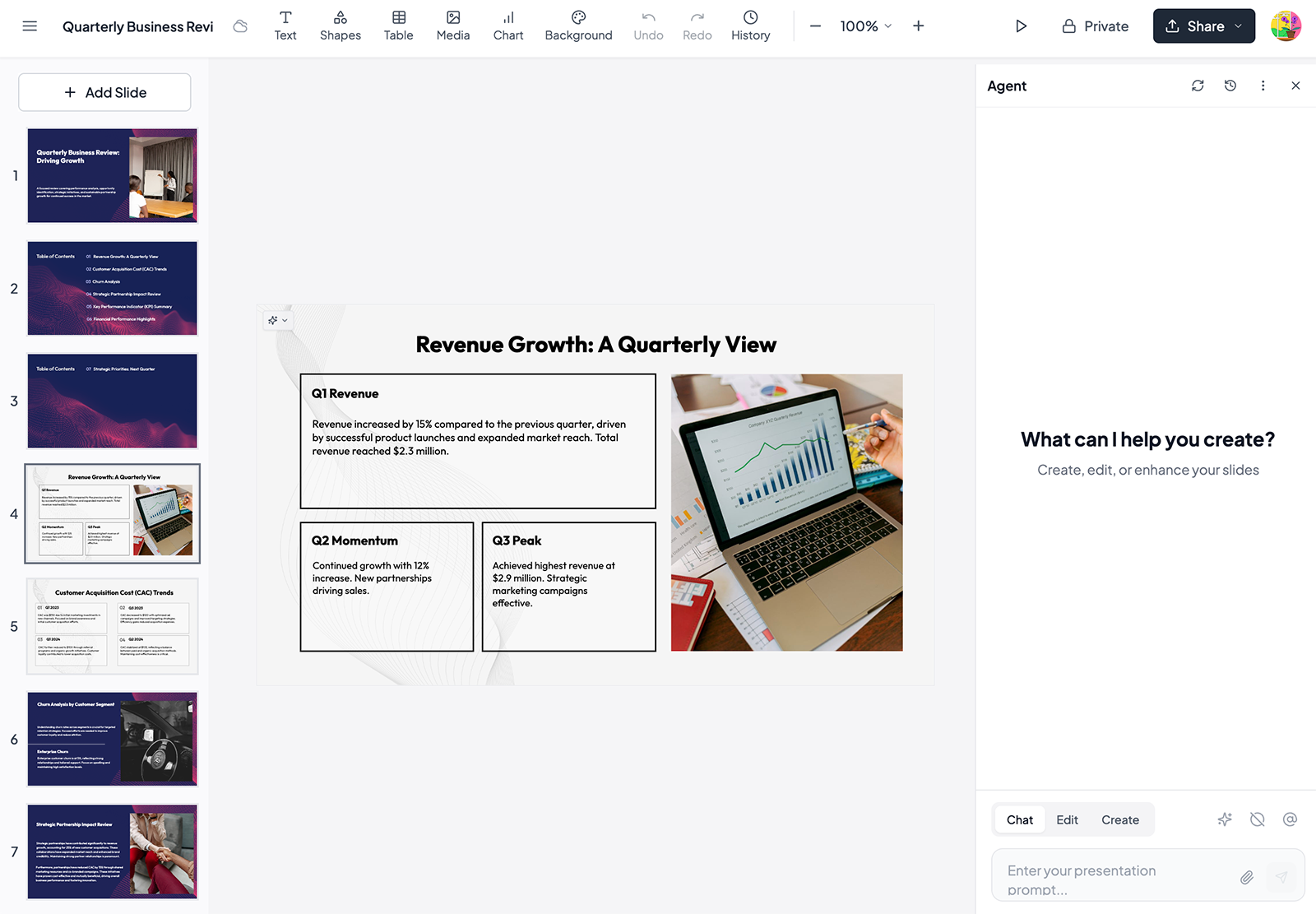
MagicSlides is an AI presentation maker that can convert prompts, links, or files into presentations. It supports over 130 languages, making it a potential option for global teams. The tool also works in ChatGPT and Google Slides, so you can generate slides where you’re already working.
What I liked about MagicSlides
- It has helpful editing options, including a tool to update presentation copy and an AI assistant that you can chat with to revise the draft copy. Plus, it can regenerate slides based on your instructions.
- MagicSlides went above and beyond my relatively basic prompt, generating about twice as many slides as I requested to build out the presentation.
What I didn’t love about MagicSlides
- It doesn’t automatically choose templates based on your topic. You have to scroll through a lot of outdated templates, many of which seem inspired by or borrowed from other companies.
- The slide designs are some of the most amateurish of all the tools I tested. They include no data visualizations, just copy and relatively low-quality images.
MagicSlides pricing
The free plan includes three presentations per month (up to 30 slides). Paid plans start at $6.70/month (billed annually) for 10 presentations (up to 100 slides).
3. Decktopus
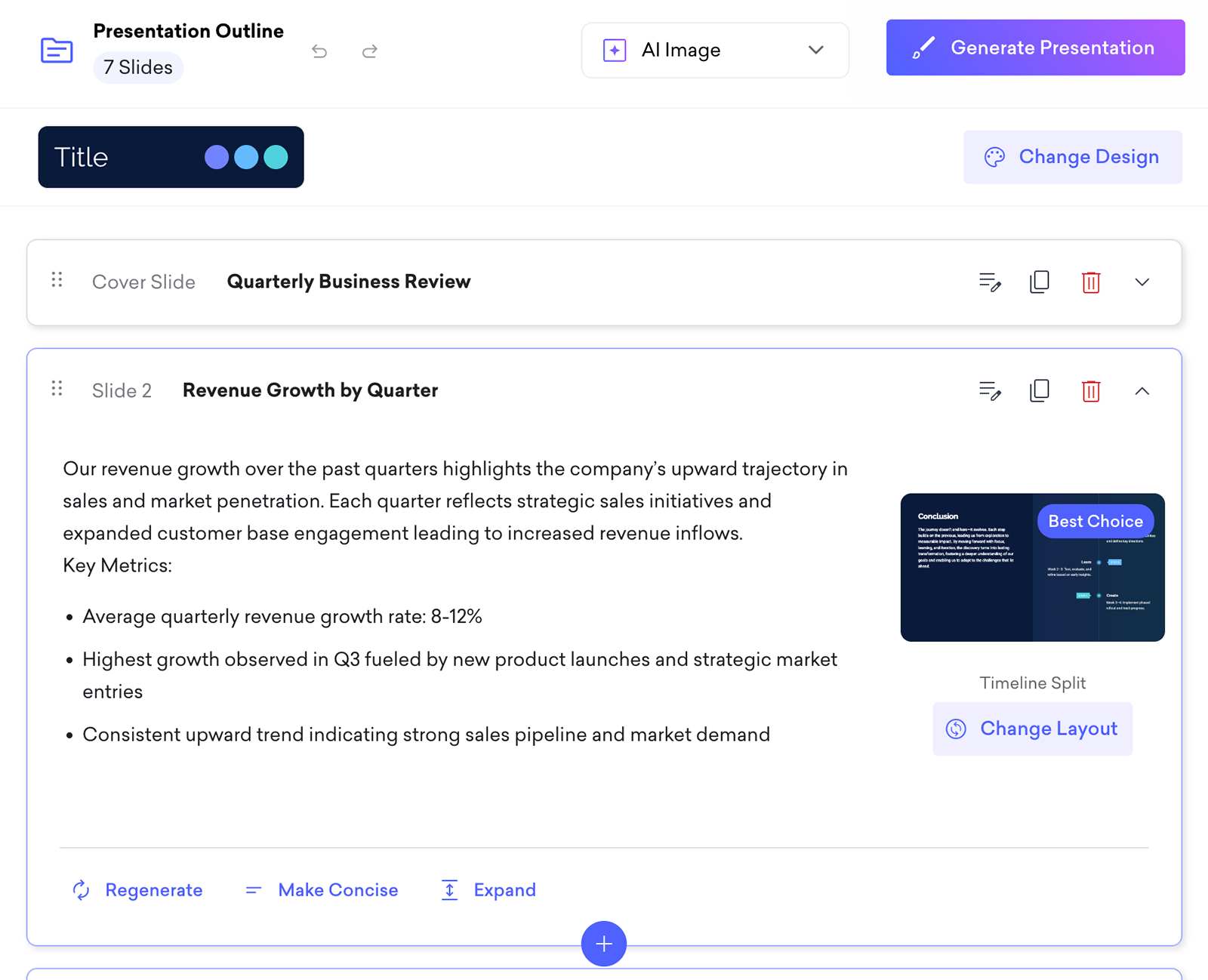
Decktopus is an AI-powered presentation tool that builds branded decks based on your prompts or your content. It handles research, writing, design, and image generation. You can use the drag-and-drop editor to refine the slides manually or rely on Decktopus’s AI tools to regenerate slides with one click.
What I liked about Decktopus
- Between the image generation, the layout changes, and the design changes, Decktopus’s AI content creation and editing options are some of the most robust out of all the tools I tested.
- While Decktopus has a relatively limited set of templates and designs, you can set AI image styles and brand assets to create presentations that look unique.
What I didn’t love about Decktopus
- It doesn’t support working directly in Google Slides or PowerPoint. You have to export your presentation after building it in Decktopus, which makes for a less fluid workflow.
- Decktopus uses credit-based pricing. You have to keep an eye on how many AI credits you’re using to avoid running out or needing to upgrade.
Decktopus pricing
The free plan includes 20 AI credits. Paid plans start at $14.99/month for (billed annually) for 9,000 AI credits per year.
4. Beautiful.ai
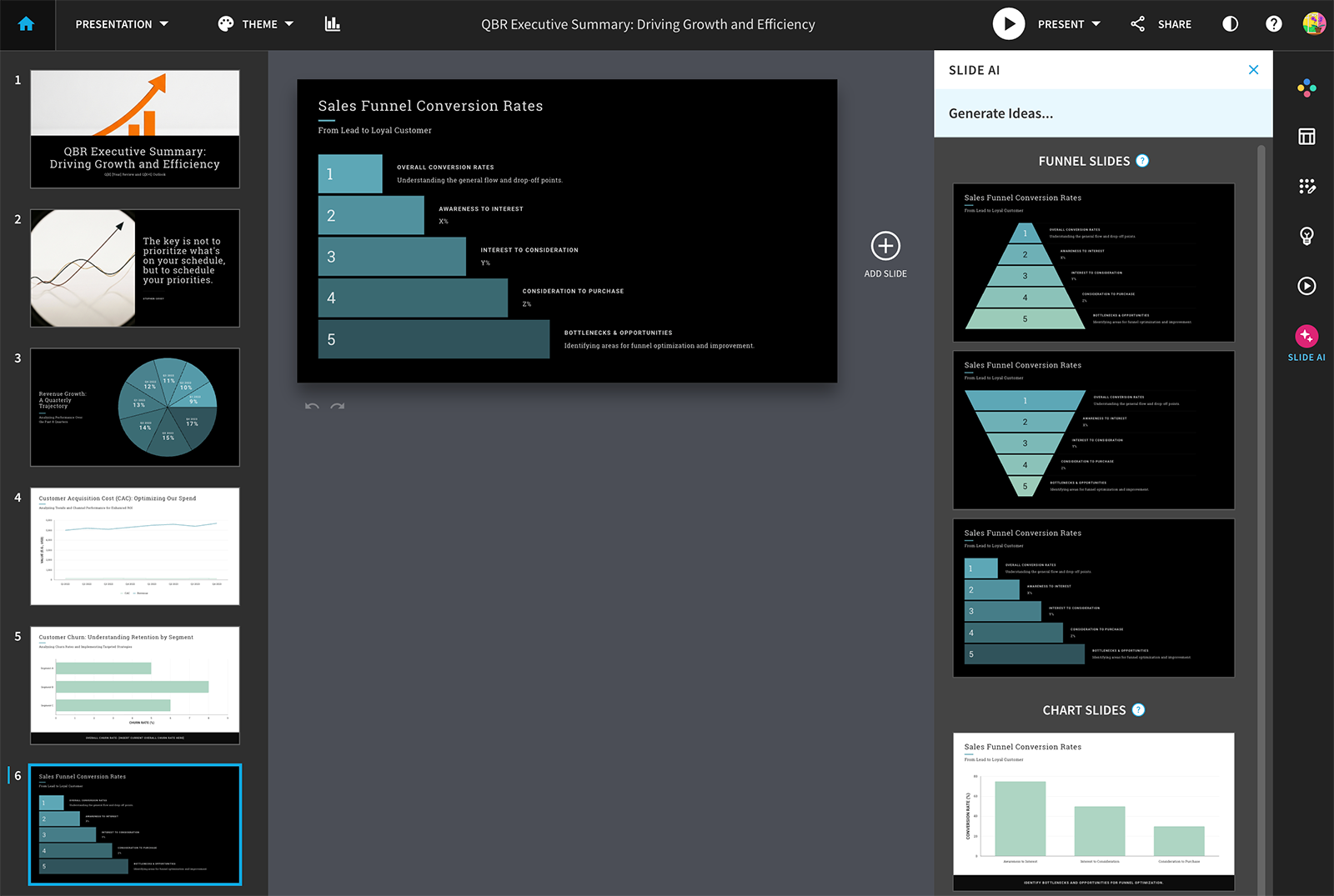
Beautiful.ai is a slide creation tool that helps teams go from idea to presentation quickly. It generates decks, images, and copy based on your prompts — and you can also build your own from scratch. It’s a relatively flexible tool, with options for marketing and sales presentations, startup pitches, and consulting reports.
What I liked about Beautiful.ai
- It has a ton of customization options, so you can easily switch up the theme, color scheme, or layout. But since you adjust one slide at a time, you could end up with a completely disconnected deck.
- It allows manual copy and image edits, unlike some other tools on this list. This makes it easier to finalize the presentation before exporting or present it directly in Beautiful.ai.
What I didn’t love about Beautiful.ai
- The Beautiful.ai UI feels very outdated compared to the other AI presentation tools on this list. Its slides also look quite basic and require a lot of manual work to refine.
- The outline editor leaves a lot to be desired. You can chat with Beautiful.ai to revise the outline before creating the presentation, but you can’t click to regenerate individual slides.
Beautiful.ai pricing
Starts at $12/month (billed annually) for individuals and $40/month per user (billed annually) for teams. Plans include a 14-day free trial.
5. PPT AI
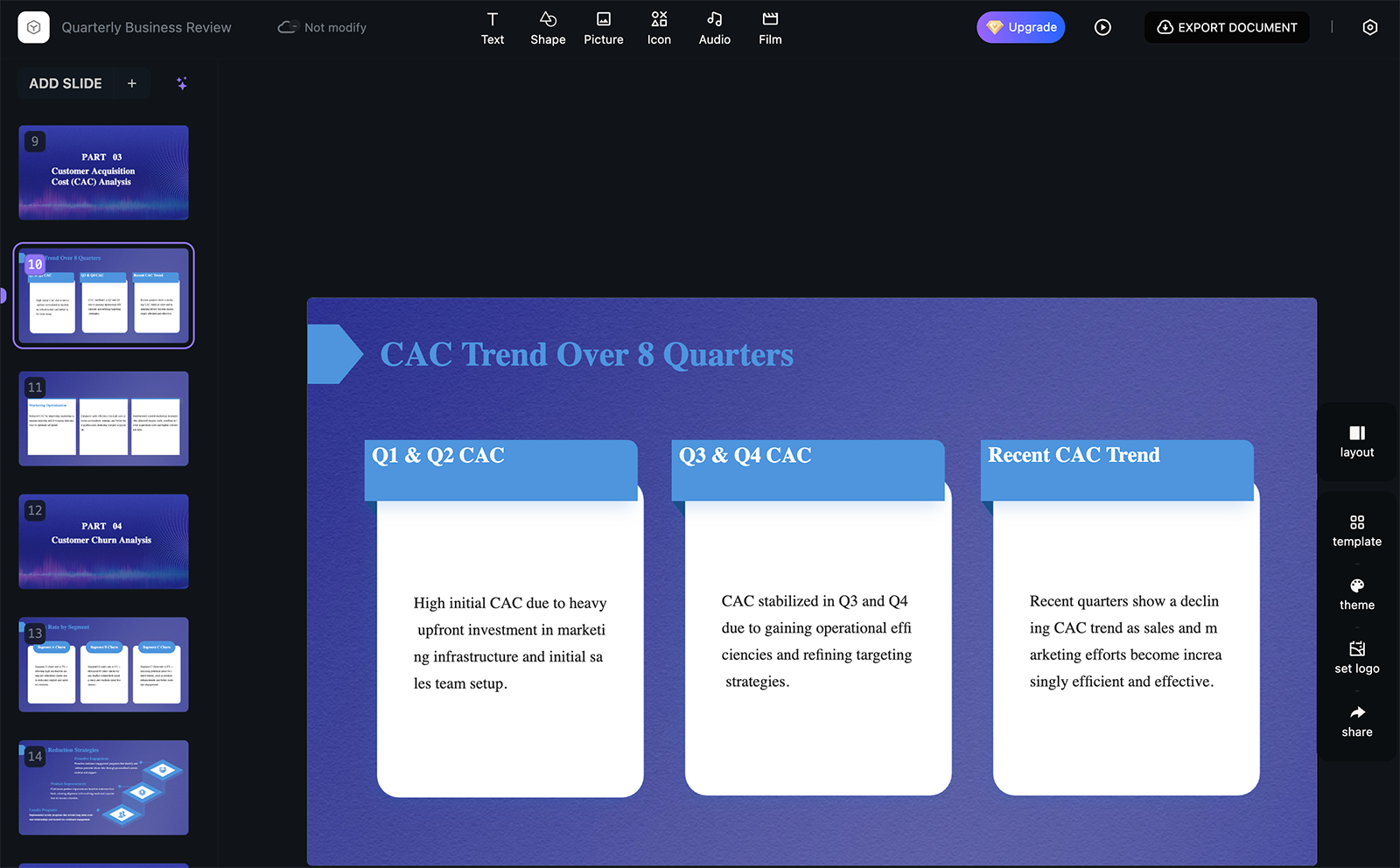
PPT AI is an AI-powered presentation tool that can transform prompts and an array of file types into slide decks. It can export directly to PowerPoint, making it easy to share presentations. While it has a template library, it also supports custom templates, helping keep your slides on brand.
What I liked about PPT AI
- The slides are very easy to edit manually, something the other tools don’t necessarily support. PPT AI also has an AI creation assistant that helps you polish or expand slide copy.
- It can convert a wide range of file types (Word, JPG, URL, PDF, and YouTube) to slides. If you’re looking to create presentations based on existing content, this could be a helpful tool.
What I didn’t love about PPT AI
- The presentation it generated was essentially unusable, with more than a dozen unnecessary slides, poor formatting, and a complete lack of visuals. PPT AI doesn’t export to Google Slides, so options are limited.
- In my experience, PPT AI was incredibly buggy. It threw multiple server errors, forcing me to give up and return the next day to finish the task. If you need a reliable AI slide deck generator, this might not be it.
PPT AI pricing
The free version includes three presentations with up to 15 slides each per month. Paid plans start at $6.90/month (billed annually) for 50 presentations with up to 35 slides each per month (with no Tome AI PPT branding).
6. Gamma
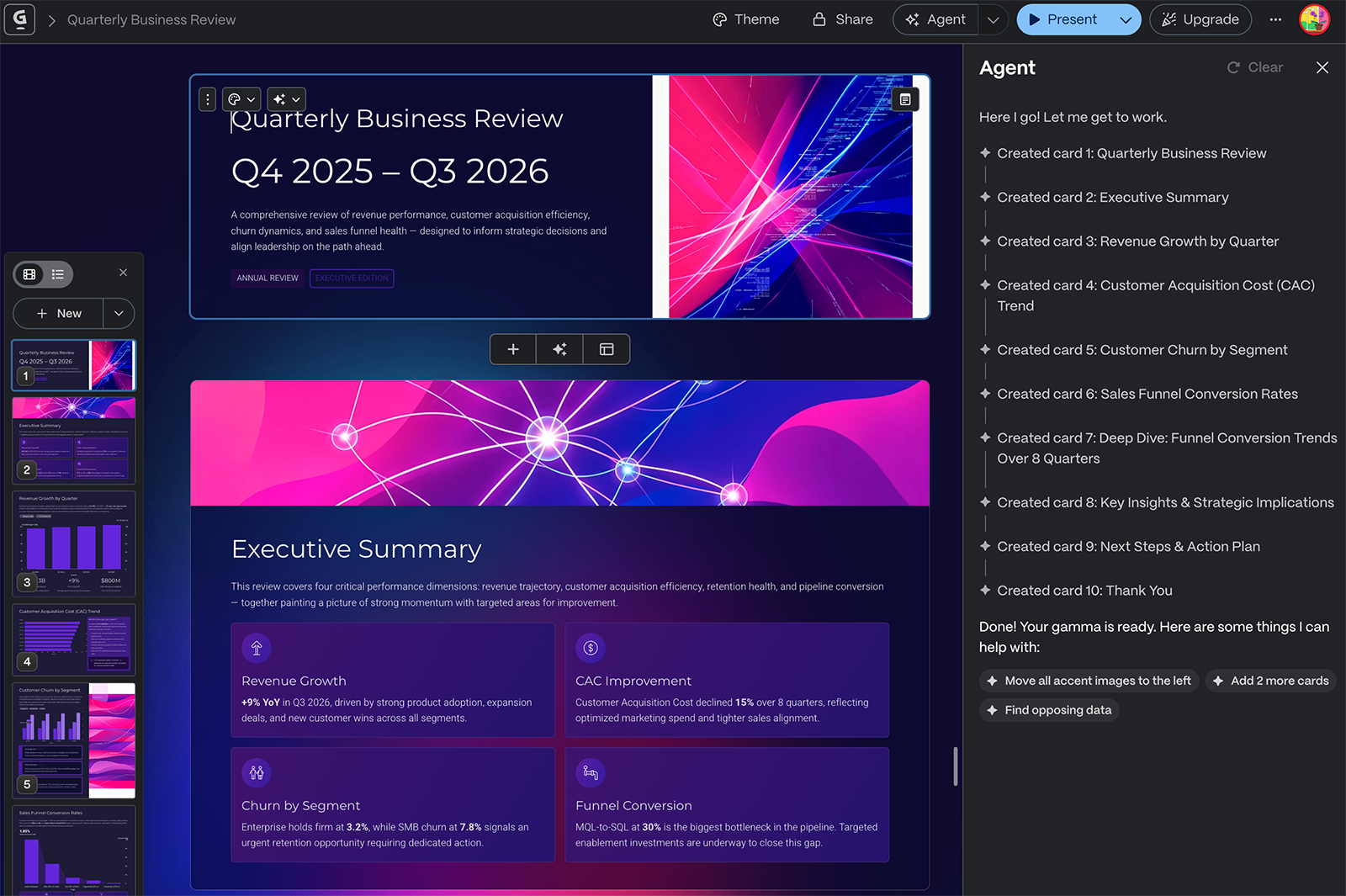
Gamma is an AI tool for content creation, including presentations, websites, social media content, and documents. It gives you access to over 100 themes, lets you import your branding, and works from ideas or existing content. With Gamma, you can also embed a wide range of elements in your slides, including Figma designs, Miro boards, Airtable bases, and Drive files.
What I liked about Gamma
- It offers a long list of customization options like amount of text per card, a shortlist of nicely designed themes, and keywords for image generation. This helped me get much closer to the presentation I wanted.
- Gamma generated more slides (all relevant and tailored to the prompt) than I requested, demonstrating that it’s one of the better strategic partners out of all the tools on this list.
What I didn’t love about Gamma
- Because it offers so many different content creation options, Gamma might be overkill for teams that only need an AI presentation tool.
- Due to all the different customization and editing options it offers, Gamma is one of the most overwhelming tools I tested, with a steep learning curve.
Gamma pricing
The free plan includes 400 credits (lifetime) and basic presentation tools. Paid plans start at $9/month per seat (billed annually) for 1,000 monthly credits and no Gamma branding.
7. Slidebean
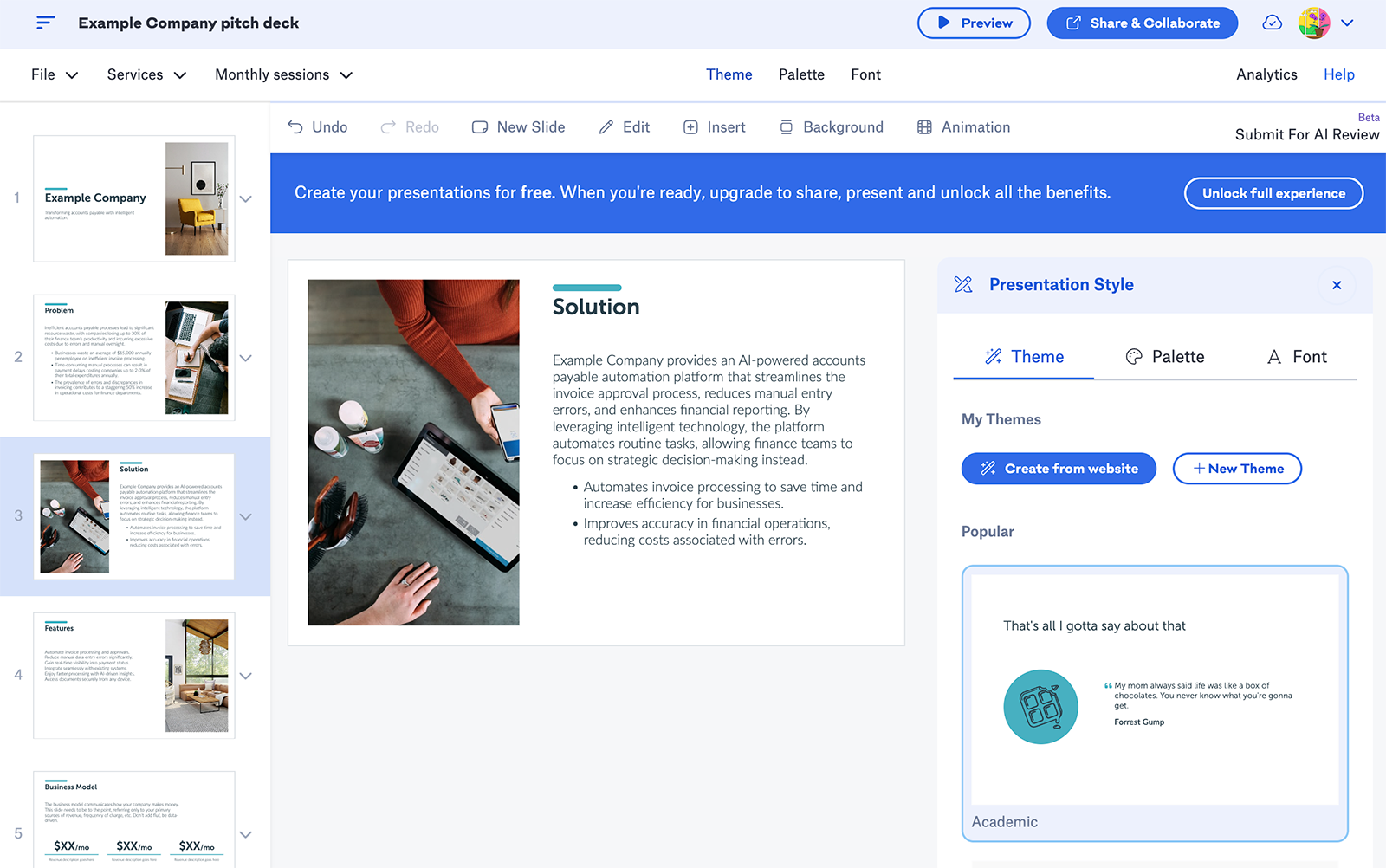
Slidebean is a pitch deck tool designed for startups seeking VC funding. It’s both an AI pitch deck builder and a financial modeling service provider, designed for founders planning their next funding round. The platform has also has an AI-powered pitch deck reviewer and a design agency, helping startup teams get the level of support they need.
What I liked about Slidebean
- Its workflow is tailored to startups creating pitch decks. Instead of asking you to enter a prompt or upload a file, it asks for your company name and website so it can autogenerate relevant content.
- Because it specializes in startup pitch decks, Slidebean knows exactly what to include in these presentations. This could be helpful for teams creating their first decks.
What I didn’t love about Slidebean
- AI-generated pitch decks are a beta feature, and it shows. I generated multiple slide decks for different types of businesses, and they all repeated the exact same layout, design, and visuals.
- Slidebean is less of an AI tool and more of a presentation tool. It has plenty of pitch deck templates you can use, but you have to input your company data and adjust the layout manually.
Slidebean pricing
Self-service plans start at $7/month (billed annually). There’s no free plan, but Slidebean has a 7-day free trial.
8. Pitch
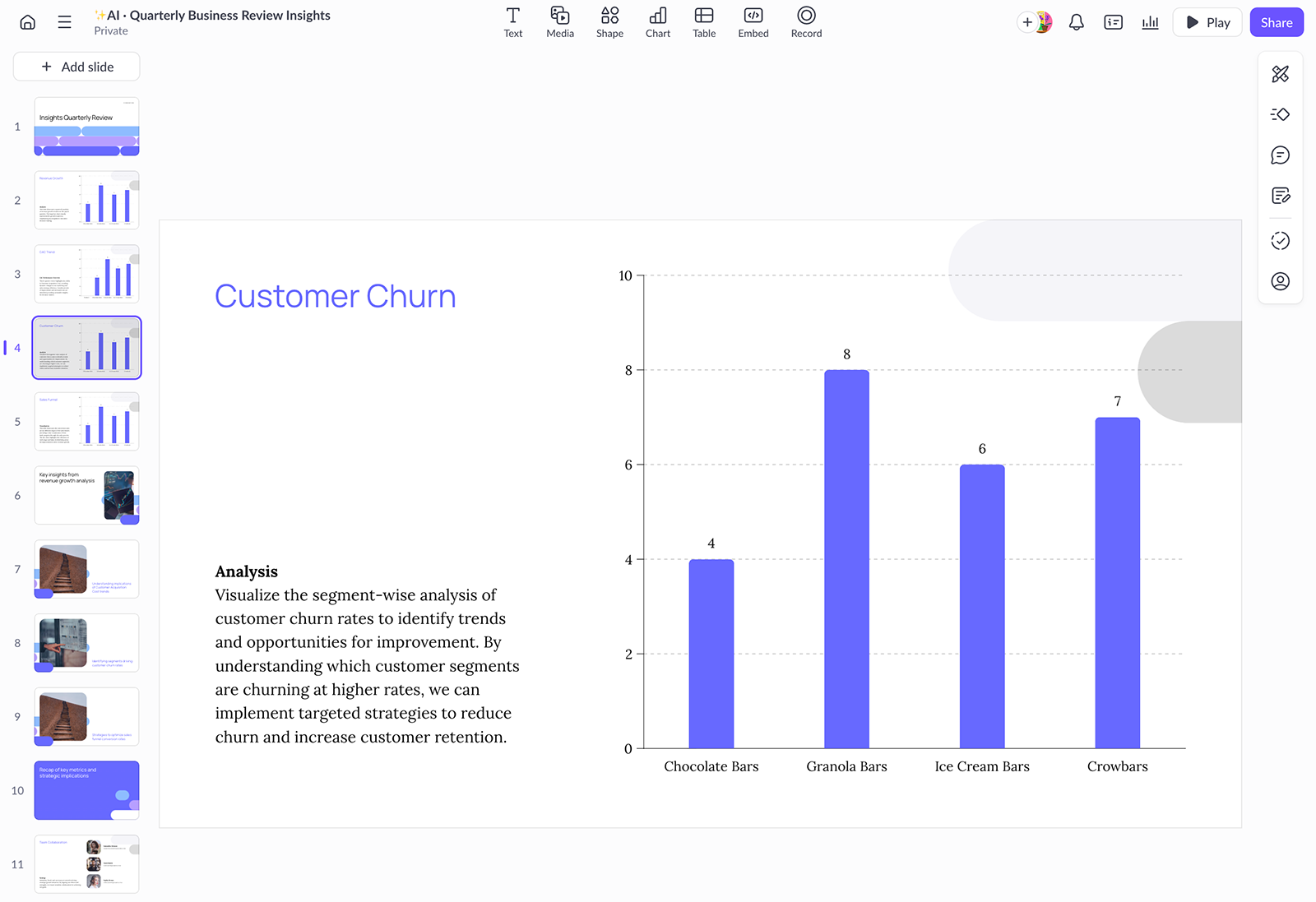
Pitch is a tool for creating branded slide decks using AI and a library of over 100 presentation templates. It lets you add branded elements like colors and fonts and design slides that stand out with animations and interactive embeds. Pitch also supports collaboration, with basic project management tools for commenting, assignment, and deck status.
What I liked about Pitch
- You get to see your slide deck design during the outlining process, which is helpful for knowing whether you need to adjust your prompt, fonts, or colors before you dive in and start editing.
- Pitch has a range of AI actions, so you can easily rewrite text, adjust the tone, update text for a certain audience, and proofread without having to do a lot of manual work.
What I didn’t love about Pitch
- Although the outline was promising, the presentation output wasn’t usable. The copy required a total rewrite, the slides had almost no design elements, and some images were repeated.
- Given the mixed up order of the slides, the lack of detail, and the incorrect title, it seemed pretty clear that Pitch had a fundamental understanding of how to translate my prompt into a slide deck.
Pitch pricing
The free tier includes unlimited presentations and 100 AI credits. Paid plans start at $13/month (billed annually) for 3,000 AI credits. Plans for teams start at $19/month.
9. Gemini
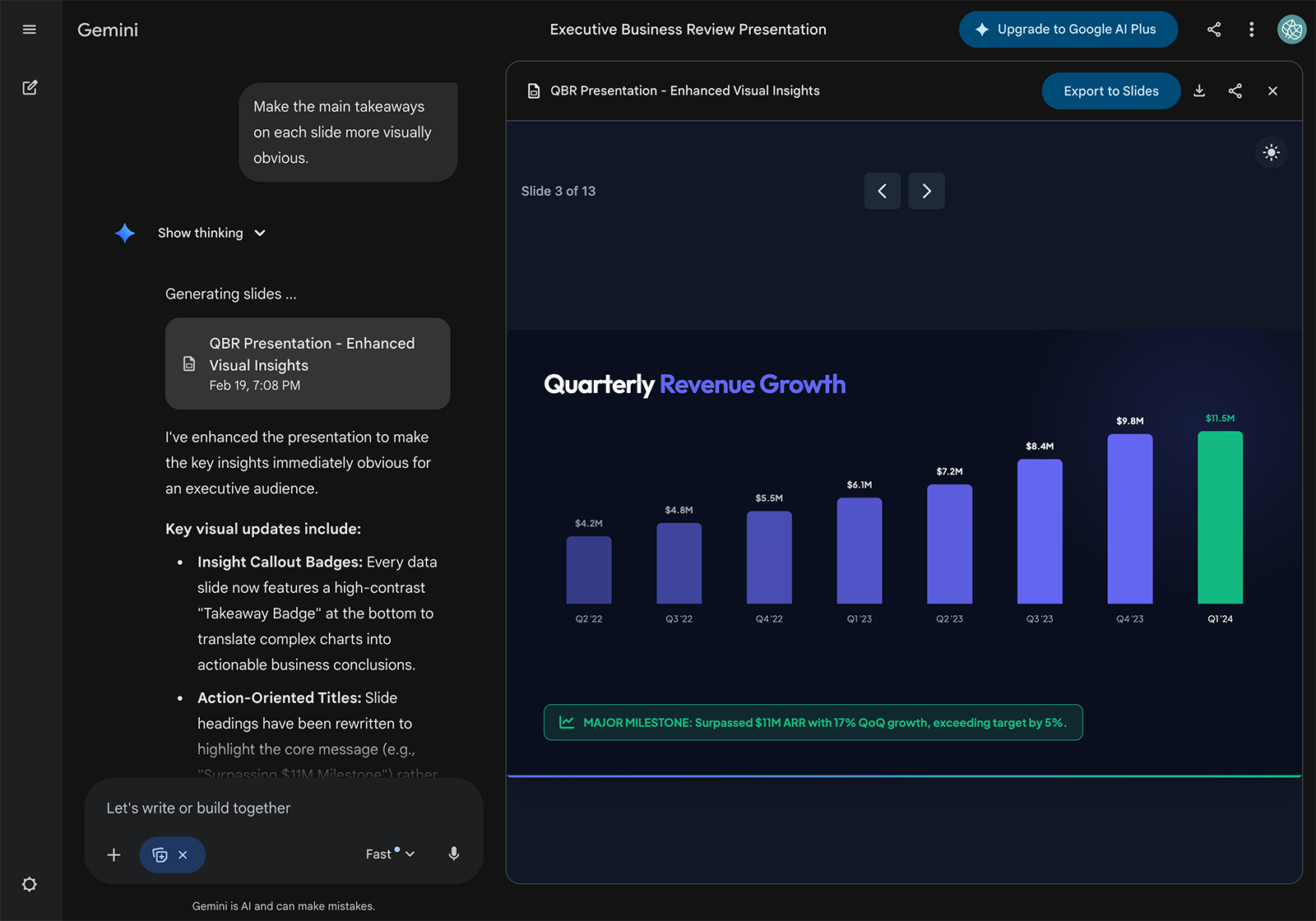
Gemini is an AI assistant that can create presentations, documents, spreadsheets, and other assets. It natively integrates with Google Slides, so you can easily create decks without opening or installing another app. With Gemini, you can also generate images to use in your presentations.
What I liked about Gemini
- It went above and beyond the basic prompt to create a quarterly business report, generating a strategic growth roadmap, highlighting key wins, and making the data highly visual.
- Gemini didn’t let me provide input on layout, visual, or branding preferences. This could be nice if you want an AI presentation tool that handles a lot of the decision-making for you.
What I didn’t love about Gemini
- The Gemini app creates presentations but doesn’t let you edit them. Although you can continue to chat in the app, it prompts you to open the deck and finish editing in Google Slides.
- It’s part of the Google ecosystem, so a Gemini subscription isn’t just for generating slides. If you don’t want the AI assistant in all your Google Drive files, this might not be the right choice for you.
Gemini pricing
The free version includes access to the Gemini chatbot. Paid plans with Gemini in Google Slides start at $14/month (billed annually).
Get started with a better alternative to Genspark
Genspark can handle presentations alongside many other tasks. But that generalist approach comes with tradeoffs: limited editing tools, unclear pricing, and a lack of native integrations.
When you want a dedicated AI presentation tool that works where you already do, Plus AI is a smart solution. Designed for professional presentation creators, it integrates with Google Slides and PowerPoint and generates real slides you can easily customize and share.
Get started with a 7-day free trial of Plus AI.