
Comparisons
Gamma vs Plus AI: Which AI presentation maker is best for you?
Gamma vs Plus AI: Compare features, pricing, and output quality to help you pick the right AI presentation maker

Gamma and Plus AI solve fundamentally different problems, and picking the wrong one will probably cost you more time than what you’d save from using AI.
Here’s our detailed review of both products and recommendations on when to use each tool.
TL;DR
Gamma is best for people who want a modern presentation tool with sleek visuals and intelligent flexible layouts. It’s best for people who want to quickly create a polished, shareable presentation, especially if you don’t need to stay inside PowerPoint or Google Slides.
Plus AI is best for people who live and work in PowerPoint or Google Slides and are looking for the best AI to add in to their existing workflows. It’s best for corporate teams, consultants, and other people who need native .pptx files for collaboration, sharing, and presenting.
Gamma vs. Plus AI Comparison Table
| Gamma | Plus AI | |
|---|---|---|
| Best for | Creative decks, startups, individuals | Corporate teams, consultants, enterprises |
| Platform | Standalone web app | Google Slides and PowerPoint |
| Output | Web-native “cards” (exportable to PPT/PDF) | Native .pptx and Google Slides files |
| Free option | Free plan (400 credits, ~10 presentations) | Free 7-day trial (all features included) |
| Paid plans start at | $10/month | $10/month |
| Key differentiator | Modern editor, easy to use design tools | Native integration, custom template support |
How these tools work
While Gamma and Plus AI both help users make presentations, they have two different philosophies on how to best leverage AI inside of slides.
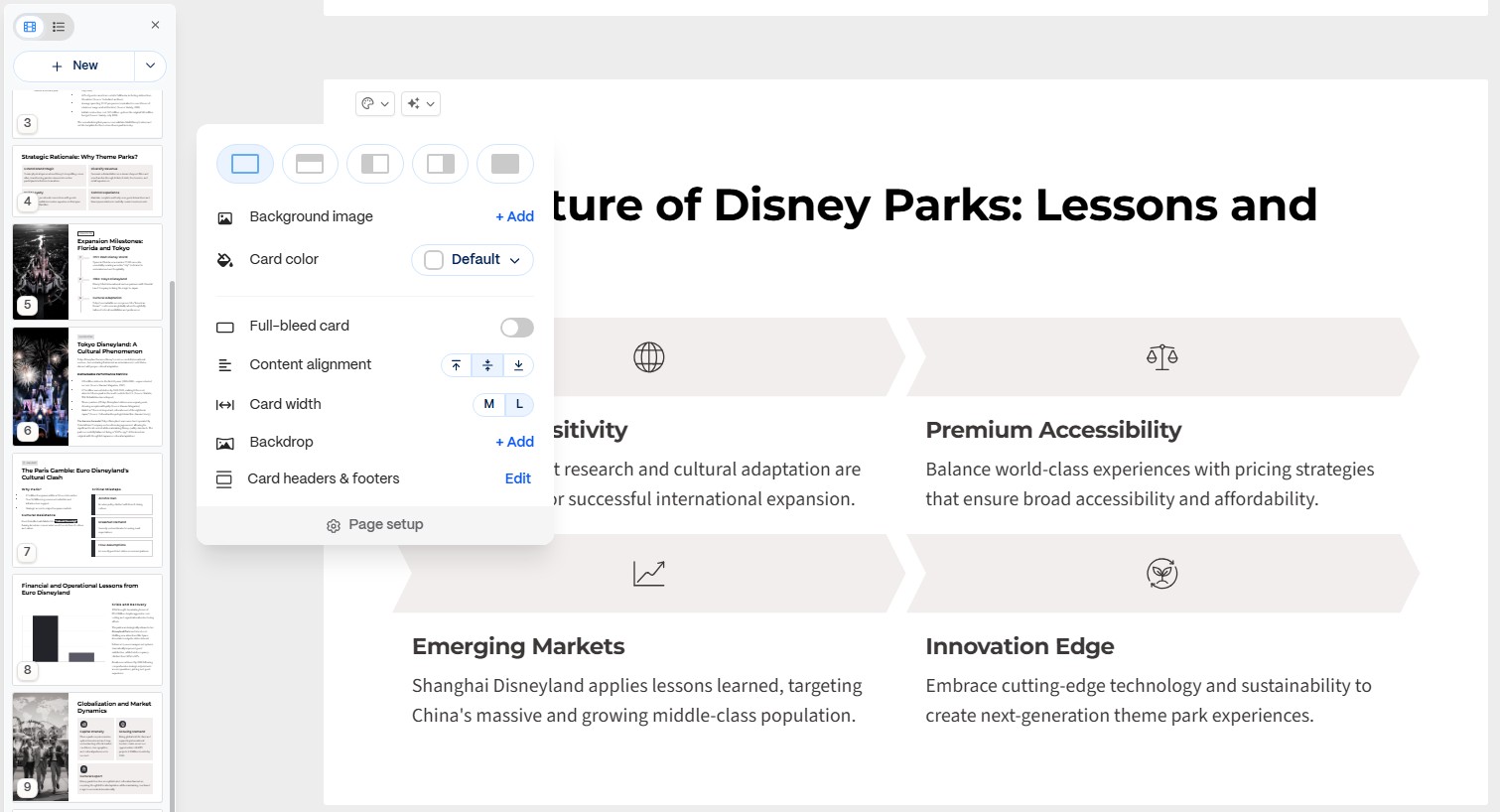
Gamma is actually a competitor to existing presentation tools. It is trying to reimagine slides as something more like an interactive web document. The basic unit is a “card” (instead of a slide), and layouts are flexible.
Getting started with a new Gamma presentation is an AI-first process where you can type in a prompt and other basic AI instructions and then receive a completed “Gamma” that you can either share directly via the Gamma app or even publish as a website.
Because of the flexibility of the Gamma platform, it can also be used to generate documents, websites, and different types of social media posts.
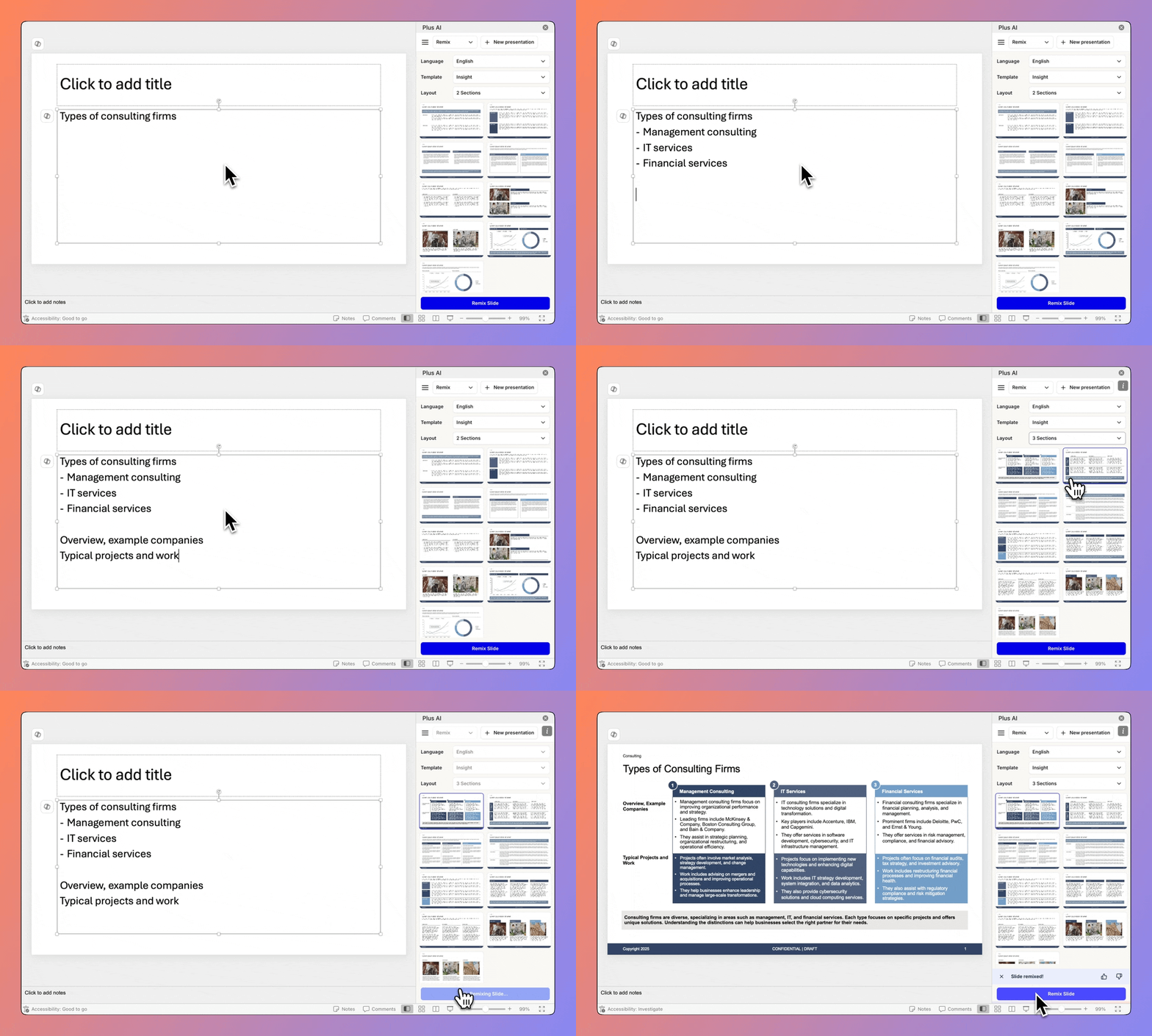
Plus AI takes the opposite approach. It is an add-in inside of the existing presentation tools (i.e., Google Slides and PowerPoint), and it’s focused on bringing the best AI experience to people who want to continue using these tools.
Creating a new presentation using Plus AI involves opening up PowerPoint or Google Slides, prompting Plus AI with a description of your presentation, and then receiving a finished slide deck that can serve as a first draft of the presentation.
Once Plus AI is finished creating the presentation, it just exists as a normal slide deck, which can be edited, shared, and presented - all within your regular presentation app.
AI Content Generation
Both Gamma and Plus AI can take a document or a short prompt and convert it into a ready-to-use presentation - either in Gamma format or in standard PowerPoint/Google Slides format.
Here, we tested both tools using the same prompt by using the same prompt and comparing the output slides.
Create slides for a case study on Disney’s decision to enter the theme park business
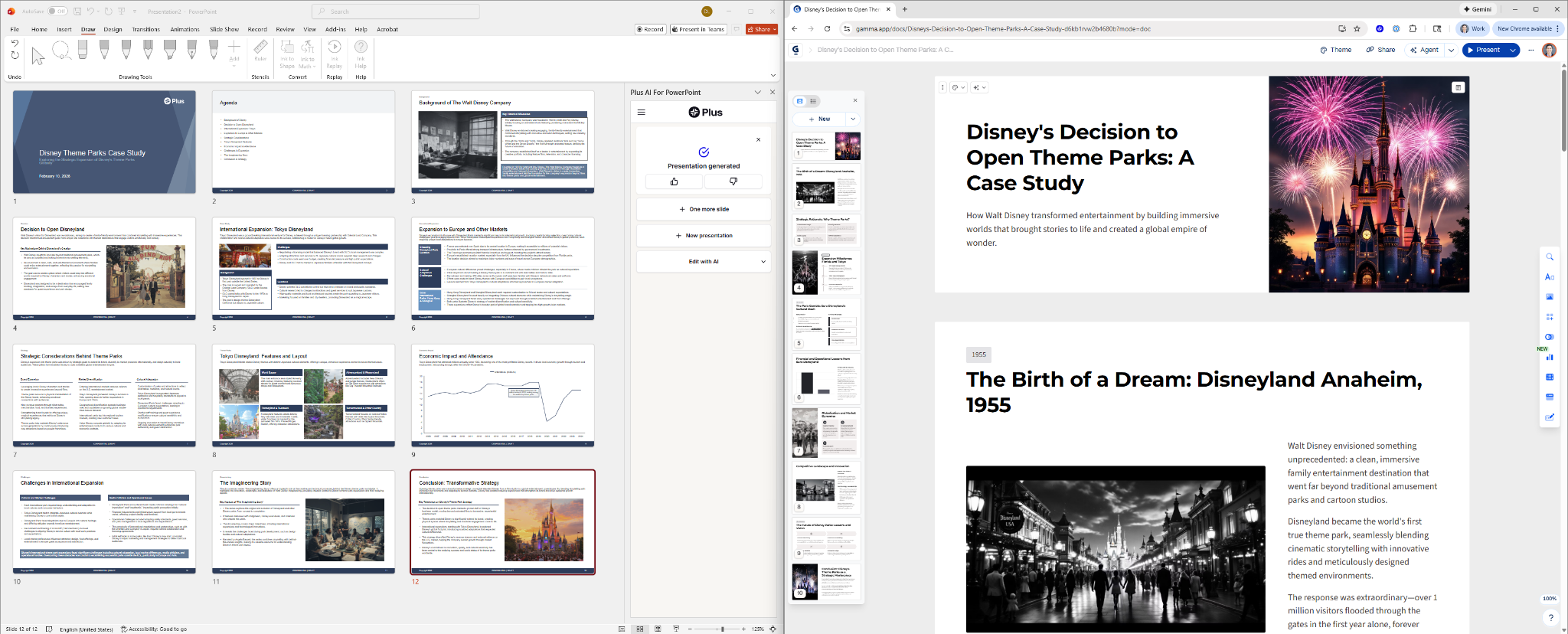
Gamma generated this slide deck in ~1 minute. The design is clean and modern, and the AI-generated images match the theme. The slides have non-traditional sizing and feel more like a website or interactive document than a conventional presentation.
Plus AI took about ~2 minutes to generate this presentation, which also looks good. The output looks like a traditional slide deck with clean, professional layouts that are immediately familiar to anyone who uses PowerPoint or Google Slides regularly.
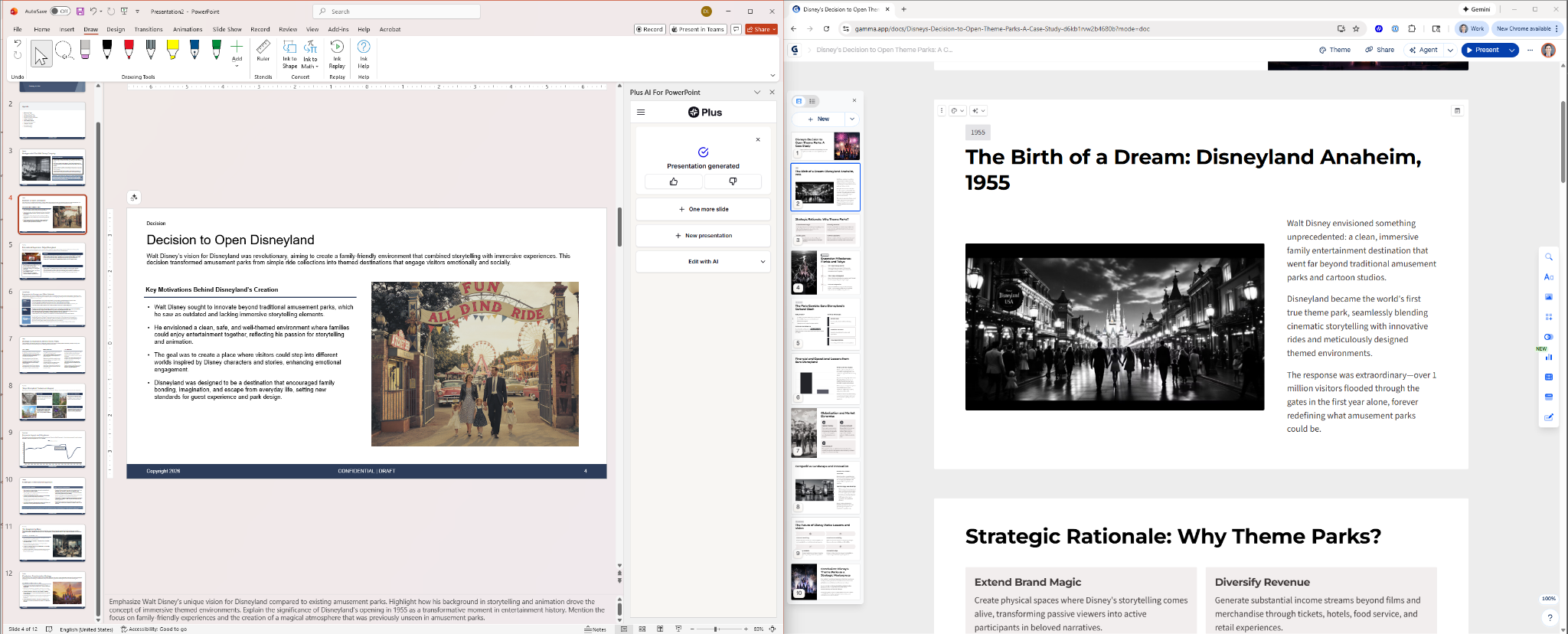
Comparing individual slides, both tools produce reasonable quality text, high-quality AI images, and a variety of layouts.
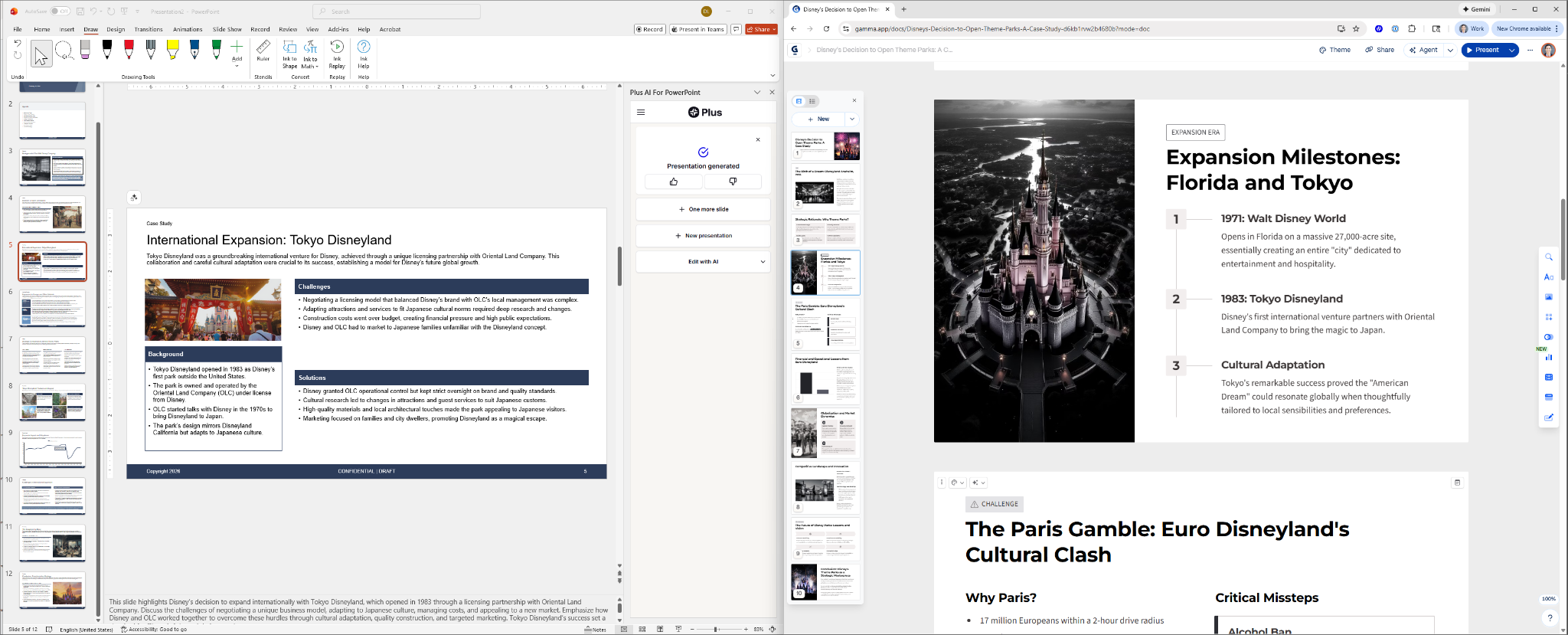
The primary difference comes down to app and format preference: Would you prefer using Gamma’s web-native “cards” or Plus AI’s standard presentation files.
Key Features: Gamma vs. Plus AI
Design and templates
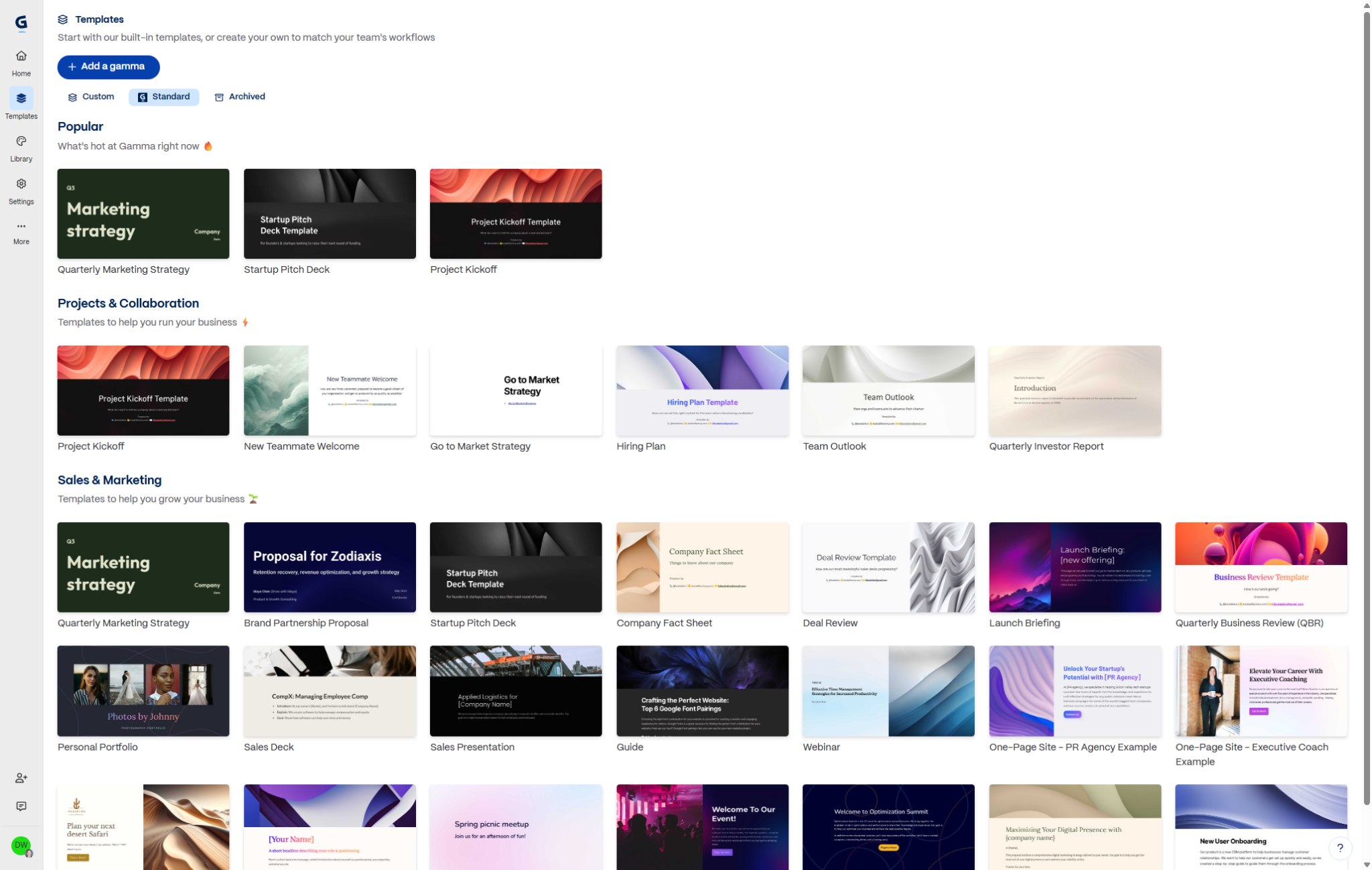
Gamma offers users a collection of several dozen templates, in addition to themes. Templates are pre-designed presentations that have a fixed set of slides for things like a project kickoff, a sales deck, or a webinar. Themes are a set of colors and fonts that can be used to customize the look and feel of a presentation. Gamma does an excellent job curating these themes, templates, and visual styles to create presentations with a cohesive look and feel.
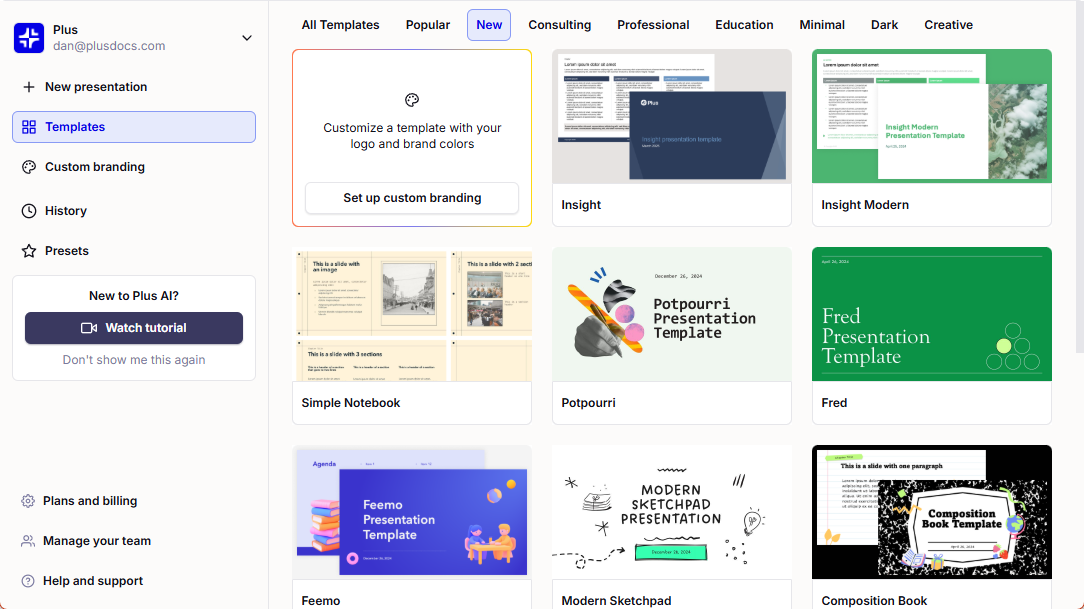
Plus AI also offers several dozen presentation templates, in addition to custom themes. There is a wider variety in the types of templates that Plus AI offers, and they have more distinct visual styles so users can have totally different slides when generating slides for consultants vs. slides for students. Plus AI can also support fully custom presentation templates for its enterprise customers.
PowerPoint compatibility
Gamma allows users to export slides to PowerPoint. However, this can often lead to formatting and layout issues.
Plus AI creatives native PowerPoint slides, so there are no issues with editing or using the slides that have been generated with AI.
Slide editing
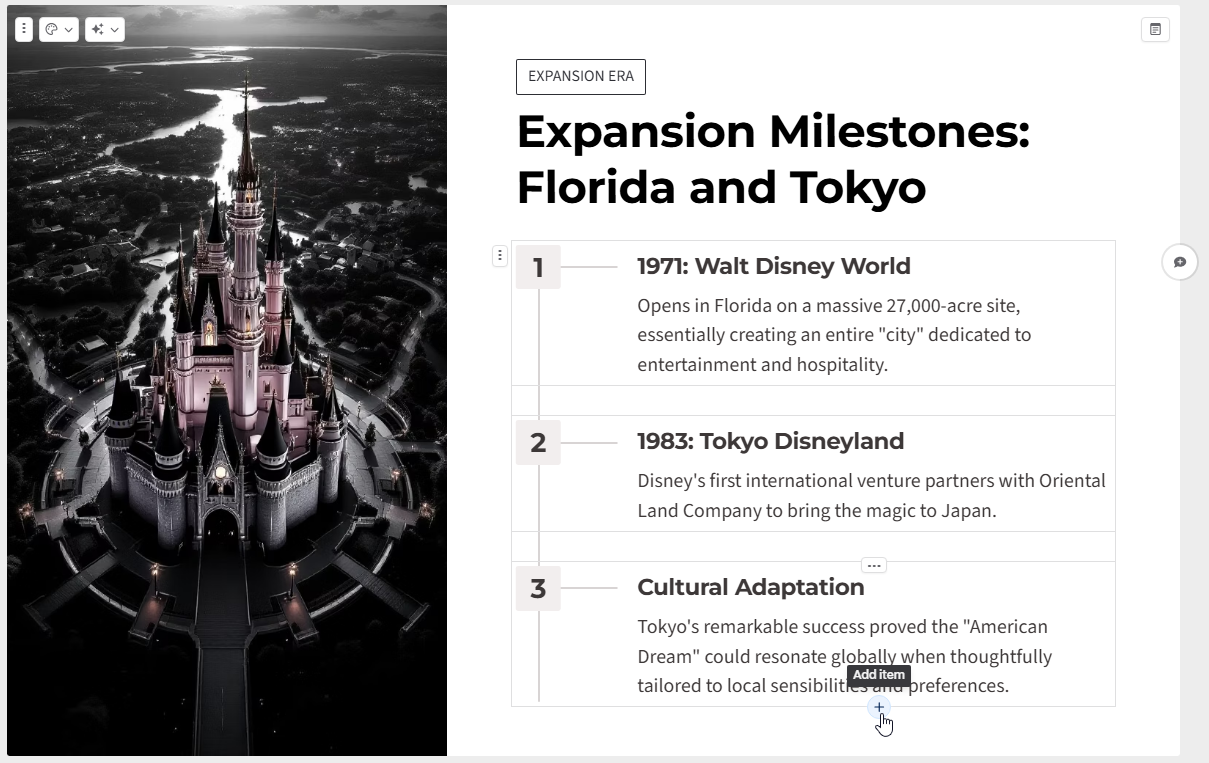
Gamma offers a different approach to slide editing compared to traditional presentation tools. It’s easier to quickly rearrange objects on slides, add a new column to slides, and do other types of layout and formatting changes using their editor. Gamma also has an AI agent that can make edits to the deck.
When using Plus AI, users can make edits to their slides just as they would any other PowerPoint slide. If they would also like to use AI to reformat or rewrite content on slides, Plus AI offers a variety of different AI editing tools, as well as an AI agent that can make changes to slides.
Enterprise-readiness
Both Gamma and Plus AI are SOC 2 Type II certified and have Business and Enterprise plans for larger customers. Plus AI has more advanced capabilities to integrate with customers’ existing templates and asset libraries.
Pricing: Gamma vs. Plus AI
Gamma has 5 different paid plans starting at $10 per month per user, up to $100 per month per user.
Plus AI has 3 paid plans starting at $10 per month per user, along with separate pricing for Enterprise customers.
FAQs
- Can I export Gamma presentations to PowerPoint? Yes, you can export Gammas to PowerPoint. However, you should expect formatting inconsistencies and issues with layouts and spacing.
- Does Plus AI work on both PowerPoint and Google Slides? Yes, Plus AI subscriptions include licenses for both PowerPoint and Google Slides.
- Can I try Gamma and Plus AI for free? Yes, you can try both tools for free. Gamma offers free credits for new users, and Plus AI has a 7 day free trial.
- Do Gamma slides or Plus AI slides look better? Gamma produces slides that look modern and web-native. Plus AI creates clean, professional slides that look like standard Google Slides or PowerPoint presentations.
- Do Gamma and Plus AI offer APIs? Yes, both Gamma and Plus AI offer APIs. The Gamma API works best for generating “Gammas” and provides users with a link to a Gamma page, while the Plus AI API works best if you are trying to generate a native .pptx file.
Conclusion: Who should use Gamma and who should use Plus AI
If you want to try the latest AI storytelling tool and want an easy way to create “slide-like” cards and webpage, use Gamma. It’s best for individuals, freelancers, and people who are not familiar with traditional presentation tools.
If you want to use the latest AI models and features while staying compatible with your existing slides and workflows, use Plus AI. It’s best for people in a corporate or educational environment who collaborate with people who are embedded in their productivity suite.