
Resources
The 10 best AI tools for consultants in 2026 (and how to use them together)
We evaluated dozens of AI tools and picked the best one for each stage of consulting work—from presentations and research to scheduling and RFPs. Here’s the full breakdown.

Consultants are paid to think. But most of your workday is building slide decks, wrangling data into charts, combing through research, and writing up findings that could have been drafted in a fraction of the time. The strategic insight that clients actually pay for is squeezed into whatever hours are left.
Enter AI.
80% of management consultants now use generative AI daily, with 56% saving three to four hours every day.
But the large consulting firms like McKinsey, BCG, and Bain have all built proprietary AI platforms, thanks to their substantial financial resources. But you don’t need their budgets to harness AI’s potential.
The tools available today, many of which are free or under $30/month, can save you a lot of time. This article breaks down the best one for each stage of consulting work, what built-in AI already exists (and why it often falls short), and alternatives worth considering.
The best AI tools for consultants at a glance
Before we dive deep into each category, here’s a quick reference table of our top picks for every stage of the consulting workflow.
| Tool | Best for | Price | Primary use case |
|---|---|---|---|
| Plus AI | Creating A+ presentations | Starts at $10/month | Generate consulting-grade decks inside Google Slides and PowerPoint from prompts, docs, or PDFs |
| AlphaSense | Research and market intelligence | Not publicly available | Semantic search across earnings calls, SEC filings, broker research, and expert transcripts |
| Claude Code | Analysis and data reporting | Starts at $20/user/month | Run complex data analysis, financial models, and investment memos with consultant-specific plugins and Excel integration |
| ThinkCell | Data visualization | Not publicly available | Build waterfall, Marimekko, Gantt, and other management-style charts in PowerPoint with auto-updating Excel links |
| Granola | Meeting intelligence | $14/user/month | Privately record and transcribe client calls on your Mac (without a bot joining) and chat with your meeting history |
| Forecast | Project management and resource allocation | Not publicly available | AI-estimated timelines, utilization tracking, and resource allocation |
| Loopio | Proposal and RFP automation | Starts at $20,000/year | Auto-draft RFP responses from a centralized, version-controlled content library |
| ChatGPT | Drafting documents and general writing | Starts at $8/month | Draft memos, SOWs, executive summaries, and client emails; build custom GPTs for reusable consulting workflows |
| Obsidian | Knowledge management | Starts at $5/user/month | Local-first, markdown-based knowledge base with AI plugins for semantic search and Q&A across your notes |
| Vimcal | Scheduling and client coordination | $20/month | AI calendar with instant time zone math, attendee introductions, and keyboard-first speed |
Now let’s break down each tool in detail.
1. Plus AI
Best AI tool for creating A+ presentations and slide decks
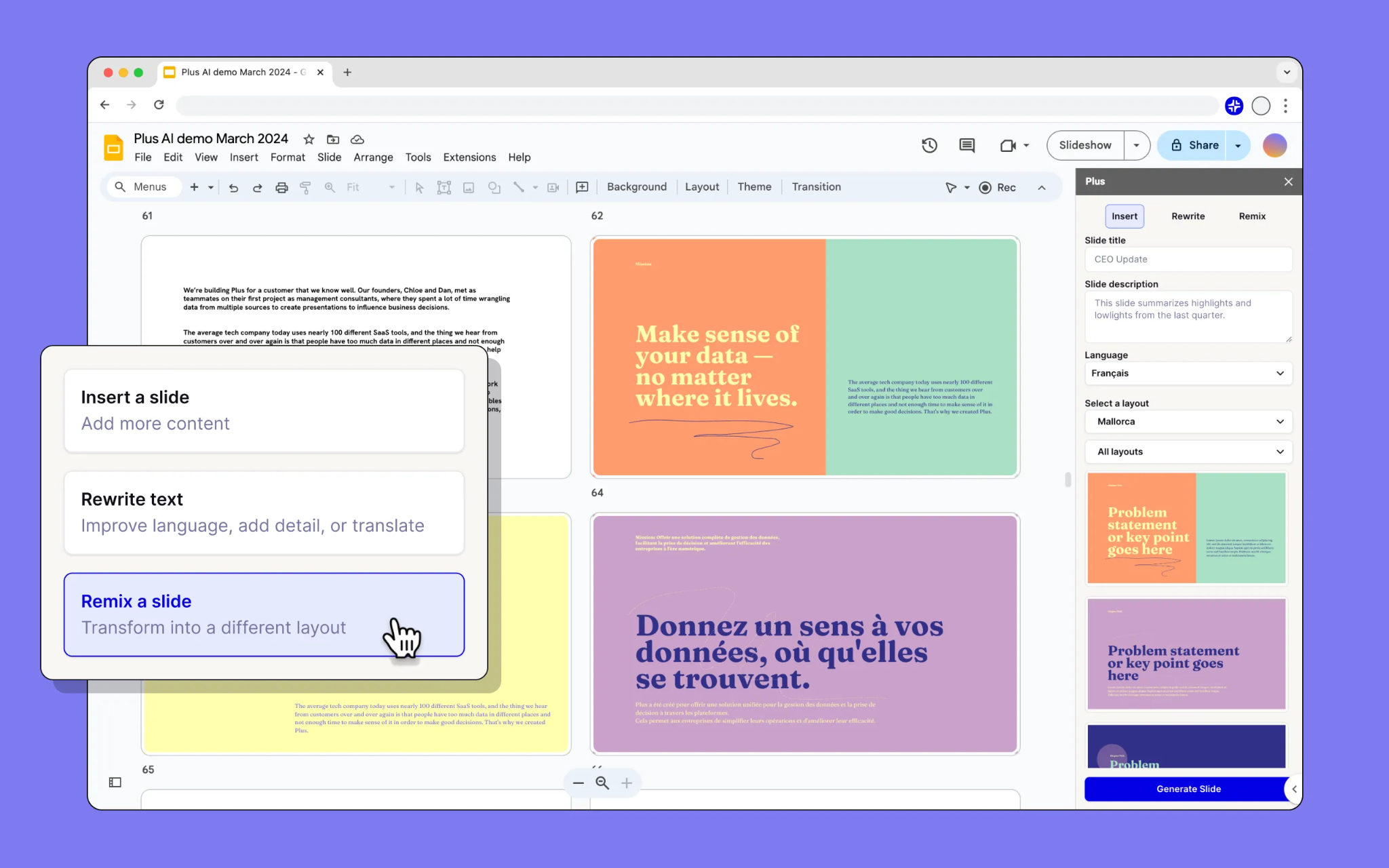
Plus AI works as an add-on inside Google Slides and PowerPoint—the tools you already use—and generates consulting-grade decks from prompts, documents, or PDFs. You don’t need to learn a new platform or export your presentation between apps.
Presentations are the consulting industry’s primary deliverable, and they’re also its biggest time sink.
And they don’t just cost money: McKinsey, BCG, and Bain charge project fees that work out to a minimum of $5,000 per finished slide, while outsourcing to agencies runs $50 to $3,000 per slide, and freelancers charge anywhere from $10 to $125+.
McKinsey has been using its internal AI platform, Lilli, to draft slides since 2023, and 75% of their organization now uses AI monthly for presentations and operational tasks.
Related reading: How much does a slide cost? A comparison between elite consultants, agencies, freelancers, and AI
There is some in-built AI assistance in PowerPoint with Microsoft Copilot and with Gemini on Google Slides. Both can generate slides and suggest layouts. But these are generalist tools—they don’t understand consulting-specific structures like executive summaries, recommendation frameworks, or data-driven analysis pages. They’ll give you a decent starting point, but rarely a client-ready one.
Plus AI is designed specifically for professional presentations. You can go from a text prompt to a full deck, or upload a document, PDF, or brief and have it converted into slides automatically.
Where Plus AI gets particularly powerful is in automation. Its Presentations API lets you generate decks programmatically—feed in a data source, a template, and a brief, and get a finished presentation back without touching the UI. For consulting firms producing recurring deliverables (monthly client reports, quarterly reviews, portfolio updates), this turns hours of manual slide-building into a single automated workflow.
The MCP server takes this further by connecting Plus AI to other tools in your stack, so a presentation can be triggered as part of a larger process, say, pulling data from your analysis, generating charts, and assembling a deck in one sequence.
For teams that need visuals beyond charts, the built-in AI image generator creates custom graphics directly on your slides without switching to a separate design tool.
And because it lives inside Google Slides and PowerPoint as an add-on, your team’s existing collaboration workflows stay intact.
Pricing: Starts at $10/month
Alternatives: Google Slides, PowerPoint
2. AlphaSense
Best AI tool for research and market intelligence
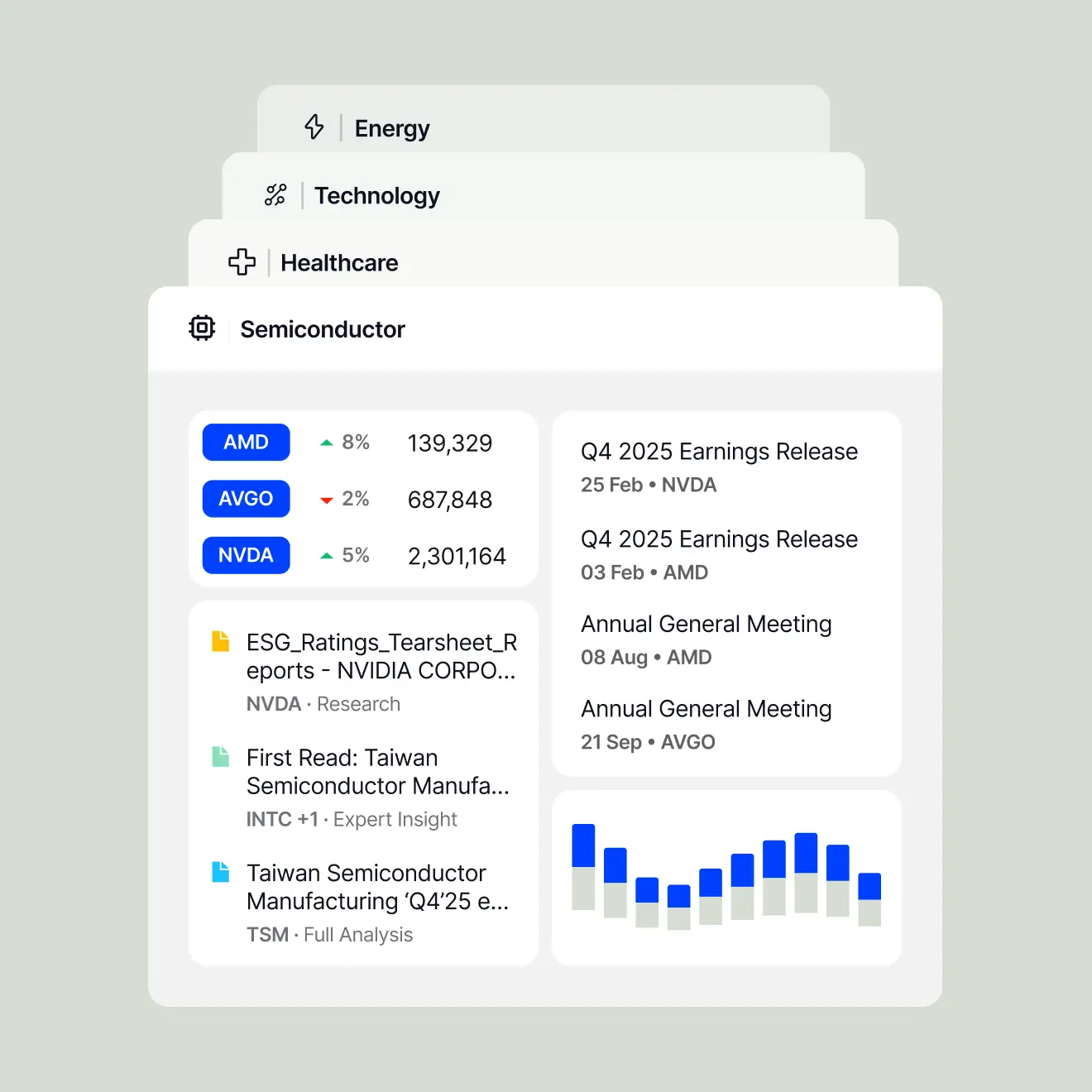
AlphaSense is an AI-powered market intelligence platform built for the kind of research consultants actually do—competitive scans, industry deep dives, regulatory monitoring, and earnings analysis—across 10,000+ curated sources, with citations you can trust in a client deliverable.
Every consulting engagement starts with research, and it’s rarely a quick task. Market landscapes, competitive positioning, regulatory environments, industry benchmarks—all of it needs to be gathered, verified, and synthesized before any real analysis begins.
Research is exactly the kind of high-volume, source-heavy work where AI delivers one of the biggest time savings for consultants.
AlphaSense indexes over 10,000 premium content sources—including regulatory filings, earnings transcripts, equity research from top-tier banks, expert call transcripts, and proprietary trade publications.
Its AI-powered search uses semantic understanding and smart synonyms to surface insights that keyword search would miss. The platform’s generative AI features can also summarize findings with citations, track sentiment across documents, and monitor competitors with automated alerts.
Pricing: Not publicly available
Alternatives: Perplexity AI (if you’re okay with a general-purpose research tool) and NotebookLM
3. Claude Code
Best AI tool for analysis and data processing
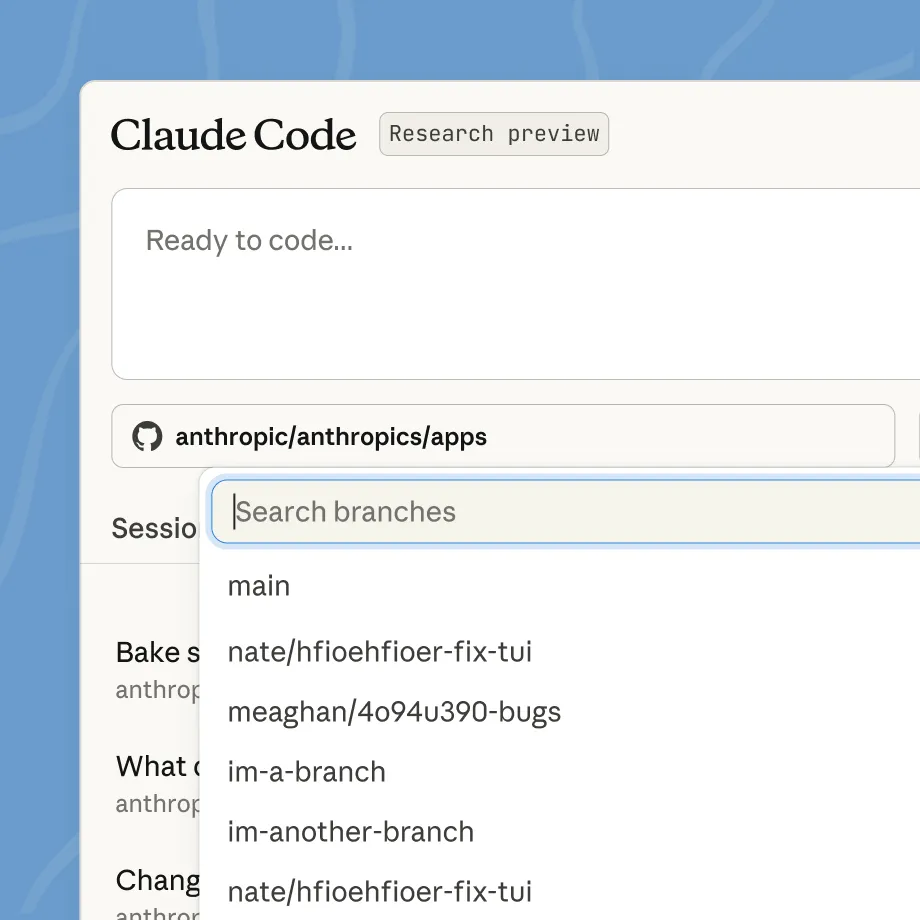
Claude Code is Anthropic’s command-line AI agent that handles complex, multi-step analytical work—financial modeling, data exploration, scenario analysis, and investment memos—with a rapidly growing ecosystem of consultant-specific plugins.
Analysis is a consultant’s primary value offering, and the heaviest engagements (due diligence, market sizing, financial modeling, portfolio reviews) require more than what a chatbot in a browser tab can do. You need a tool that can actually execute work: read multi-file data rooms, run sensitivity analysis, and generate structured outputs—not just respond to prompts.
General-purpose AI chatbots can draft memos and answer questions, but they can’t reliably build a working Excel model, execute Python on a 10,000-row dataset, or keep track of context across a multi-stage analysis. They also don’t come pre-configured for consulting workflows.
Claude Code runs as an agent that can read files, write code, build financial models, create visualizations, and produce deliverables—all while keeping a full audit trail of every calculation.
For firms working in Excel and PowerPoint, Claude also works natively inside both via Claude Cowork.
One caveat is that Claude Code has a technical learning curve. It runs in a terminal and rewards users who are comfortable with basic command-line work or willing to invest a few hours to get fluent. For pure spreadsheet and document work, the regular Claude chat interface or Claude Cowork may be a better starting point.
Pricing: Claude Code is included with Claude Pro, which starts at $20/month
Alternatives: Microsoft 365 Copilot (if your firm lives in Excel and Word and wants lighter-touch AI assistance) and ChatGPT Advanced Data Analysis (for consultants who prefer a browser-based interface for ad-hoc data work)
4. ThinkCell
Best AI tool for data visualization
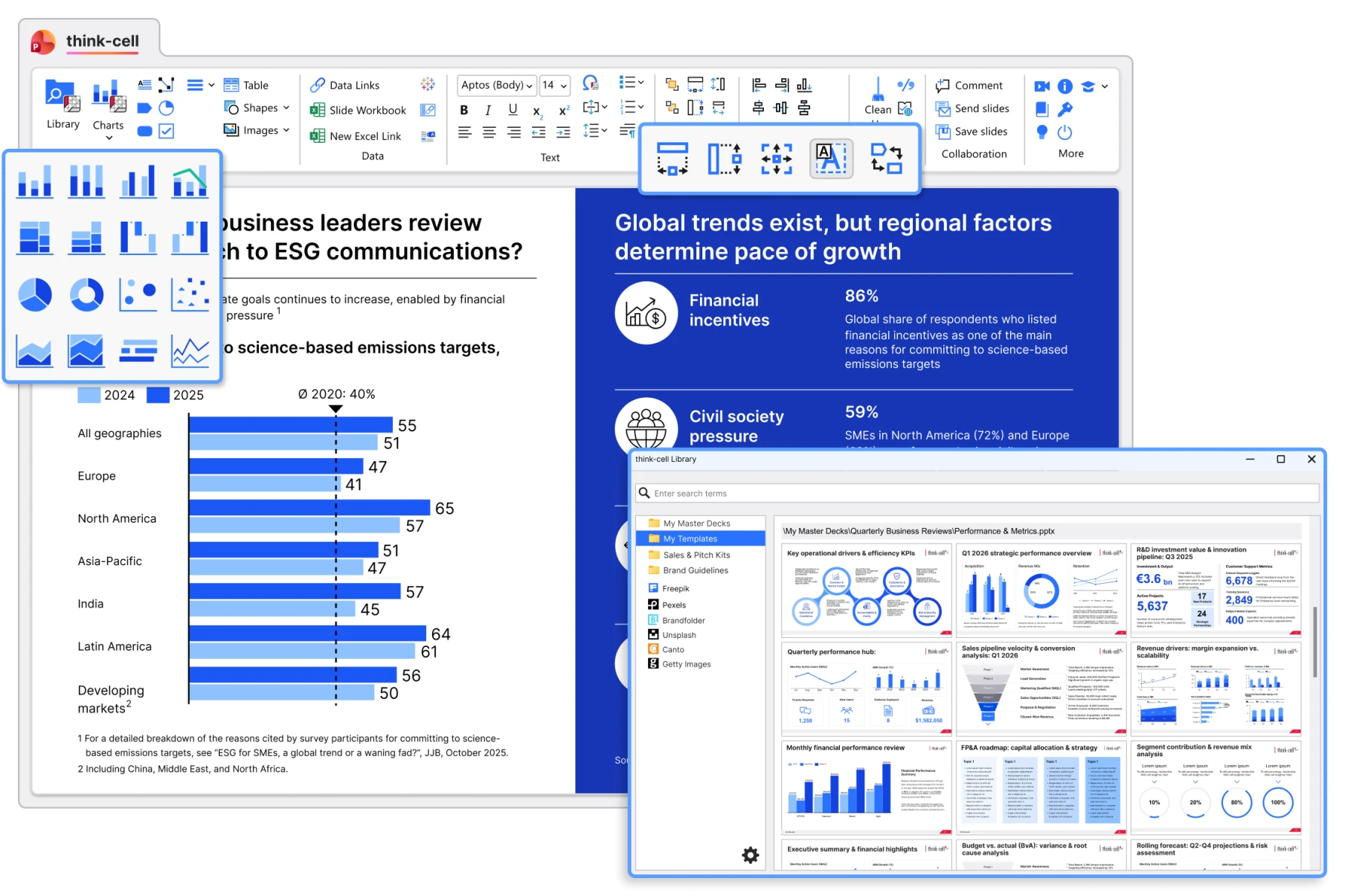
ThinkCell—a PowerPoint and Excel add-on—is the consulting industry’s gold-standard chart builder.
Every consulting engagement produces charts: waterfall charts to show cost breakdowns, Marimekko charts for market segmentation, Gantt charts for project timelines, stacked bars for margin decomposition. Building these manually in PowerPoint is painful—labels overlap, data updates break formatting, and what should take minutes takes hours.
ThinkCell was built specifically to solve this. It generates management-style charts—waterfalls, Marimekkos, Gantts, stacked, scatter, area—with automatic CAGR calculations, growth arrows, and label placement. You can link your chart to an Excel data range and updates flow through automatically.
The tool has been rolling out AI-assisted features, but the real value is decades of refinement in solving the most annoying parts of chart creation in PowerPoint.
ThinkCell isn’t fully AI-native like Plus AI. It’s more of a productivity tool for building complex charts faster. But for consultants whose daily work involves data-heavy decks for senior audiences, it’s the category-defining tool.
Pricing: Not publicly available
Alternatives: Napkin AI (for standalone diagrams and frameworks outside of PowerPoint) and Miro AI (better when you need to collaborate with your team)
5. Granola
Best AI tool for meeting intelligence
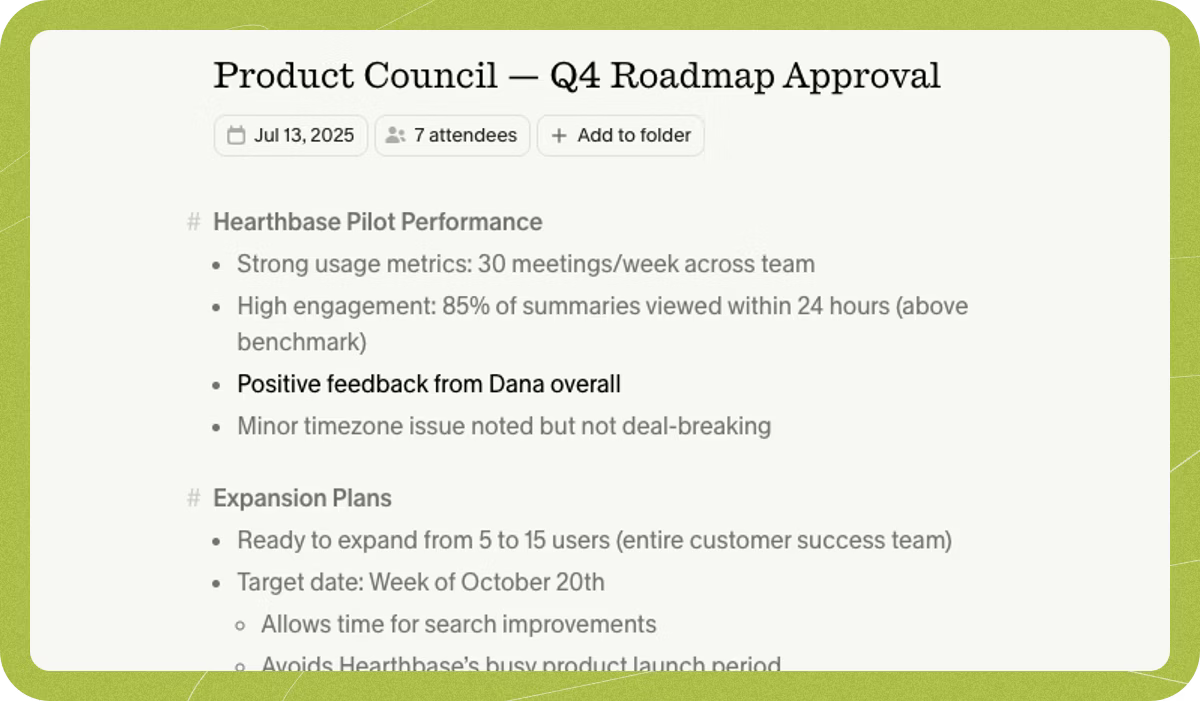
Granola records, transcribes, and enhances your client calls locally on your Mac. That means there’s no bot joining the meeting and no cloud upload. The tool then combines your notes with the full transcript into polished meeting summaries.
You probably spend a huge portion of your week in conversations: client calls, discovery sessions, steering committee meetings, internal debriefs, etc. The insights from these drive the entire engagement. But most of that information is poorly captured, and for consultants handling sensitive client work, the standard answer—send an AI notetaker bot into the meeting—comes with problems.
Clients might get uncomfortable when “AI Notetaker has joined” appears on their screen. Legal teams flag data leaving the firm. Some engagements make cloud-based recording a non-starter.
Zoom’s AI Companion, Teams Copilot, and Google Meet’s summaries work fine for basic notes within their own ecosystems. But they all upload conversations to the cloud and don’t adapt well to the mixed-platform reality of client work.
Granola takes a fundamentally different approach. It records locally on your Mac using on-device AI—nothing uploads to the cloud unless you explicitly enable it. You take your own quick notes during the conversation (bullet points, key decisions, your own thinking), and Granola fills in the detailed transcript afterward, combining both into a polished summary.
The AI features are where it goes beyond a basic notetaker. Granola’s AI chat lets you ask questions across all your past meetings—“What did the client say about the timeline in the last three steering committee calls?” or “Pull every objection raised about pricing this quarter”—and get answers grounded in your actual transcripts.
You can auto-generate follow-up emails, extract action items in specific formats, and run custom prompts across any meeting or set of meetings. For consultants tracking complex engagements over weeks or months, this turns your call history into a searchable knowledge base.
The tradeoff: Granola is Mac-only, has limited third-party integrations (no deep CRM sync), and the free tier is restrictive.
Pricing: Free tier available with limited meeting history. Paid plans start at $14/user/month
Alternatives: Read.ai (if you want cross-platform support with automatic meeting summaries and AI-powered enterprise search across meetings, emails, and chats) and Fathom (if you want a generous free tier with unlimited recording across Zoom, Google Meet, and Teams)
6. Forecast
Best AI tool for project management and resource planning
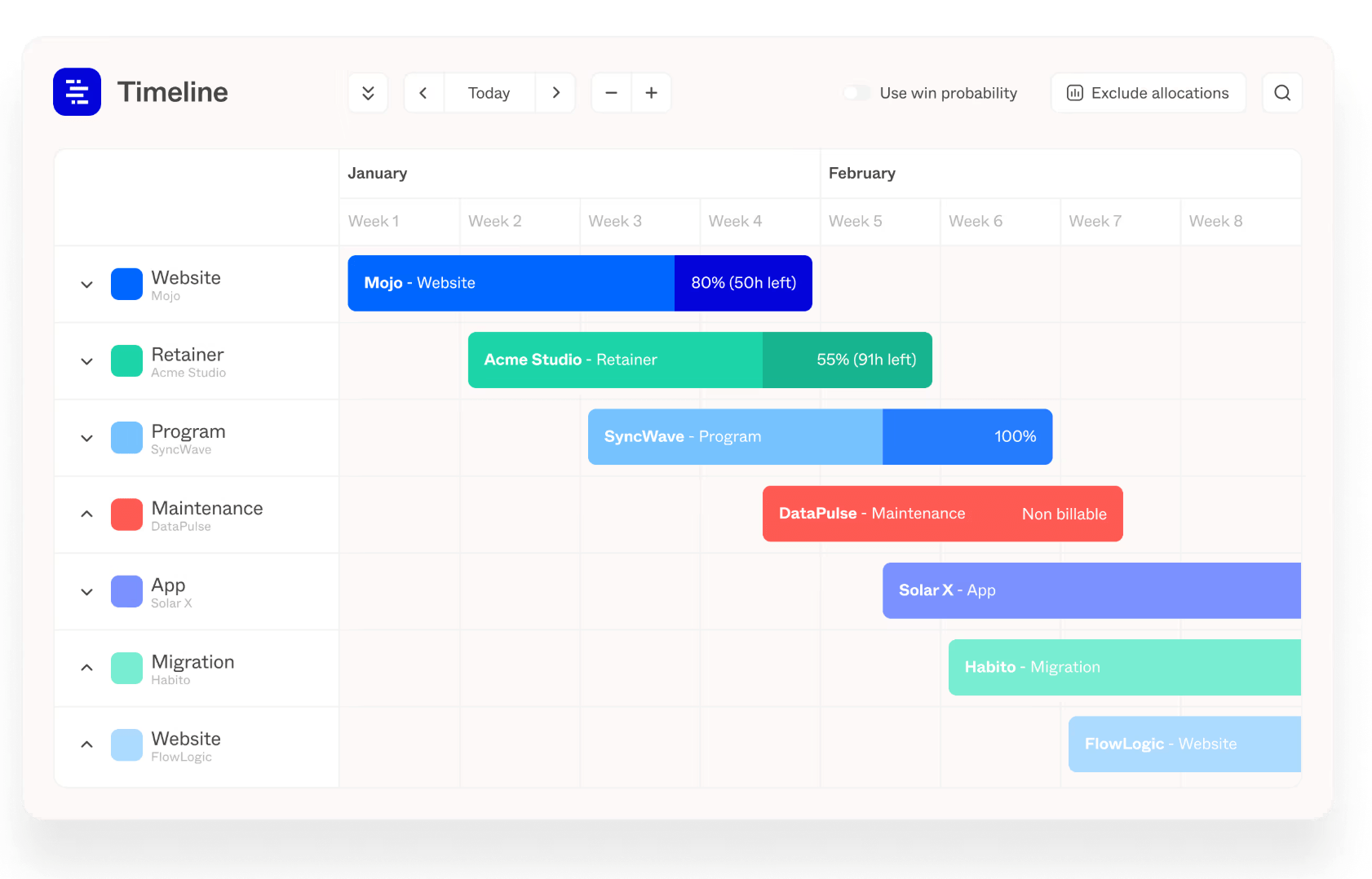
Forecast uses AI to predict project timelines, optimize resource allocation, and track resource use.
Running a consulting practice means, in addition to doing client work, you also have to ensure staffing the right people on the right projects at the right time, tracking utilization rates, and making sure engagements stay within scope and budget.
Most firms cobble this together across spreadsheets, gut feel, and whatever PM tool they’ve inherited, and it often falls apart the moment you’re juggling more than a handful of active projects.
Many popular project management tools like Notion, Asana, Monday, etc. have all added AI features—auto-generated task lists, project summaries, workload views. These are fine for generic task management.
But these tools don’t account for the unique needs of consultants like separating billable vs. non-billable hours, ensuring you meet utilization targets, tracking project margin, or capacity planning across a bench of consultants with different skill sets and availability.
Forecast is built specifically for professional services firms. Its AI tool estimates project timelines based on historical data from similar past engagements, so your scoping gets more accurate over time instead of starting from scratch every project.
It also automatically suggests resource assignments based on skills, availability, and utilization target—which means you’re not over-allocating your best people. Lastly, Forecast also connects time tracking, project planning, and financial reporting in one place, eliminating the spreadsheet reconciliation that eats hours every month.
Pricing: Not publicly available
Alternatives: Scoro (if you want project and financial management in one tool) and Productive.io (for smaller teams)
7. Loopio
Best AI tool for proposal and RFP automation
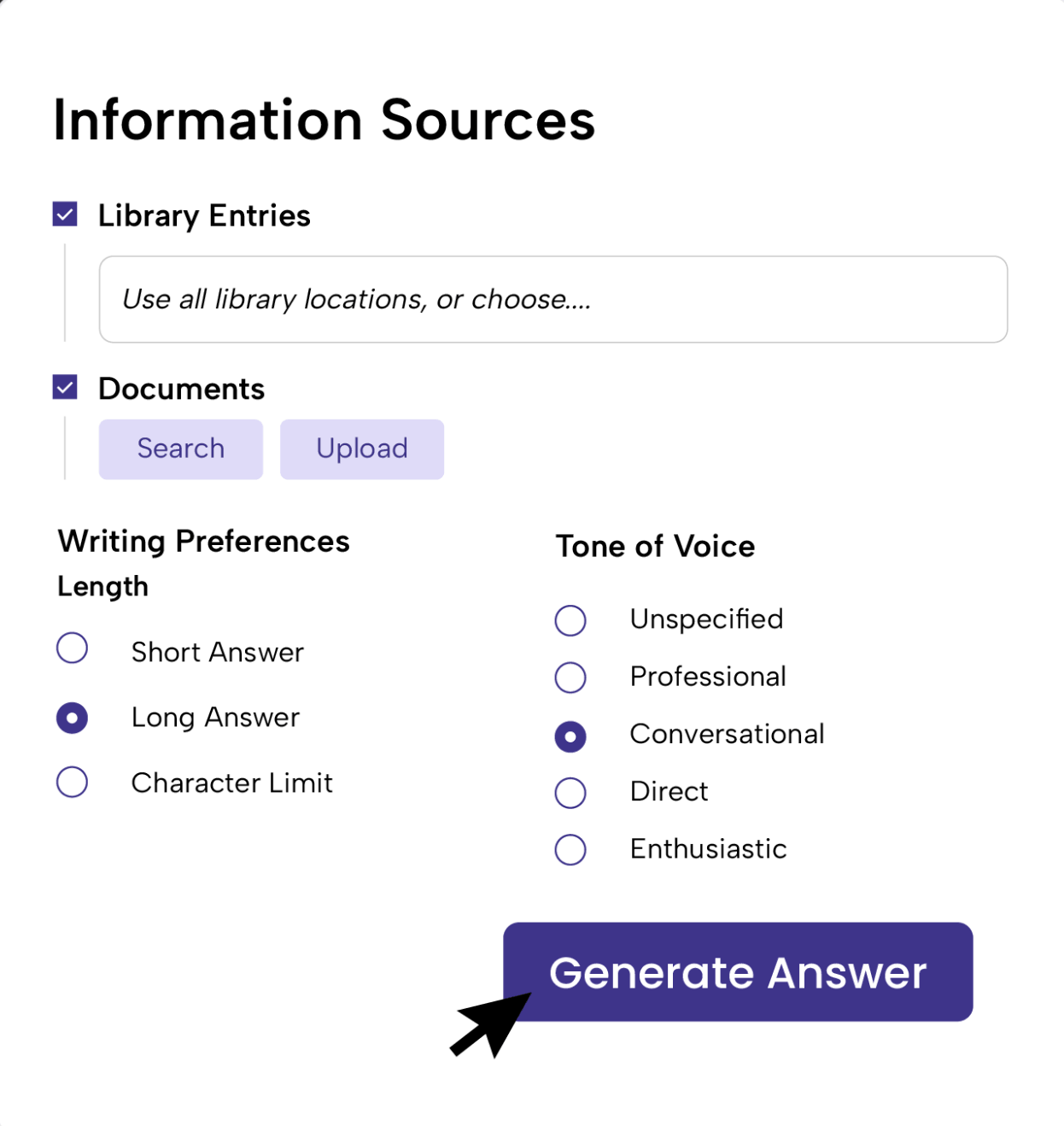
Loopio automates the grind of responding to RFPs, RFIs, and security questionnaires by pulling from a centralized library of your firm’s approved content and generating first drafts with AI—turning a 30-hour process into a few hours of review and tailoring.
For consulting firms pursuing enterprise clients, RFPs are a necessary evil. They’re long, repetitive, and deadline-driven. The same questions about methodology, team qualifications, security posture, and past engagements show up in slightly different forms across every proposal.
Most firms handle this by copy-pasting from past responses scattered across shared drives, old emails, and colleagues’ memory—which is slow, inconsistent, and error-prone.
Loopio gives your firm a single, searchable content library—past answers, case studies, certifications, team bios, methodology descriptions—that stays centralized and version-controlled.
When a new RFP comes in, its AI (Response Intelligence) matches incoming questions to your best existing answers and generates a first draft in minutes. You just review, tailor, and submit.
The platform integrates with Salesforce, HubSpot, Slack, and SharePoint, and handles imports/exports across Word, Excel, and web-based portals. But remember, Loopio is a tool for firms responding to dozens of RFPs per year, not the occasional one-off proposal—and its pricing reflects that.
Pricing: Starts at $20,000/year
Alternatives: Responsive (better fit for larger firms with complex multi-stage approval workflows) and AutoRFP.ai (for more affordability)
8. ChatGPT
Best AI tool for drafting documents and general writing
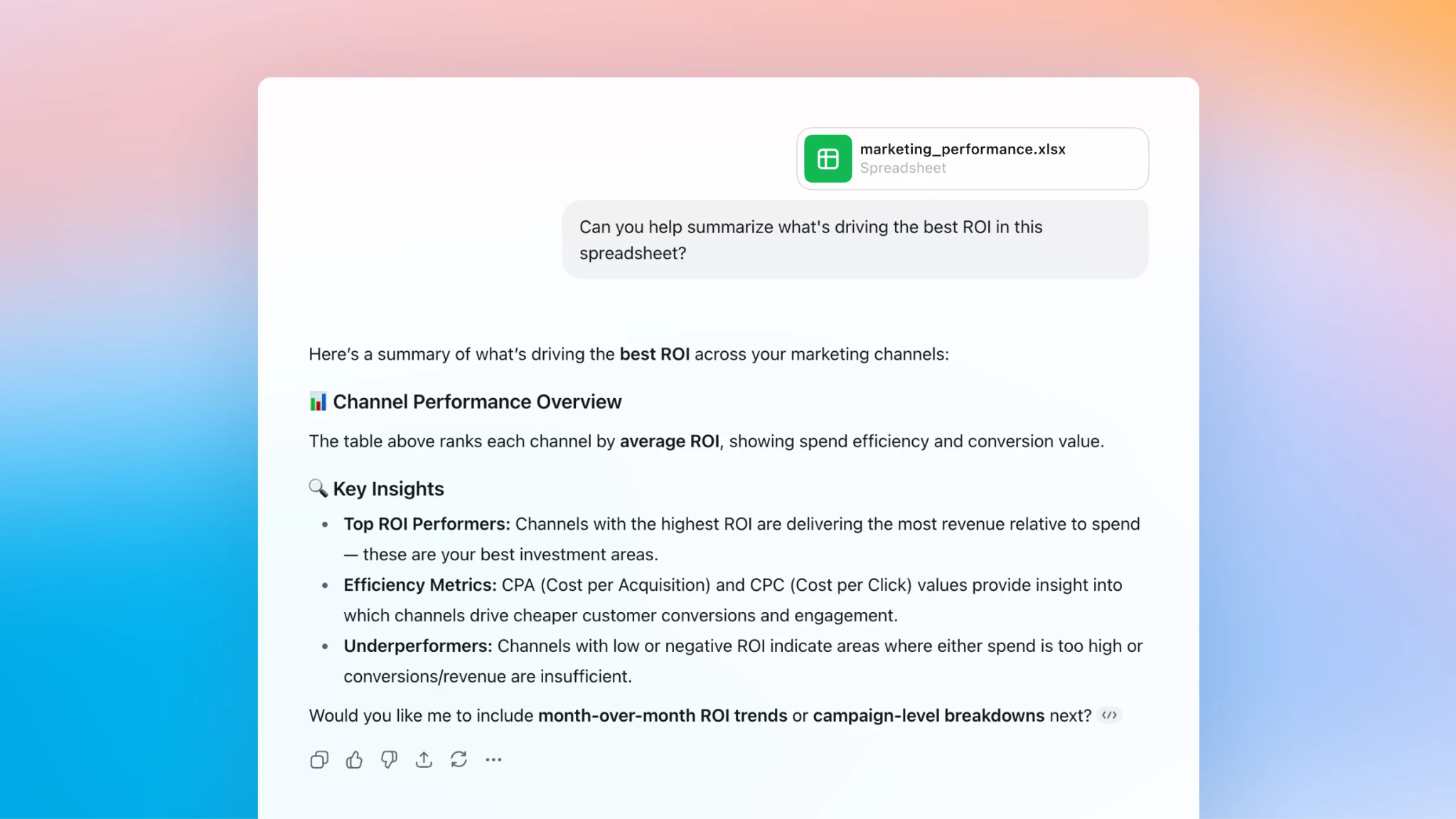
ChatGPT is the versatile workhorse for consulting writing tasks—first drafts of memos, SOWs, executive summaries, client emails, thought leadership pieces—with broad flexibility that makes it the default AI tool for most professionals.
You’re probably writing a lot on the daily: memos, scope-of-work documents, status updates, client emails, thought leadership posts, interview guides, final reports. The raw volume of writing is what makes AI-assisted drafting so valuable.
ChatGPT remains the most widely adopted AI drafting tool because it handles the full spectrum of consulting writing tasks without forcing you into a specific workflow. It’s strong at turning rough notes into polished documents, restructuring long arguments, summarizing dense reports, and generating first drafts of long-form content like strategy memos and client reports.
Plus, Custom GPTs let you build reusable consulting workflows—a “Client Memo GPT” trained on your firm’s preferred structure and tone, a “SOW GPT” that drafts consistent scoping documents, an “Executive Summary GPT” that condenses 30-page reports into 1-page briefs.
One limitation is that ChatGPT doesn’t enforce brand voice across a team, and it still hallucinates facts sometimes—so any output needs verification before it reaches a client.
Pricing: Free tier available. Paid plans start at $8/month
Alternatives: Jasper (for firms that need enforced brand voice consistency across multiple writers) and Grammarly (if you need a tool just for polishing your writing)
Related reading: Deep research and fake information: Results from 10 experiments
9. Obsidian
Best AI tool for knowledge management
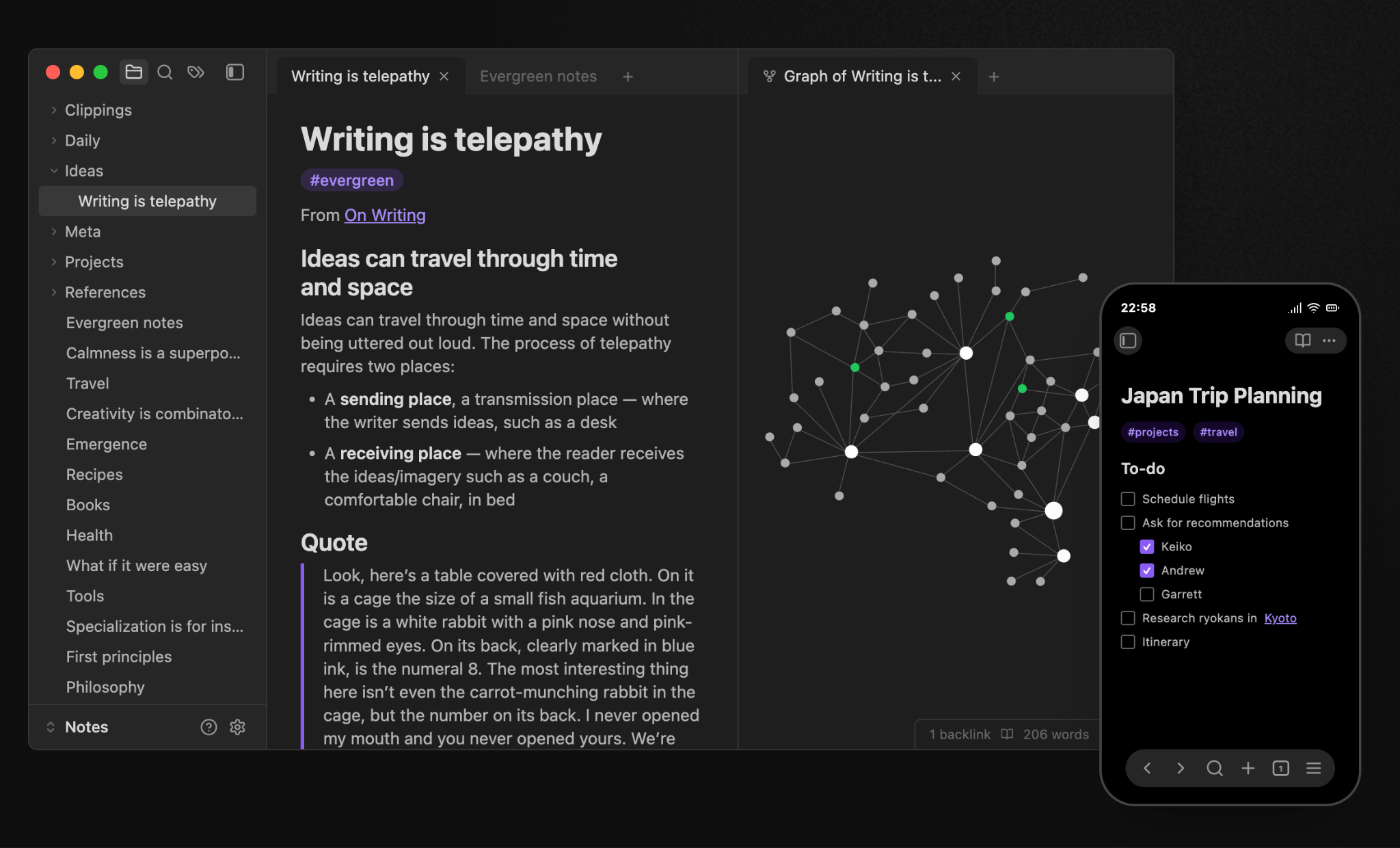
Obsidian is a local-first, markdown-based knowledge base with a vibrant plugin ecosystem that lets consultants turn years of notes, frameworks, and deliverables into an AI-searchable second brain—without their data ever leaving their device.
Many consulting firms face the same problem: institutional knowledge exists, but nobody can find it. The market sizing framework a partner built last year is buried in someone’s Google Drive. The client onboarding checklist lives in a Slack thread. The best proposal language from a won engagement sits in a PDF that three people know about.
For consultants who work with sensitive client information—confidential interview notes, draft deliverables, client-specific frameworks—cloud-based tools raise legitimate privacy questions. Where does your data live? Who can access it? Is it being used to train someone else’s model?
Obsidian solves this by keeping everything local. Your notes live as plain markdown files on your own machine, fully portable and future-proof. On top of that foundation, a community of 2,700+ plugins (including 100+ AI-related ones) lets you add exactly the AI capabilities you need.
But Obsidian requires some time to set up and most AI plugins require you to bring your own API key (OpenAI, Anthropic, etc.). However, for consultants who want a system where their knowledge is genuinely theirs—not locked inside someone else’s cloud—it’s the strongest option.
Pricing: Free for personal use. Paid plans start at $5/user/month for syncing notes across devices
Alternatives: Notion AI (if you prioritize team collaboration and cloud-based workflows over local-first privacy) and Glean (for enterprise firms needing AI-powered search across existing tools like Google Drive, Slack, and Confluence)
10. Vimcal
Best for scheduling and client coordination
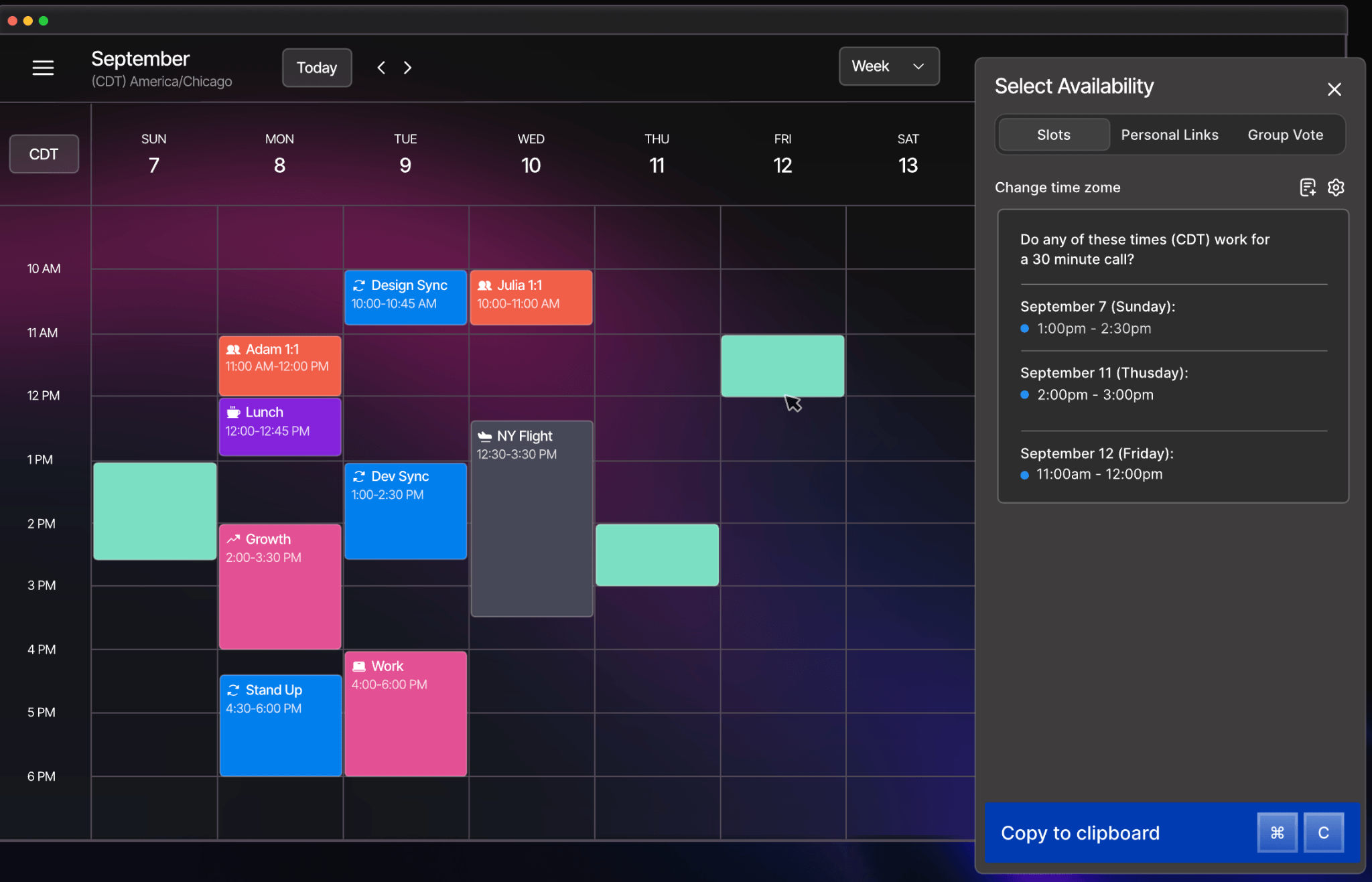
Vimcal is the fastest calendar app on the market, built for professionals drowning in meetings—with AI-powered scheduling, instant time zone coordination, and keyboard shortcuts that make managing a packed consulting calendar feel effortless.
You probably have to orchestrate a lot of meetings throughout a week. Discovery calls with prospects in London, steering committee sessions with a client in Singapore, internal syncs with a team in New York, all in the same day.
The scheduling logistics alone—finding availability, proposing times across time zones, managing conflicts, sending reminders—can eat hours every week. Most consultants default to Calendly links, but that solves only the inbound booking problem.
The real bottleneck is everything else: the outbound coordination, the multi-timezone math, the constant calendar Tetris.
Vimcal sits on top of your calendar app entirely and makes every scheduling action faster. Its AI Time Finder parses messy email threads with proposed times, overlays them on your calendar, and suggests the best slot in seconds. Time zone coordination is built into the core—pull up any city’s time zone instantly and see overlapping work hours at a glance.
Before every meeting, Vimcal also surfaces AI-powered introductions on your attendees—social profiles, company context, recent news—so you walk into client calls prepared without doing manual research.
Pricing: Free for iOS, iOS+Desktop costs $20/month
Alternatives: Calendly (if all you need is a link for prospects to self-schedule discovery calls) and Reclaim.ai (if you’d rather optimize your entire calendar by AI-scheduling focus time, tasks, and habits around your meetings)
Putting it all together: How an engagement with a client looks with these AI tools
Here’s how these tools work together on a real consulting engagement—from winning the work to delivering the final presentation.
-
Winning the work: The client sends a formal RFP with 60 questions covering methodology, team qualifications, and past experience. Instead of spending a weekend copy-pasting from old proposals, you run it through Loopio. The AI pulls your best answers from past wins, generates a first draft in minutes, and you spend your time tailoring the strategy section aka, the part that actually wins the deal.
-
Client discovery calls: Vimcal handles the scheduling—a kickoff with the CEO, a data walkthrough with the operations team, stakeholder calls across three time zones—all booked in minutes. During each call, Granola records locally on your laptop. After each session, you ask Granola’s AI: “What were the client’s top concerns?” and get an answer grounded in the actual transcript.
-
Research and analysis: AlphaSense surfaces competitor data, earnings transcripts, and industry research across the sector. Claude Code crunches the client’s data—building models, running scenarios, and generating outputs that would have taken a junior analyst days.
-
Client deliverables: You draft the key findings memo in ChatGPT, using a custom GPT trained on your firm’s writing style. The charts—waterfalls, comparisons, timelines—go into ThinkCell, auto-linked to the Excel model so they update when assumptions change. The final deck gets assembled in Plus AI: upload the memo and the data, and it generates a structured presentation you refine and polish.
-
Admin work: Throughout the engagement, Forecast tracks your team’s hours against budget and flags scope creep before it becomes a margin problem. Every insight, framework, and client note lives in Obsidian—searchable, private, and ready to surface the next time a similar project comes in.
You don’t need all ten on day one. But even two or three in the right places will free up hours you’re currently spending on formatting, scheduling, and digging through old files.
How to build your AI stack
You don’t need to start using all ten of these tools today. Start with the one or two that address your biggest bottleneck. For most consultants, that’s presentations and research—and expand from there.
A solo consultant can get meaningful leverage from Plus AI, ChatGPT, and Granola alone. A mid-size firm might layer in AlphaSense, Claude Code, and Forecast as engagement volume grows.
The crucial bit is not just picking the right AI tools, but also embedding them into how you actually work, and freeing up your time & energy from tedious but necessary tasks.