
Comparisons
Manus AI Slide Generator Review: Pros, Cons, and Alternatives
I tested Manus's AI slide generator for pitch decks, reports, and more. See how it compares to Plus AI for speed, design, and presentation tool integration.

Manus is a general AI agent that can handle everything from slide generation to coding to market research. This breadth is part of its appeal. But it also raises the question: Can an all-in-one AI tool match the output of one designed for presentations?
I tested Manus’s AI slide generator to see how well it holds up for use cases like pitch decks, project kickoffs, and marketing reports. In this in-depth review of Manus, I’ll cover how it works, where it falls short, and how it compares to a purpose-built alternative like Plus AI.
What is Manus AI’s slide generator?
Developed by Butterfly Effect and now owned by Meta, Manus is an autonomous AI agent that can plan and execute a long list of complex tasks using both native and connected tools. The slide generator is one of Manus’s many built-in tools.
When creating slides, Manus takes a research-first approach. It goes into research mode, seeking the right information to include in the presentation and the optimal way to structure the deck. It then synthesizes sources and builds the slides.
Manus doesn’t have its own proprietary large language model (LLM). As an AI agent, it uses multiple existing LLMs for research, reasoning, and generation — including Anthropic’s Claude models and Alibaba’s Qwen.
How do you create slide decks with Manus?
You can generate slides using Manus in your browser or via the desktop or mobile app. When I tried Manus, I found the experience and functionality in the browser and the desktop app to be almost exactly the same.
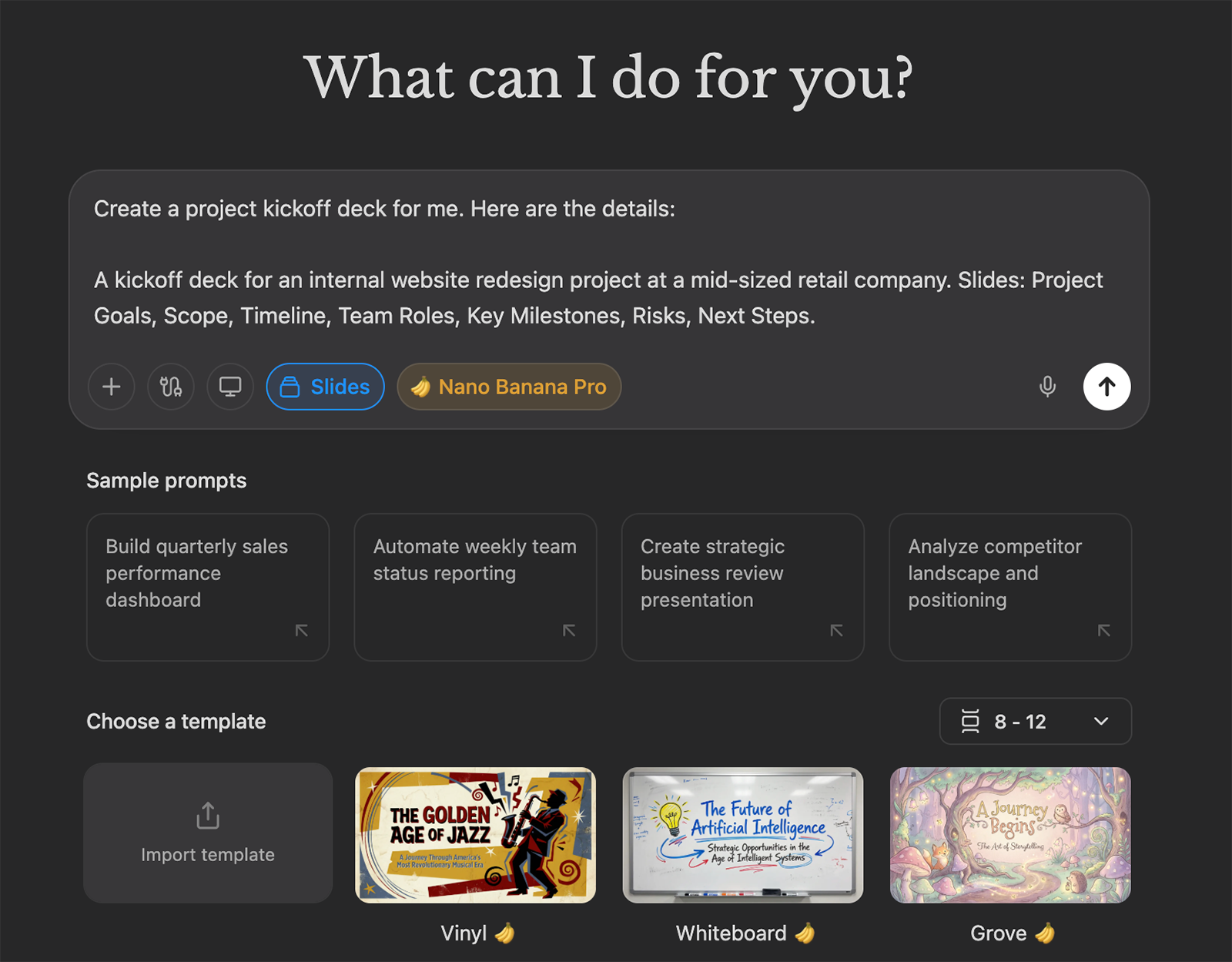
Technically, you can just enter your prompt and let the AI assistant get to work. But when you select the Manus AI slide generator option from the chat interface, you unlock more options and get better control over the output.
Start by describing your presentation topic or uploading a document with the material you want to cover. Then, import a template or select one of the available options.
Use the dropdown menu to choose the number of slides you want to create. You can also enable Nano Banana Pro for image generation.
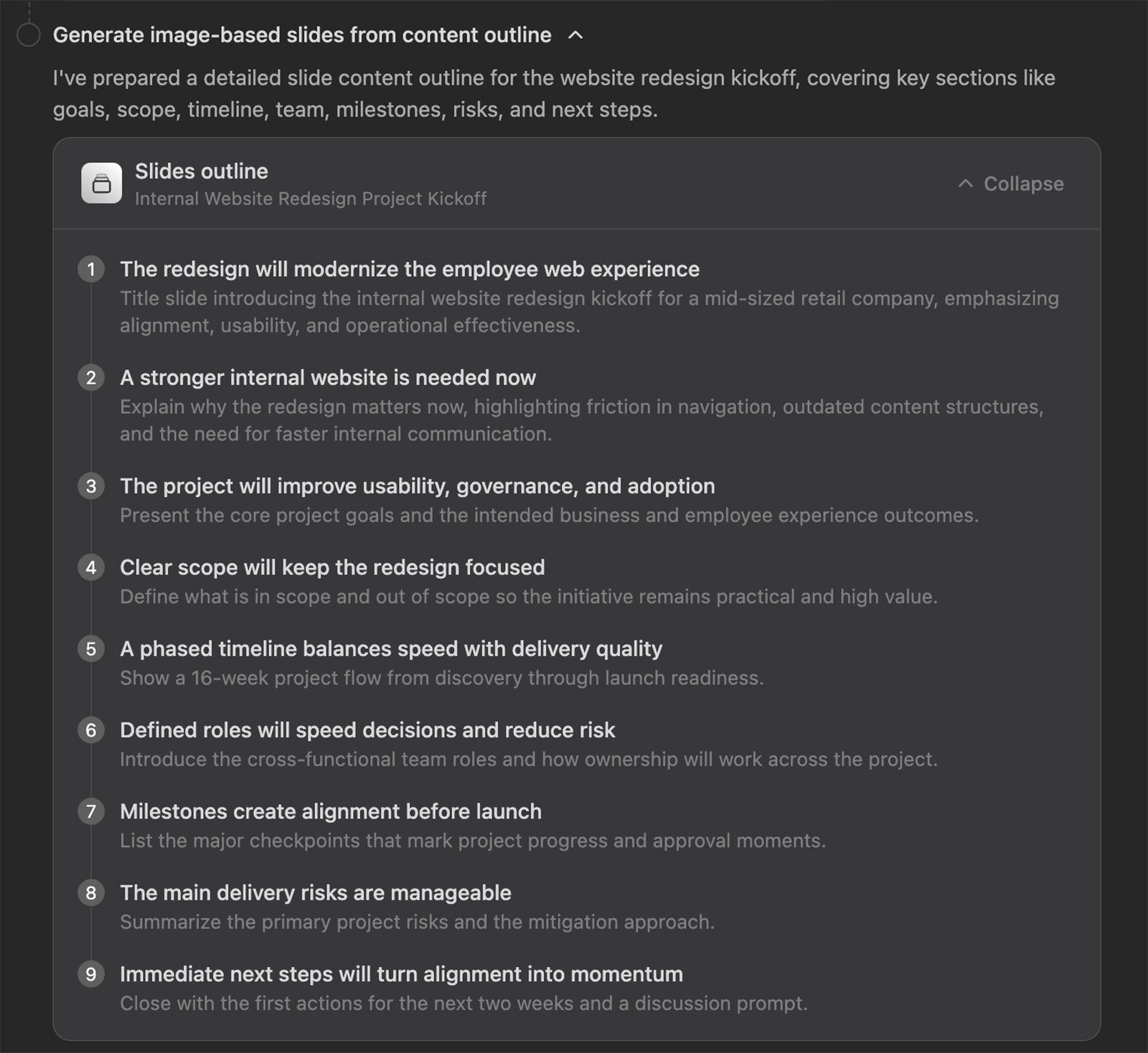
Manus will automatically create a detailed outline for the presentation. But unlike many other slide generators, Manus doesn’t give you an option to review or approve. So, if the presentation isn’t going in the direction you wanted, you have to wait or stop the workflow to make changes.
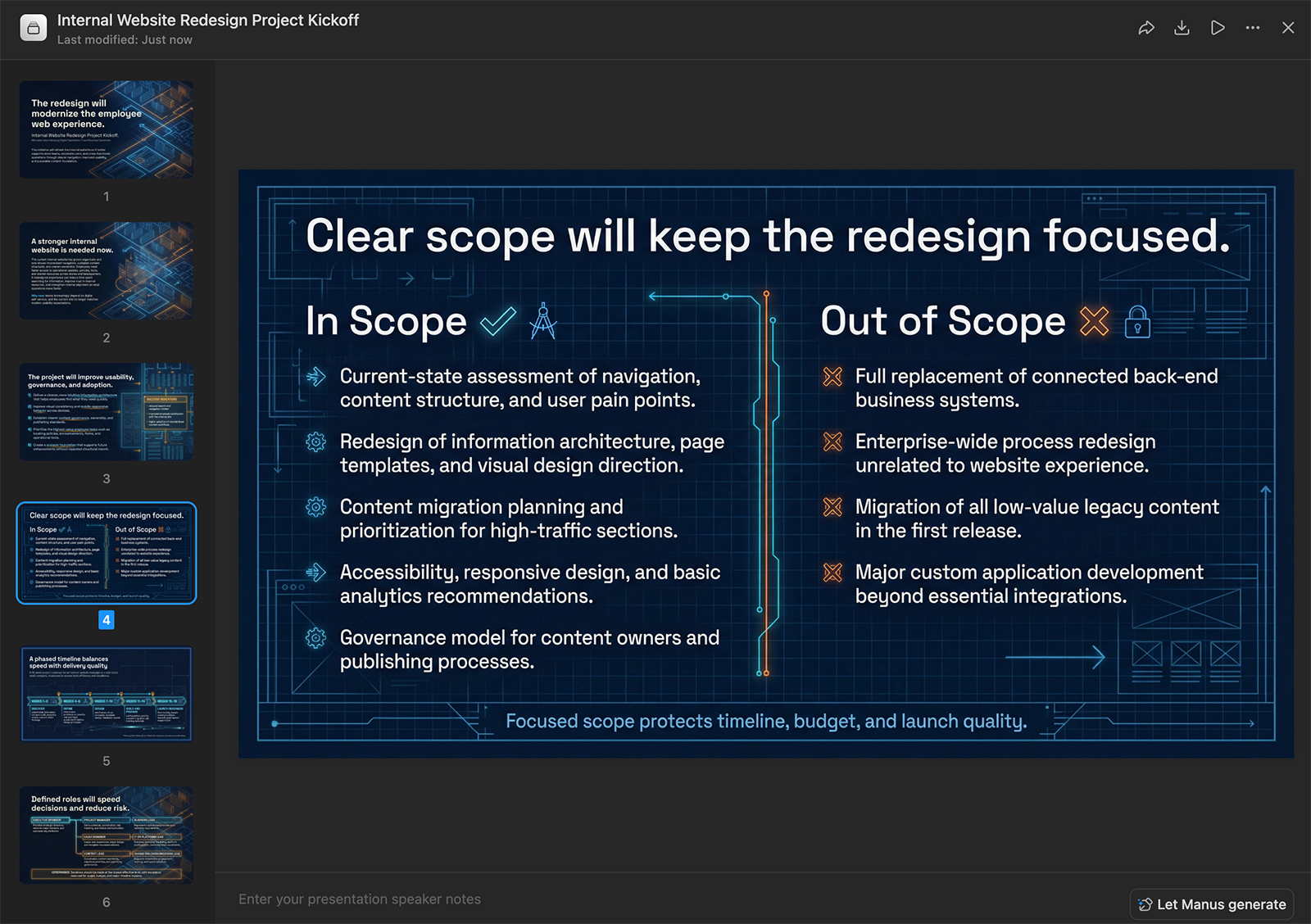
Once Manus finishes the deck, you can edit, download, or hit play to present it. This deck took a little over five minutes for the initial generation.
How Plus AI compares:
Plus AI has three options for generating slides: the browser interface, the Google Slides extension, and the PowerPoint add-in. With either option, you input a prompt and then select a template.
Then, Plus shares the presentation outline for your review. You can make changes to the slide order or content before the deck generation starts.
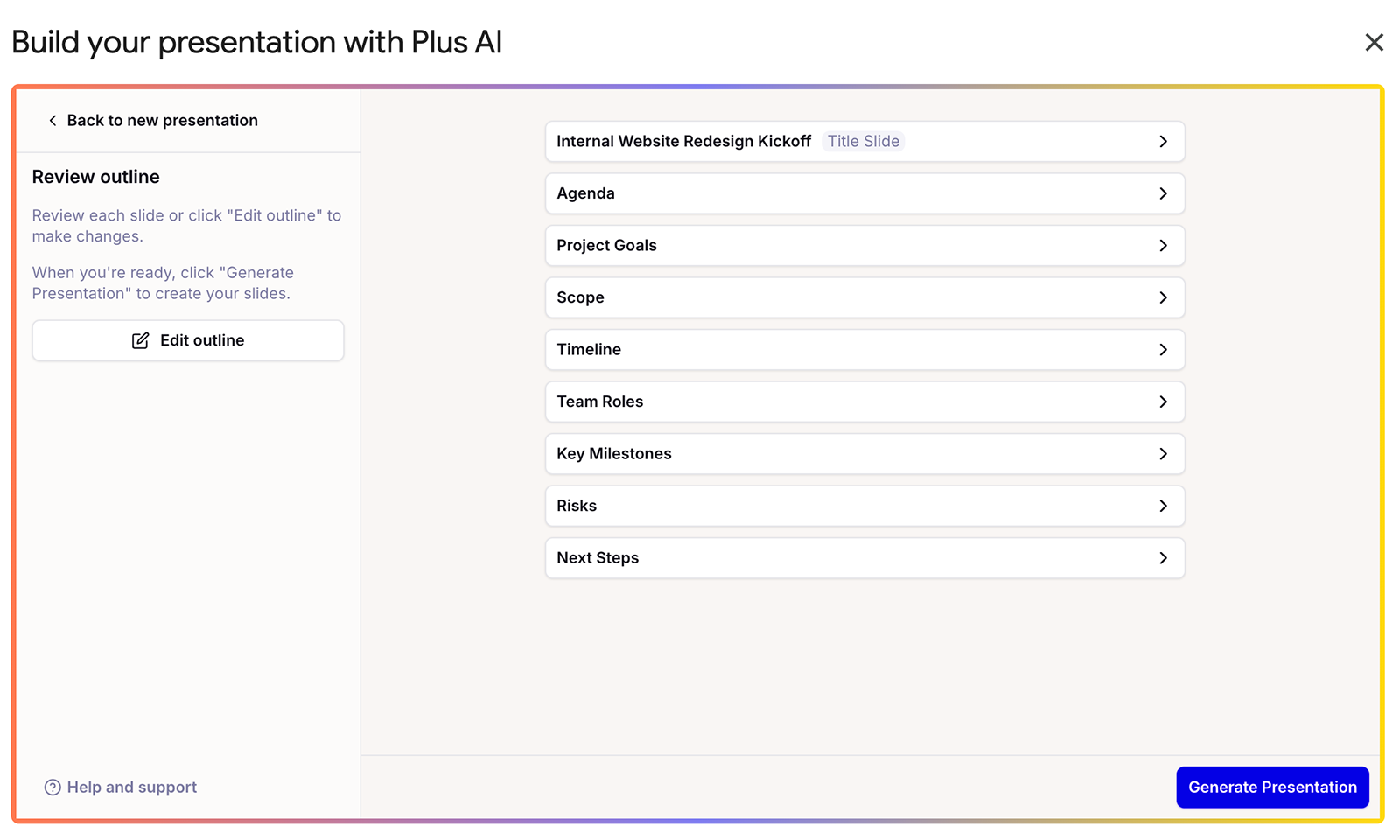
In my experience, Plus AI typically takes around three minutes to create an outline and generate a deck with around 10 slides.
How good are Manus AI presentations?
Overall, Manus generates high-quality slide decks. But it falls short in terms of editing tools and presentation tool integrations.
How strong is Manus presentation content?
The depth of Manus’s research is clear in the quality of its presentation copy. For every deck I generated, I provided relatively basic guidelines — essentially just the title of each slide. Every time, Manus ran with my prompts, finding the right information and copy to include.
The downside is that Manus doesn’t provide citations. So, there’s no way to know which sources it drew from during the research process.
How Plus AI compares:
Plus AI also uses multiple LLMs and AI models to generate copy and visuals. For example, it uses Nano Banana Pro to generate images. Like Manus, Plus doesn’t provide citations or list sources.
How do Manus slides look?
The style of the slides depends heavily on whether you enable Nano Banana when generating your deck. With Nano Banana, you get pretty extensive designs that reflect a fair amount of creativity.
Without Nano Banana, you get more minimal slides. They still incorporate good design, they just look like more traditional PowerPoint slides.
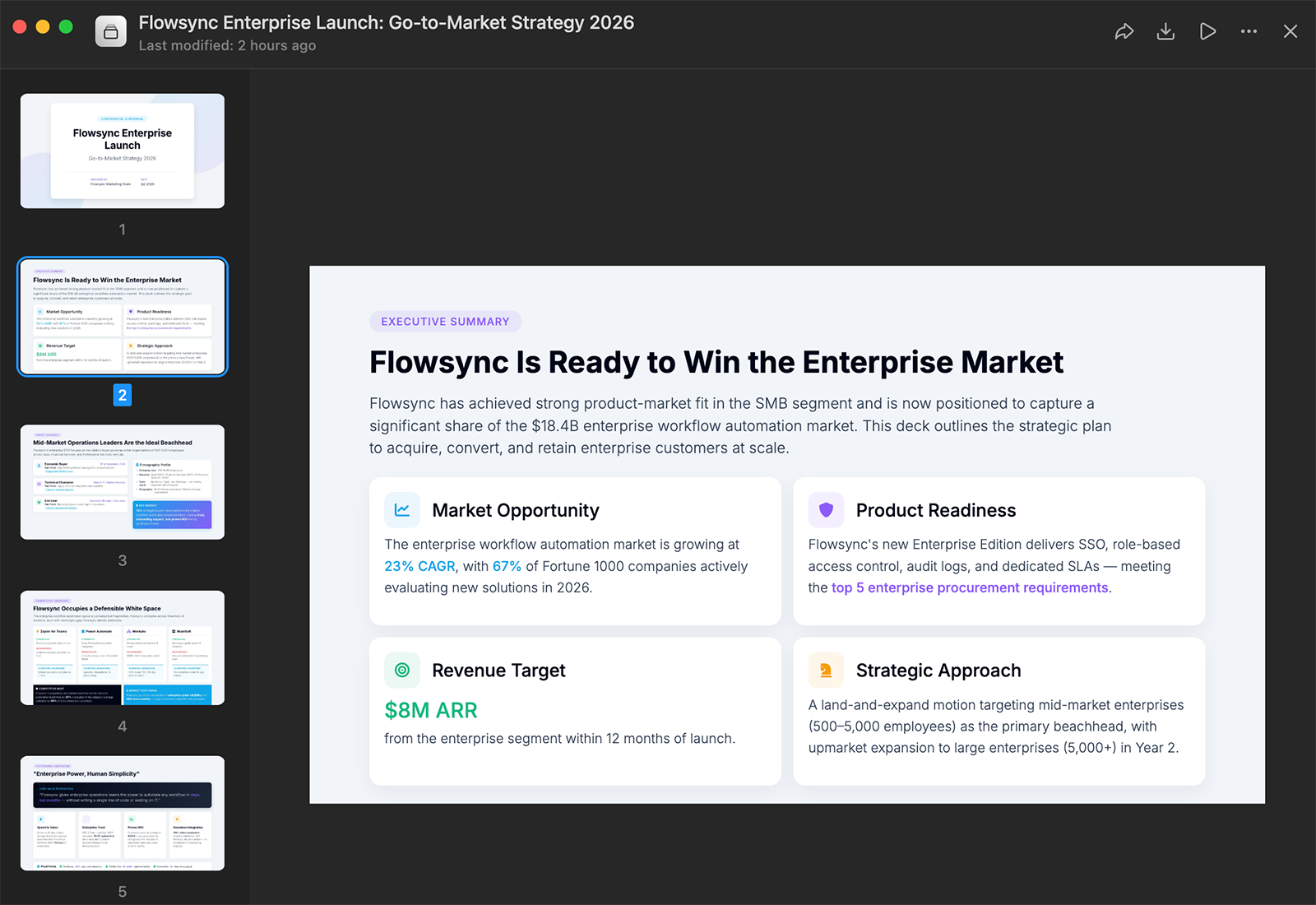
While you can choose a template or upload your own, you don’t have to do either. You also have the option to let Manus choose, based on the type of deck you’re creating.
How Plus AI compares:
Both Plus AI and Manus have a similar number of predesigned templates to choose from. In my experience, Plus’s designs are a better fit for business use cases like pitch decks and reports.
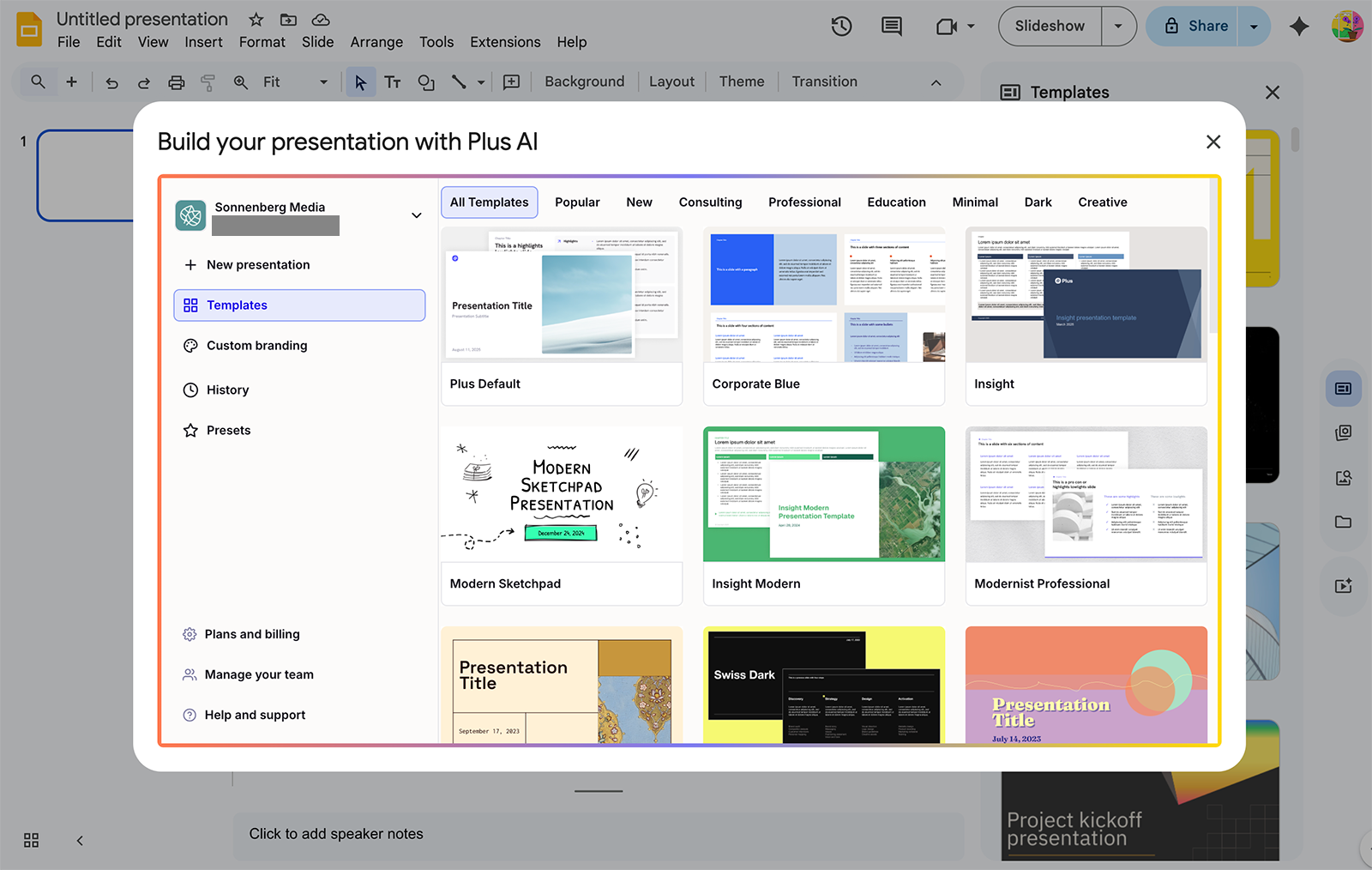
And when you upload your branding or custom templates to Plus, you can make sure every presentation fits your guidelines.
Can you edit slides in Manus?
Manus gives you three options to edit slides. With conversational editing, you tell the AI assistant what to change. This is helpful when you need a major change to the layout or when you want to add more slides.
You can also use the AI editing tools to adjust individual elements. Open the presentation in Manus, click on the element you want to edit, and describe the change you want to make.
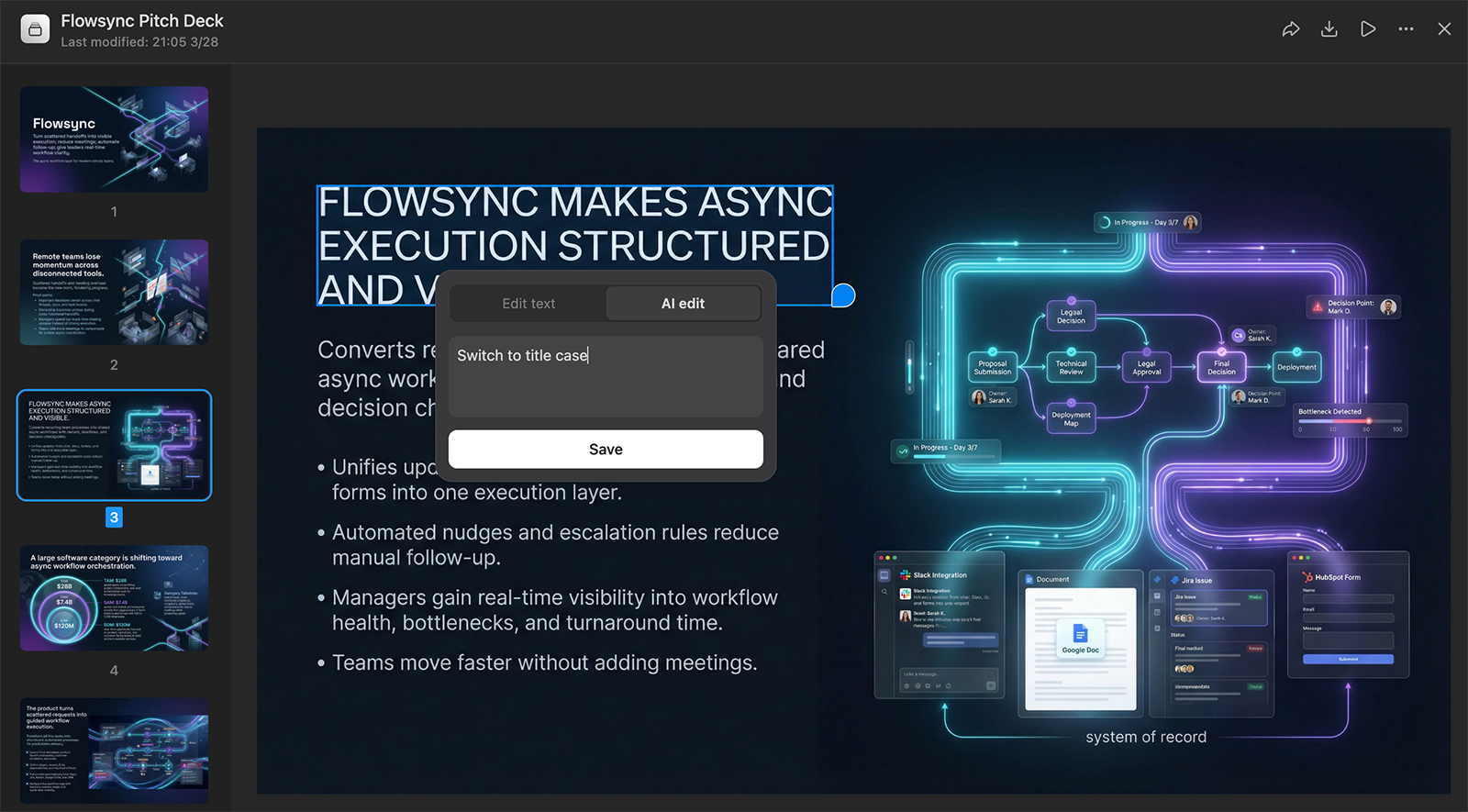
Alternatively, you can edit manually. Instead of prompting Manus to make the change, rewrite the content or adjust the element yourself.
How Plus AI compares:
Plus AI’s editing tools vary depending on the interface you use. Both options allow manual editing.
The Google Slides extension has AI-powered tools to rewrite text, remix slides, and insert new slides. It also lets you add images and icons.
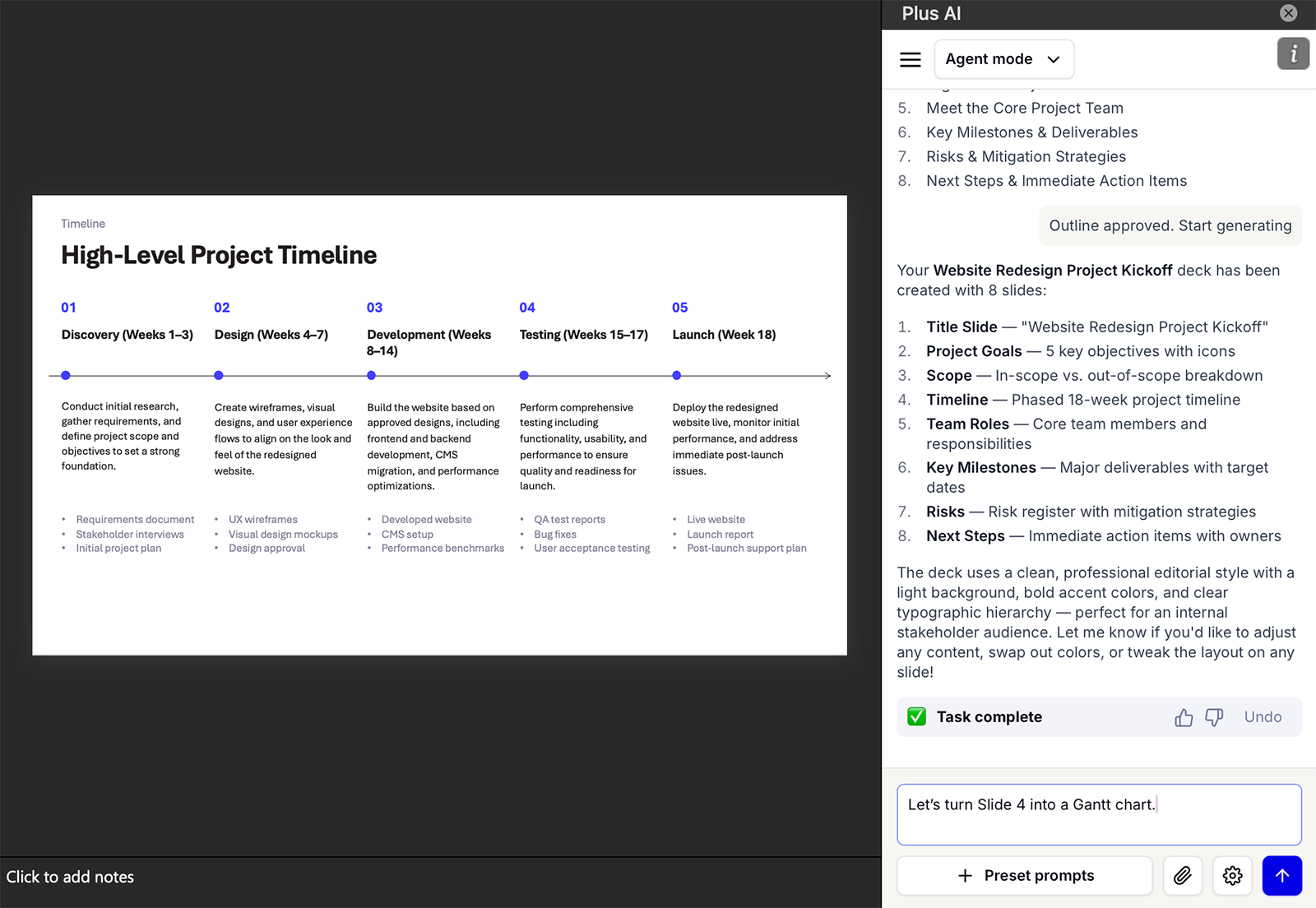
With the PowerPoint add-in, you can use the Plus AI Agent to suggest large-scale edits via chat. The add-in also supports remixing and rewriting for more targeted changes.
What formats can you export from Manus?
Once you create a presentation with Manus, you can export PPTX files, which you can then import and edit in PowerPoint or Google Slides. You can also export PDFs for distribution or web-based slides to present in your browser.
How Plus AI compares:
If you use Plus AI in the browser, you can export fully editable PPTX files. You can then import them to your presentation tool of choice.
But there’s an easier way. Since Plus AI works in PowerPoint and Google Slides, you can generate, edit, and present slides directly in either tool.
Does Manus support custom templates and branding?
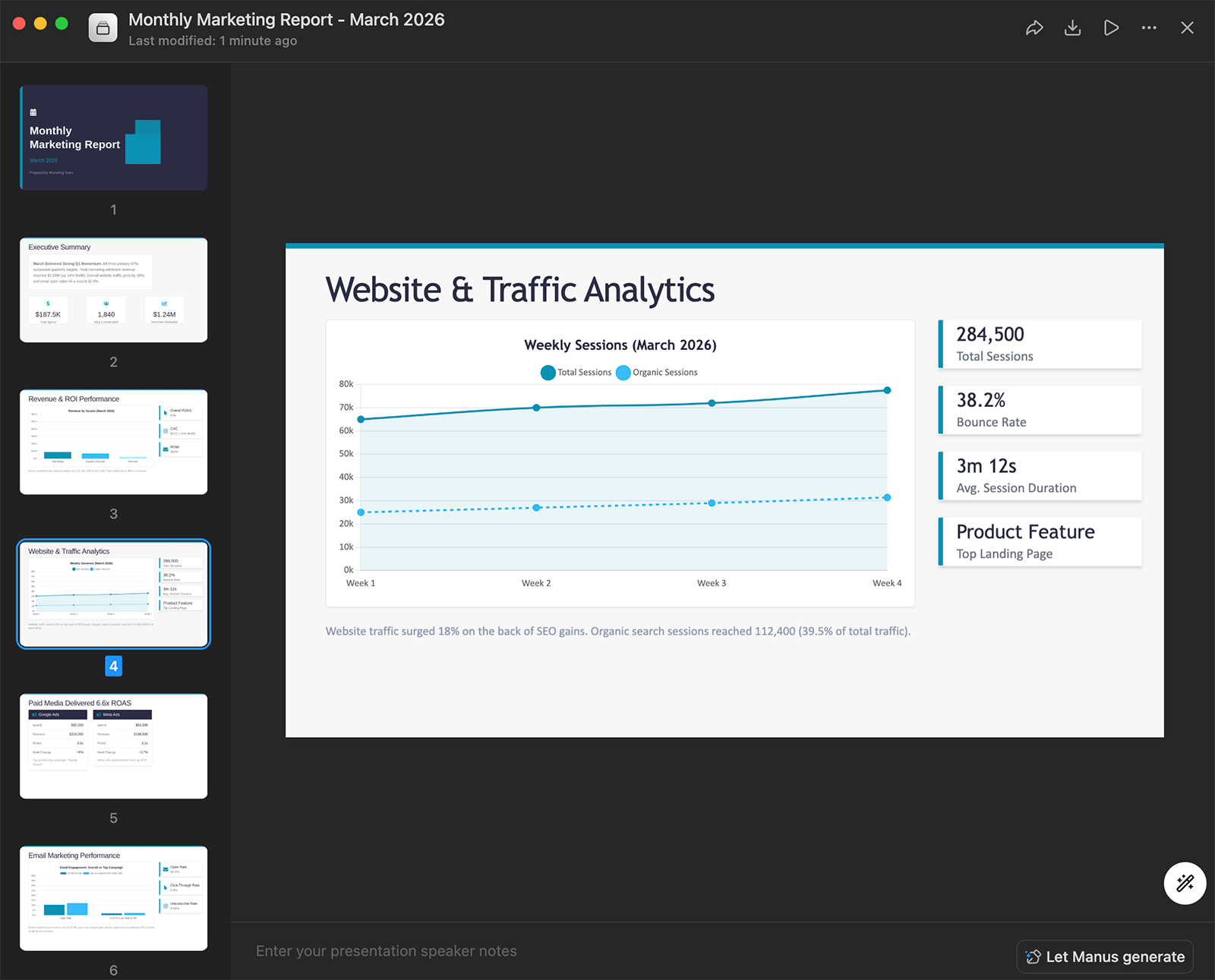
Manus allows custom presentation templates. Just upload a PPTX file, and the platform will apply your layouts, colors, and fonts throughout the deck.
In my experience, this worked well and saved a ton of time. I uploaded a monthly marketing report template and prompted it to create a presentation for March.
How Plus AI compares:
Plus AI supports custom branding. You can choose from a presentation style, set your colors and fonts, and upload a logo. Then, the slide generator will use your presets to create on-brand decks.
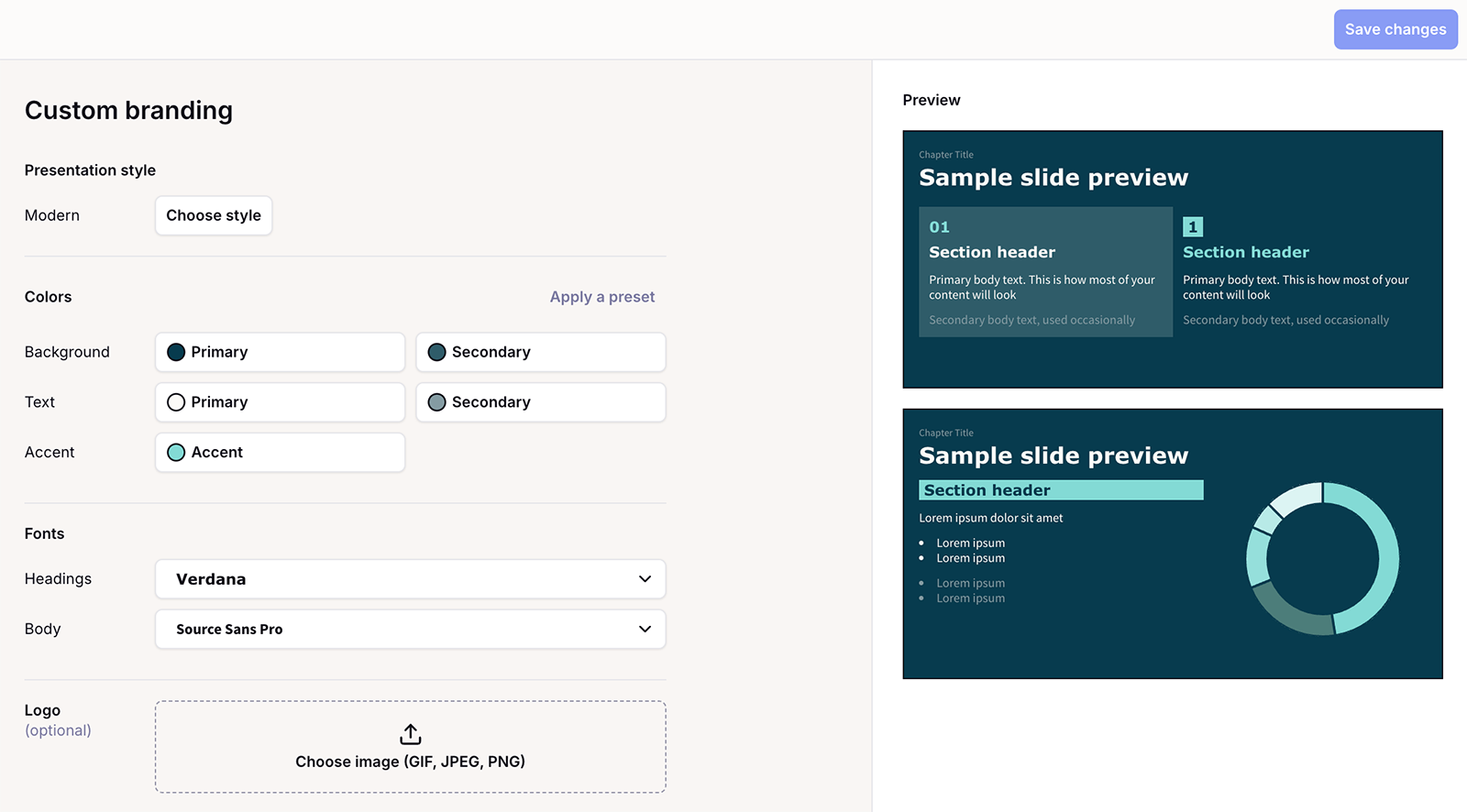
With Plus, you can also upload custom templates and create custom presets. These features are available on Team and Enterprise plans, so everyone can work from the same files and brand guidelines.
Does Manus work in Google Slides or PowerPoint?
Manus is a standalone app that doesn’t have native integrations with Google Slides or PowerPoint. You can export the presentations you create with Manus and import them into your presentation software of choice, though.
How Plus AI compares:
Plus AI works directly in both PowerPoint and Google Slides. The PowerPoint add-in has Plus AI Agent capabilities, so you can chat with it as you generate and iterate on slide decks.
The Google Slides extension lets you create and edit slides without leaving the app. You can choose from existing templates, build slide by slide, or use the text-to-presentation tool. Then, you can use the Plus AI copilot to fine-tune your slides.
How much does Manus cost for slide decks?
Manus uses a credit-based system for all tasks, but it’s far from straightforward. Every task type uses a different number of credits. While there’s no official information on the number of credits a slide deck uses, in my experience, a 10-slide presentation takes around 200 credits.
Every Manus plan includes a certain number of monthly credits plus daily refresh credits:
- Individual plans with 8,000 monthly credits and 300 daily credits cost $34/month (billed annually)
- Individual plans with 40,000 monthly credits and 300 daily credits cost $167/month (billed annually)
- Team plans with 8,000 monthly credits to share between two team members start at $20/seat per month
If that isn’t complicated enough, you can always upgrade your monthly credits in increments of 4,000.
How Plus AI compares: Plus AI has four pricing tiers, each with flat monthly rates. There’s no need to buy more credits since each plan includes unlimited AI generation.
Plus AI subscriptions start at $10/month (billed annually), and team plans start at $30/user per month (billed annually). There’s also an enterprise option for large teams.
What does Manus do well for presentations?
Manus has several strengths that set it apart from other AI slide generators, including research depth, image generation, and speaker notes.
Research depth
Most AI slide deck tools use LLMs to determine content and structure. But the quality of Manus’s presentation content indicates that it does deep research before generating slides.
The one downside of Manus’s research process is that it automates the entire workflow. There’s no opportunity to offer feedback or request changes without stopping the process.
Speaker notes
In addition to creating slide decks, Manus can generate speaker notes based on your presentation content. Once you create a presentation, click the “Let Manus generate” button in the lower right corner.
Voilà! Your speaker notes are ready.
This is a genuine time saver that few other slide generators offer. Instead of just creating the content, it helps you prepare to present it.
Image generation
Many AI presentation tools have built-in image generation, and some include Nano Banana Pro. But few let you create full layouts with Nano Banana Pro. The result is detailed, creative slides that look unique.
AI agent capabilities
Manus does much more than create presentations. It also generates designs, creates spreadsheets, produces visualizations, and does research.
If you’re looking for an AI agent that has a long list of capabilities, Manus could be worth considering — as long as you can handle its limitations.
What are the limitations of Manus Slides?
In addition to its many highlights, Manus has its fair share of downsides, including a lack of presentation tool integrations, slow slide generation, and a confusing credit system.
Lack of presentation tool integrations
Manus connects with a range of apps, but it doesn’t work directly in any presentation tools. When you need to edit or present in Google Slides or PowerPoint, you need to export your deck from Manus and import it to the other tool.
If you want a smoother workflow, look for a tool that has native integrations. For instance, Plus AI has both a PowerPoint add-in and a Google Slides extension so you can create, edit, and present.
Slow slide generation
The slide decks I generated with Manus took about five minutes each, before any editing. After reviewing and editing each slide, the time required to create a presentation easily multiplies.
If you want to generate slides quickly, another tool may be a better fit. For example, I’ve found that Plus AI routinely creates presentations in about three minutes.
Opaque credit system
Manus uses a credit system. And every presentation you create takes a different number of credits, depending on the number of slides, the visualizations, and the tools you use.
Keeping track of these credits (and making sure you have enough) isn’t easy. If you use the platform for presentations and other generative AI tasks, you could run out quickly. Manus does allow you to purchase extra credits, but that can lead to unpredictable monthly costs.
While many AI agents use a credit-based system, not all presentation tools do. Plus AI includes unlimited AI generation with all plans, so you never have to think about credits or variable costs.
All-in-one AI agent tradeoff
As a general AI agent, Manus doesn’t solely focus on slide decks. While it can clearly generate and iterate on presentations, its features lack the depth that dedicated tools provide.
For example, there’s no option to work in PowerPoint or Google Slides or set up centralized brand management. Instead, you work in Manus’s environment and then export to the tools your team typically uses.
With Plus AI, however, you get a dedicated AI presentation tool. It works where you work, helping you create high-quality slide decks more efficiently.
Should you use Manus or Plus AI for presentations?
Both Manus and AI produce solid slide decks. But they’re built for different workflows.
- Manus is a stronger fit when you need deep research on an unfamiliar topic, you’re building one-off high-stakes decks, or you don’t have existing content to work from. Its autonomous research capabilities give it an edge for presentations that require extensive information gathering.
- Plus AI is a stronger fit when you work in Google Slides or PowerPoint and you want to stay there. It’s also the better choice when you need fast iteration and brand consistency. For anyone generating presentations on a regular basis, Plus AI’s unlimited AI generation makes it the more practical and predictable option.
Manus AI slide generator review: The verdict
Manus has particularly strong research capabilities. If your biggest bottleneck is gathering and synthesizing information for a presentation, it can handle that part well.
But for most teams, presentations aren’t a once-in-a-while task. They’re a recurring part of how you communicate strategy, win deals, and align stakeholders. This kind of volume requires speed, brand control, and tight integration with the tools you already use.
Plus AI is built for that workflow. It works inside Google Slides and PowerPoint, generates decks in minutes, and gives teams the consistency and collaboration features that a standalone agent can’t replicate. Try Plus AI for free and see the difference for yourself.