

Plus AI für Teams
-
 API access on Pro and Team plans
 - Async sessions with webhook callbacks
- Custom templates, brand kit, and shared presets

Plus AI Presentation Agent API
Send a prompt and the Presentation Agent plans, writes, and designs a finished deck — returned as native PowerPoint, PDF, and a thumbnail. Build deck generation into your product, pipeline, or workflow with the Plus AI PowerPoint API.
Describe the deck you want — say, a 10-slide product overview — and generate PowerPoint from that prompt, every slide designed into an editable .pptx.
Edit an existing PPTX via the API — pass a .pptx and the agent revises, extends, or restyles it in place, like refreshing last quarter's board deck with this quarter's story, on brand.
Attach a spreadsheet and the agent writes your numbers and charts into a template — like a monthly sales review built straight from your CRM export.
This document-to-PowerPoint API takes a PDF, doc, or call transcript and gives a structured deck back — turn a research report into a board-ready readout in one call.
Generate or convert a deck into any language, so a single source deck ships to every region without a rebuild.
Re-run the same job every week or month to keep a recurring report current — wire it into a cron and stop rebuilding it by hand.
How it works
PUT your template and any data or source files (up to 125 MB each) and get back a fileId for each.
POST a prompt to /agent/sessions — optionally with your template and attachments. You get a sessionId and polling URL right away.
Check the session until its status is DONE, or pass a callbackUrl and let the agent notify you the moment it finishes.
Grab the finished pptxUrl, pdfUrl, and thumbnailUrl — ready to deliver, store, or embed.
Quickstart
Authenticate with a bearer token, create a session, then poll for the result.
curl -X POST "https://api.plusdocs.com/r/v0/agent/sessions" \
  -H "Authorization: Bearer $PLUSAI_API_KEY" \
  -H "Content-Type: application/json" \
  -d '{
    "prompt": "Create a 12-slide investor update from the attached metrics.",
    "pptxFileId": "file_abc123",
    "attachments": [{ "fileId": "file_def456" }],
    "callbackUrl": "https://example.com/hooks/plus-ai"
}'{
"sessionId": "sess_9f2c1a",
"pollingUrl": "https://api.plusdocs.com/r/v0/agent/sessions/sess_9f2c1a"
}curl "https://api.plusdocs.com/r/v0/agent/sessions/sess_9f2c1a" \
-H "Authorization: Bearer $PLUSAI_API_KEY"{
"status": "DONE",
"pptxUrl": "https://files.plusdocs.com/o/investor-update.pptx",
"pdfUrl": "https://files.plusdocs.com/o/investor-update.pdf",
"thumbnailUrl": "https://files.plusdocs.com/o/investor-update.png"
}From data to decks
Keep a deck as a reusable template and let the agent populate it from your data — preserving layout and branding, every time.
Generate PowerPoint from your data — attach a CSV, Excel spreadsheet, JSON, or document and the agent writes the numbers, charts, and commentary straight into your template.
Bulk generate presentations with the API — loop over your rows, one call per customer, region, or rep, to produce a personalized deck for each from the same template.
Run it on a cron to refresh a weekly report or board deck with the latest figures — hands-free.
Built for developers
Kick off a job and get a sessionId instantly. Nothing blocks while the agent works.
Pass a callbackUrl and get notified on every state change — HTTPS-only, with SSRF protection built in.
Attach spreadsheets, documents, and images so the agent grounds each deck in your real data.
A versioned /r/v0 API with an OpenAPI 3.1 spec and conventional HTTP status codes.
Generate or translate presentations in any language — set it per session or let the agent auto-detect.
Every file and session is scoped to your organization, with clear credit accounting and typed errors.
Real files, no lock-in
Each session returns a real, editable .pptx you can open in PowerPoint or Google Slides — plus a PDF and a thumbnail. The PowerPoint API hands back native files, so the decks you generate are yours to keep.


It's just REST over HTTPS with a bearer token and an OpenAPI spec — call it from any language or framework.
Trigger decks from the tools you already use with Zapier, n8n, or Make — no backend required.
Pair this AI presentation agent with the Plus AI presentation MCP server to let your own agents generate slides as a tool.
Authorization: Bearer $PLUSAI_API_KEY header. API access is included on Pro and Team plans — generate a key from your Plus AI account.sessionId and a pollingUrl. Poll GET /agent/sessions/{id} until the status is DONE, or pass a callbackUrl to receive a webhook on every state change.pptxFileId when you create the session, and edit that PowerPoint programmatically — the agent revises, extends, restyles, or translates it in place while preserving your layout and branding.pptxUrl, a pdfUrl, and a thumbnailUrl. Files can be up to 125 MB on the way in.402 INSUFFICIENT_AGENT_CREDITS so you can handle it gracefully.Built for teams and enterprises
API access is included on Pro and Team plans — with more control as you scale
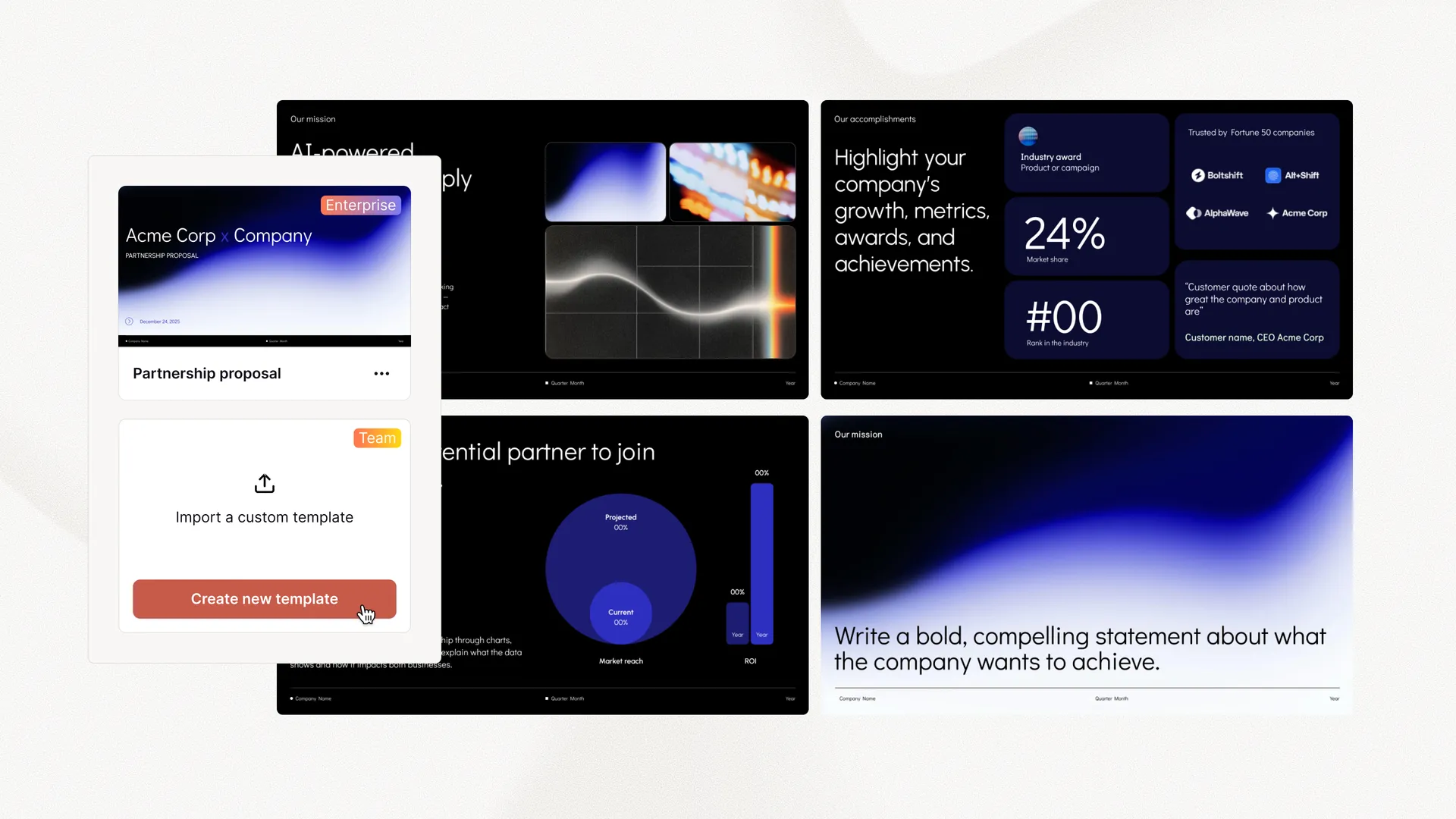 API access on Pro and Team plans Async sessions with webhook callbacks Custom templates, brand kit, and shared presets Volume credits and higher usage limits Rundum-Service bei der Vorlagenkonvertierung SSO, user management, and white-glove onboarding


















Mit Abstand der beste KI-Präsentationsersteller auf dem Markt, wenn es um Google Slides geht. Ich kann ganze Präsentationen aus einem Prompt erzeugen oder Text in Folien verwandeln.

Besonders beeindruckt bin ich von der „Remix"-Funktion, die vorhandene Folien in neue Layouts umformatiert. Ich liebe diese Funktion. Großartige Arbeit👍

Plus AI hat eine großartige Struktur und Gesprächspunkte für meine Präsentation erstellt. Mir gefallen die Tipps auf jeder Folie sehr, die mir helfen, Bilder auszuwählen oder einen Punkt auszuführen. Dieses Tool gehört jetzt zu meinem Repertoire!

Die Integration in Google Slides ist nahtlos. Es fühlt sich an, als hätte es das schon immer geben müssen! Insgesamt 5/5 Sterne.

Ein hervorragendes Tool, das mir viel Zeit spart. Mit detaillierten Prompts erstellt es eine Präsentation, die nur kleine Anpassungen benötigt. Unser Team liebt es zum Brainstorming, und unsere Kundenbetreuer nutzen es für die Zusammenarbeit mit Kunden.

Es hat mir wirklich geholfen, meine Gliederung zu strukturieren – ein echter Zeit- und Lebensretter für eine fällige Präsentation. Mir gefällt, dass es sich in Google Slides einbinden lässt, ein Tool, das ich ohnehin schon für Präsentationen nutze!

Ich habe die meisten KI-Foliengeneratoren für Google Slides und PPT ausprobiert. Dieser hier ist mit Abstand der beste – er funktioniert einfach.

Die Integration in PowerPoint macht dieses Produkt so hilfreich. Da ich wöchentlich viele Präsentationen erstelle, greife ich für PowerPoint zuerst zu Plus AI.

Generate an API key on any Pro or Team plan and ship your first deck today.
Kostenlos loslegen