


使用 AI 图像自定义幻灯片
-
生成
使用 Plus 生成新的幻灯片时,自动为演示文稿创建 AI 图像。
-
插入
向现有幻灯片添加 AI 照片和插图。使用我们的样式预设或尝试自己的提示。
-
实验
使用 AI 图像创建情绪板、集思广益新概念或将想法可视化。
易于使用的 AI 图像样式
人类创造力,人工智能赋能。
使用我们的图像生成器时,您无需成为天才,只需描述一下您想看到的内容即可。
-
Business analytics and reporting
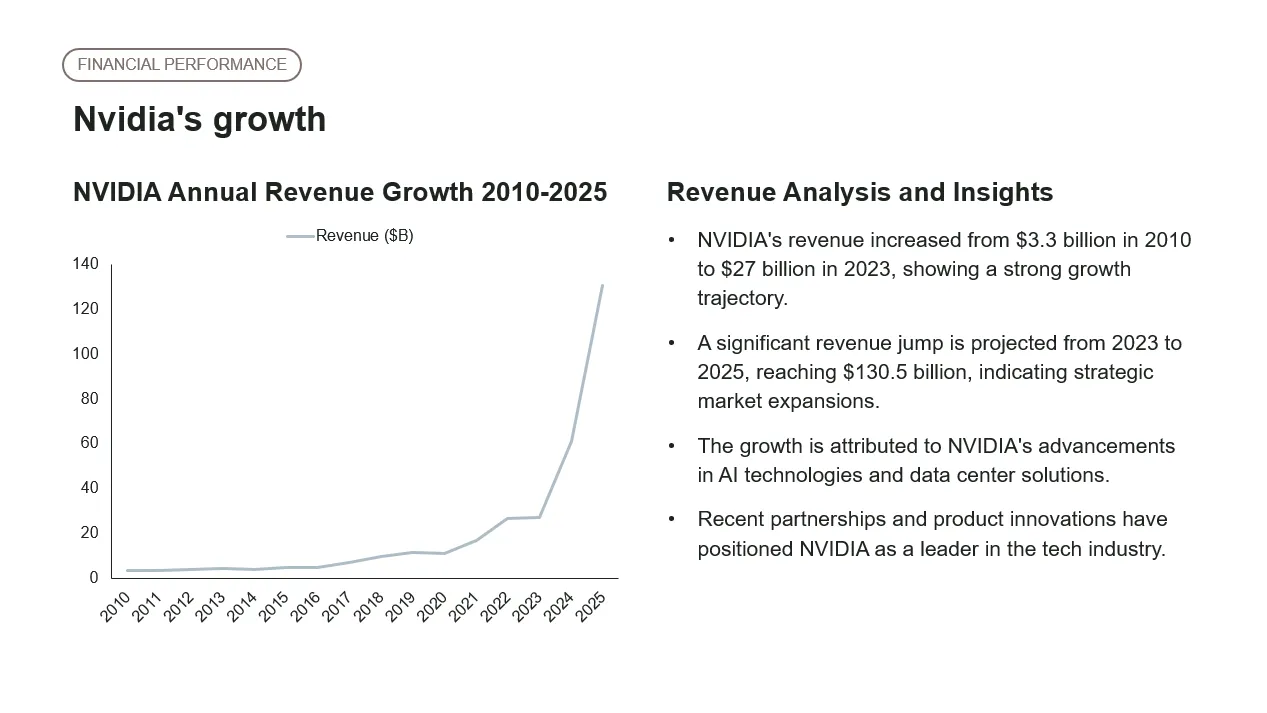
"analyze Nvidia's growth from 2010 to 2025" — "compare actuals vs budget for the last 5 quarters"
-
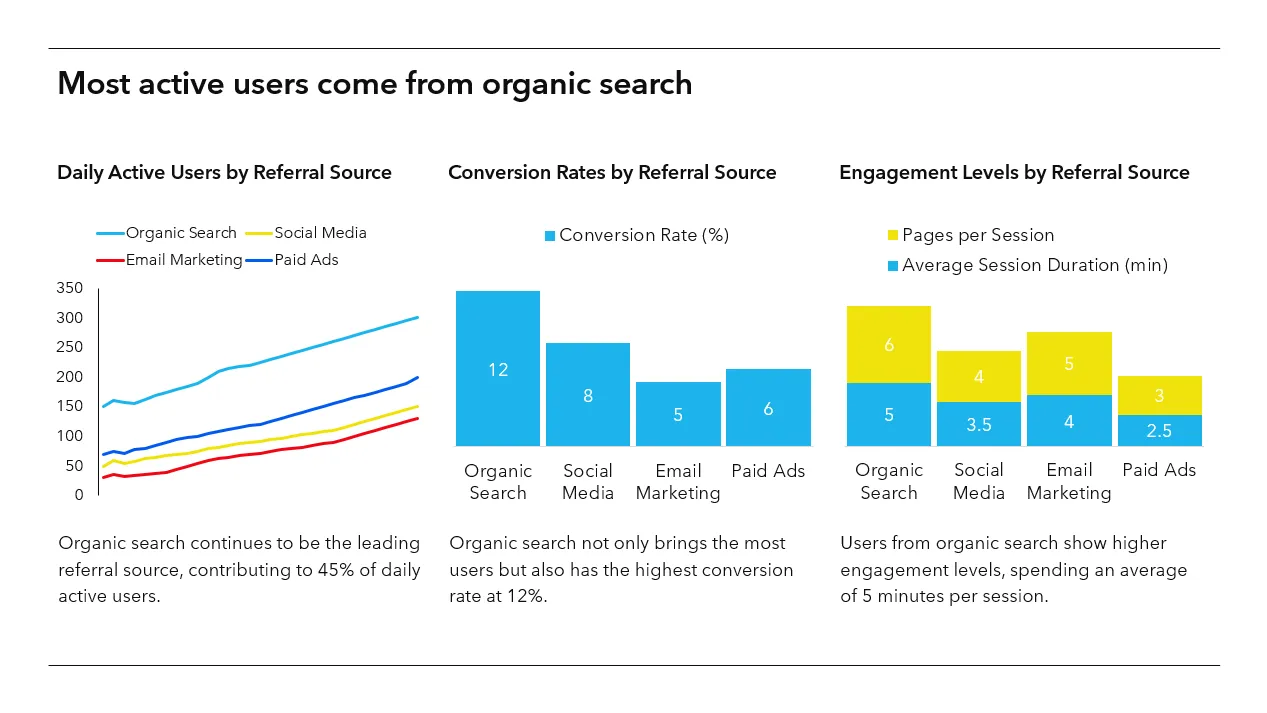
User behavior and insights
"overview of daily active users by referral source" — "most popular features for paid users"
-
Education and instruction
"gravitational constant for each planet in the solar system" — "energy produced from renewable sources vs. others"
-
Creative visualizations
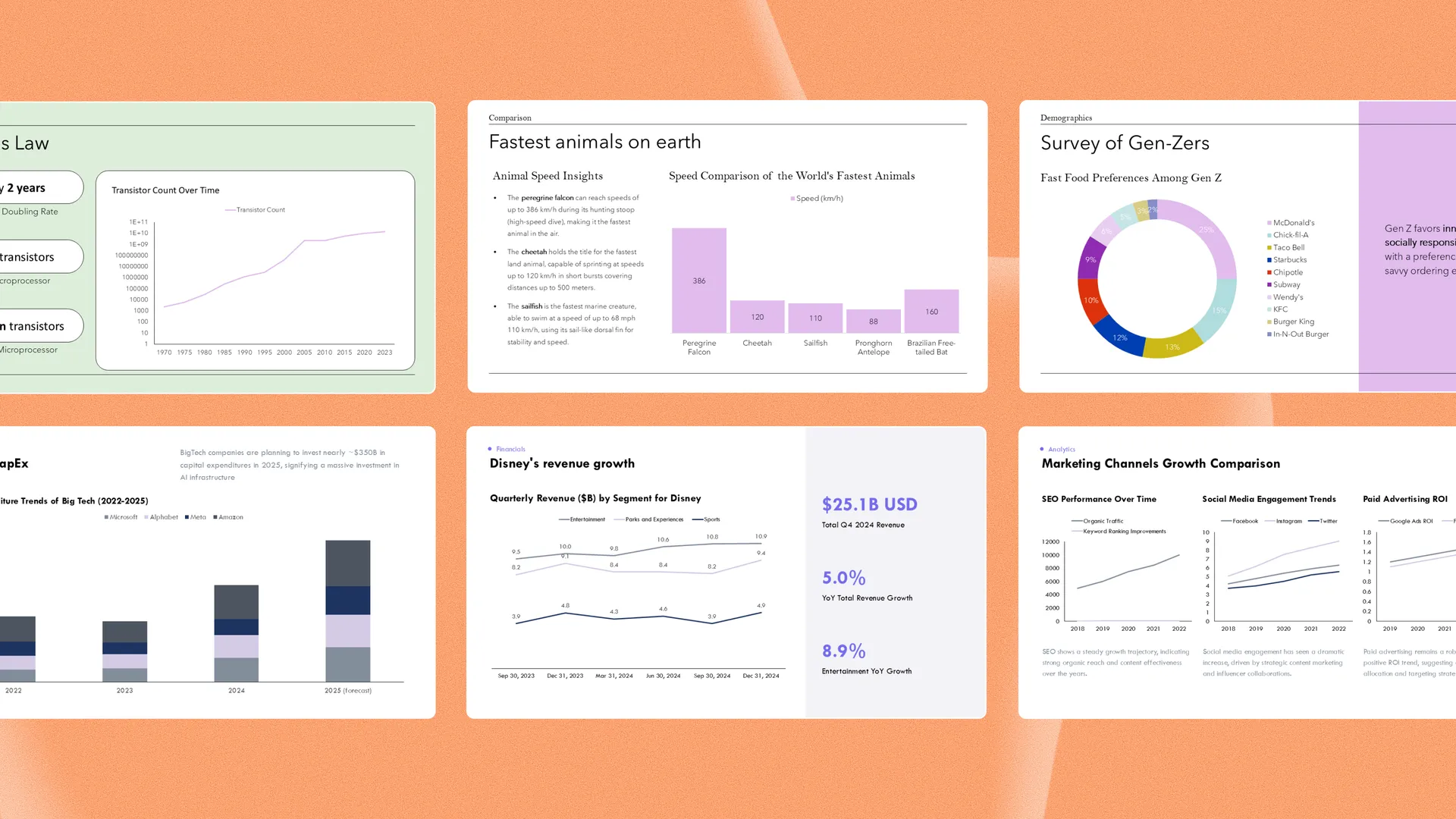
"most popular fast food franchises for Gen Z consumers" — "top 10 largest zoos in the United States"
More Plus AI features
-
Generate with AI
Don't know where to start? Just describe your presentation in a few sentences.
-
上传文件
Convert an existing PDF, document, or text file into a custom presentation.
-
Reformat slides
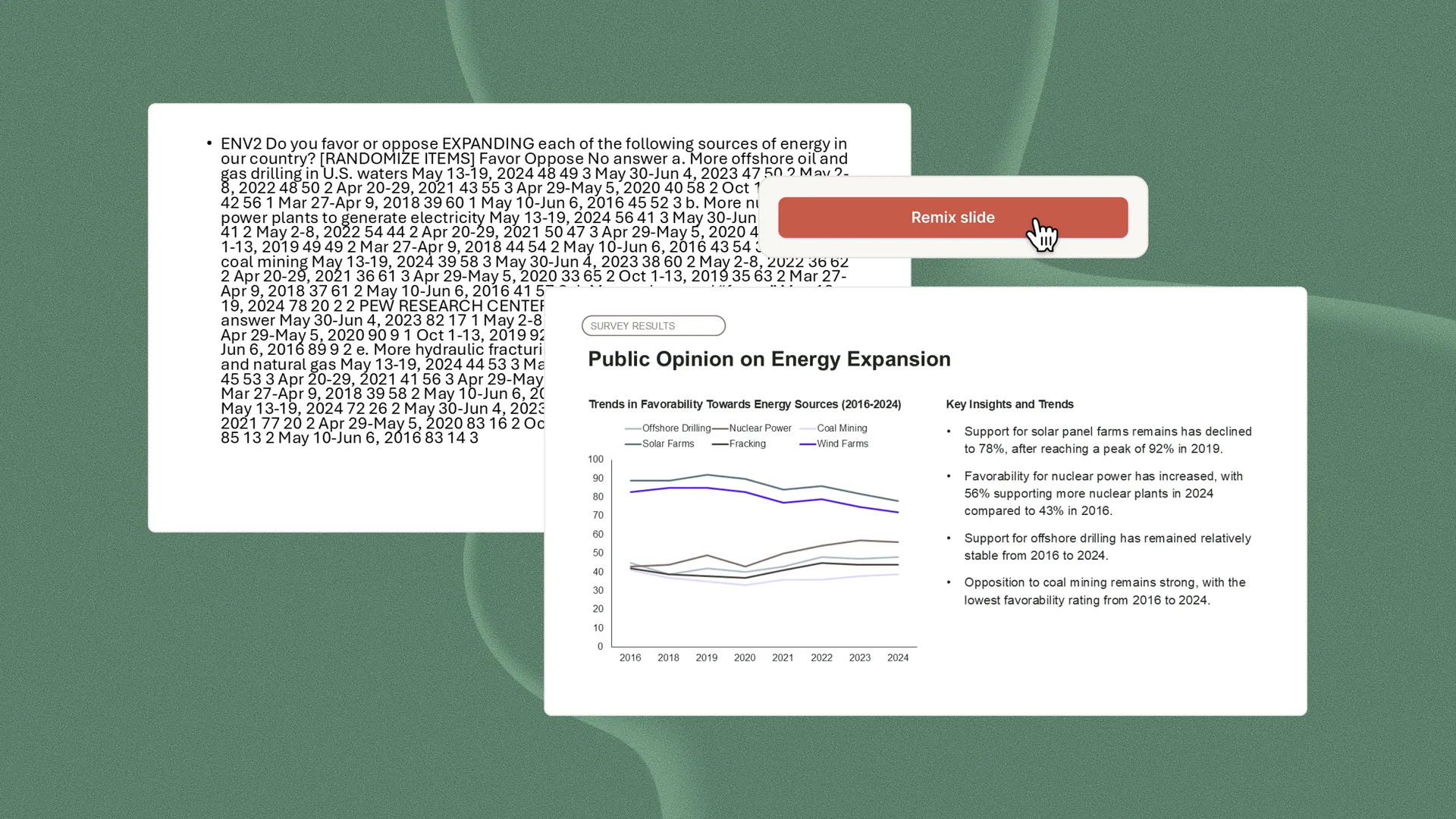
Remix existing content into polished slides in one click
-
使用任何语言
International audience? Translate your presentation into any language.
经常问的问题
Do Plus AI generated charts ever contain hallucinated data?
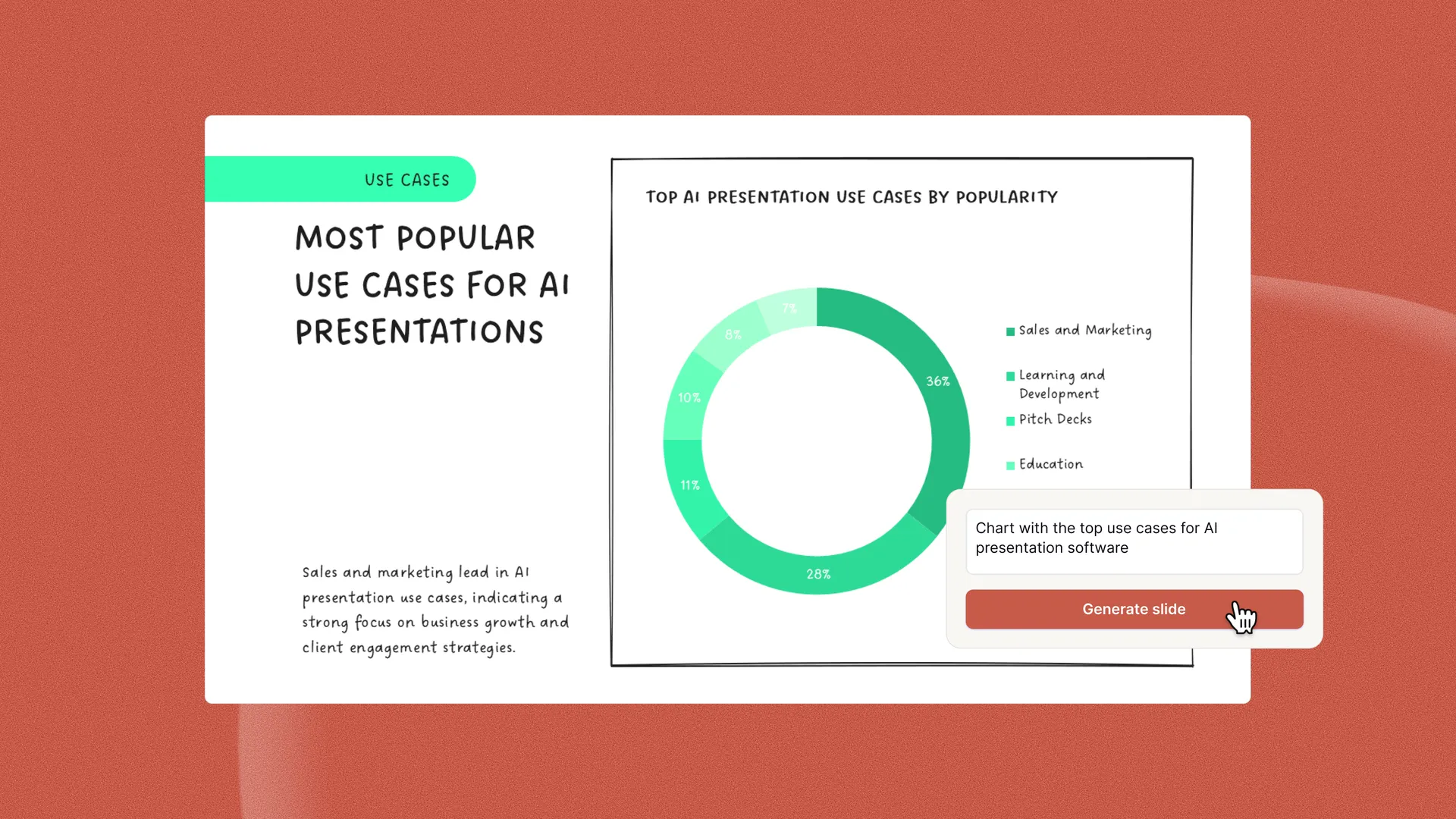
Yes, Plus AI uses the latest AI models to create charts, but large language models (LLMs) are known to hallucinate and create false data, especially if there were no specific data points provided in the input prompt.
For the best performance when generating charts with AI, we recommend including your data in the chart generation prompt, checking the sources of your data (many AI citations are themselves AI-generated and inaccurate), and checking your charts after they are created.
What is the best AI chart generator for PowerPoint?
The best way to generate formatted, styled charts directly in PowerPoint presentation is to use Plus AI.
Plus AI is a AI add-in that allows you to create slides with charts, directly in PowerPoint - without the need to copy and paste images between tools or reformat your charts.
Is there an AI for PowerPoint presentations?
Yes, there are many AI PowerPoint apps you can use to create presentations. The most popular AI tools for PowerPoint are Plus AI and Microsoft Copilot.
What is the best AI presentation generator for people who make slides with charts?
If you need to make PowerPoint presentations with charts using AI, the best solution is Plus AI. Plus AI allows you to create slides, add data, make charts, and edit your presentation - all directly inside of PowerPoint.
Click here to read our in-depth reviews of the best AI presentation generators.
Is AI chart generation included with my Plus AI subscription?
Yes, if you have a Plus Pro or Team subscription, you have unlimited access to Plus AI chart generation.
Is there a free trial for AI chart generation?
Yes, you can try Plus AI for free for 7 days. To create a new slide with a chart, open the "Edit with Plus AI" menu, click Insert -> select Chart slide type -> add a prompt
Does Copilot have an AI chart generator?
Yes, you can use Copilot to generate charts, but the chart functionality only works inside of Copilot for Excel.
If you want to use AI-generated charts in PowerPoint, you will need to copy and paste your chart into PowerPoint and reformat and restyle it in your presentation.
Does Gemini have an AI chart generator?
Yes, you can use Gemini to generate charts using Gemini in Google Slides.
However, if you need to use your chart in Google Slides you will have to copy and paste it into Google Slides and then reformat and restyle it.
Can ChatGPT generate charts?
Yes, you can use ChatGPT to generate charts using AI. After processing your data, ChatGPT will typically use an open source charting library like matplotlib to generate visualizations.
If you would like to use the chart in a presentation, you will probably need to paste it onto your slide as an image or recreate the chart in another tool.