As Google's Gemini-powered AI research assistant, NotebookLM is a tool for finding and synthesizing information. Its AI presentation tool is part of a broader feature set, and it generates slide decks based on the sources you upload or those it surfaces via research.
I tested NotebookLM's slide deck feature to see how it works, where it holds up, and where it falls short. Throughout this NotebookLM review, I also consider how it stacks up against Plus AI, a purpose-built tool for presentations.
{toc}
How do you create AI presentations in NotebookLM?
Let's walk through how NotebookLM works for creating and editing AI slides.
Generating a slide deck in NotebookLM
NotebookLM supports several different source options. You can upload PDFs, Word files, images, audio files, and other file types. You can also link YouTube videos and websites.
Once you upload a file, NotebookLM analyzes your content and provides a summary. From there, you can generate a presentation by selecting "slide deck" from the studio sidebar panel. You'll see an option to add some basic instructions, choose a language, and set the presentation length.
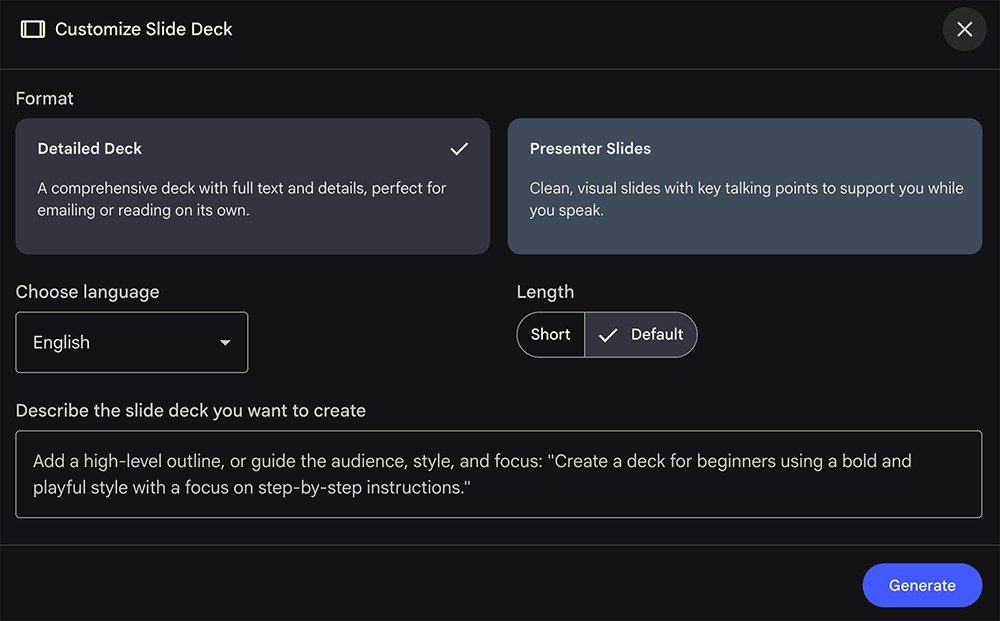
In my experience, NotebookLM is one of the slower AI presentation tools. I uploaded a 10-page PDF, and it took about seven minutes to generate a slide deck.
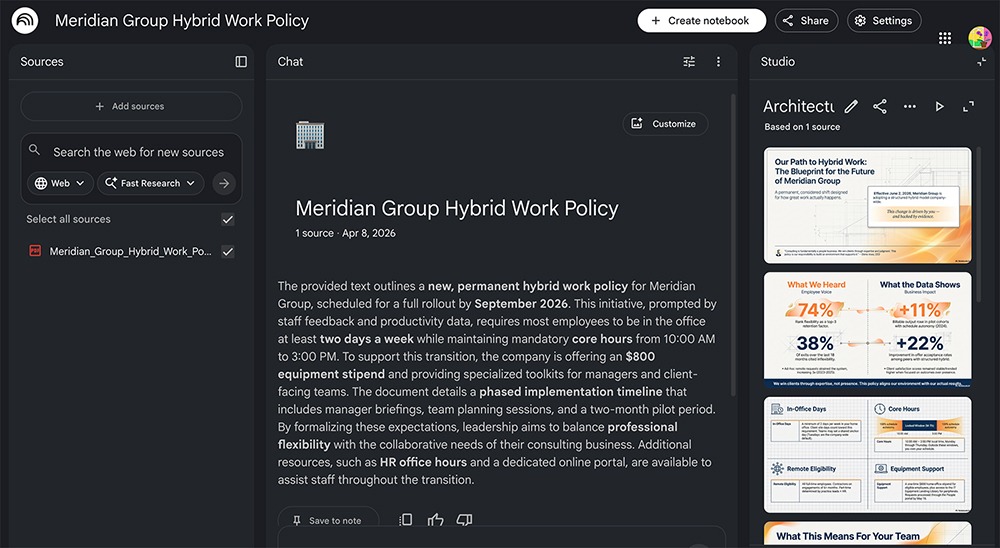
It processed other content formats faster, though. For example, it generated a presentation from a YouTube video in just a couple minutes.
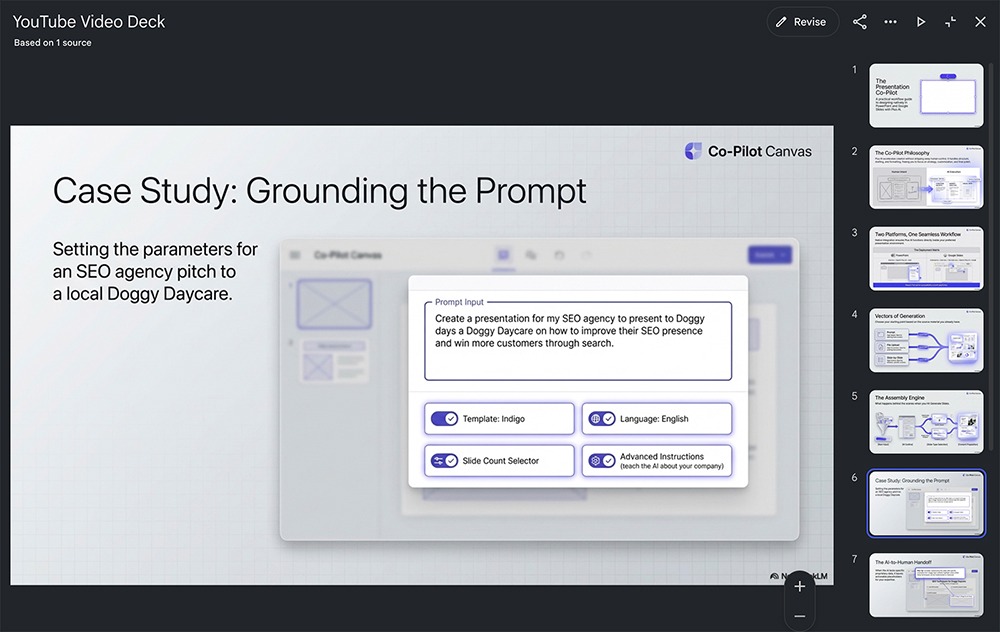
And although NotebookLM isn't designed for prompting, you can copy and paste prompts into the app to create a new notebook. Then, you can turn it into a slide deck. This one took about five minutes to generate from a prompt.
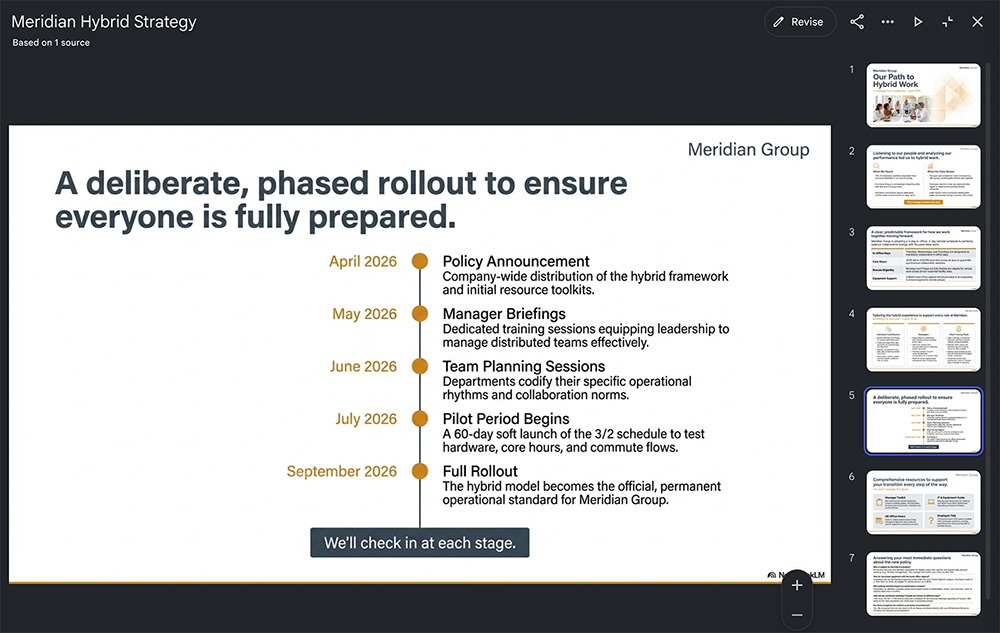
At its core, NotebookLM is a research assistant. So you can also ask NotebookLM to research a topic, and it will come back with a list of citations and a summary of its findings. Then, you can use the studio prompts to turn your research into a slide deck.
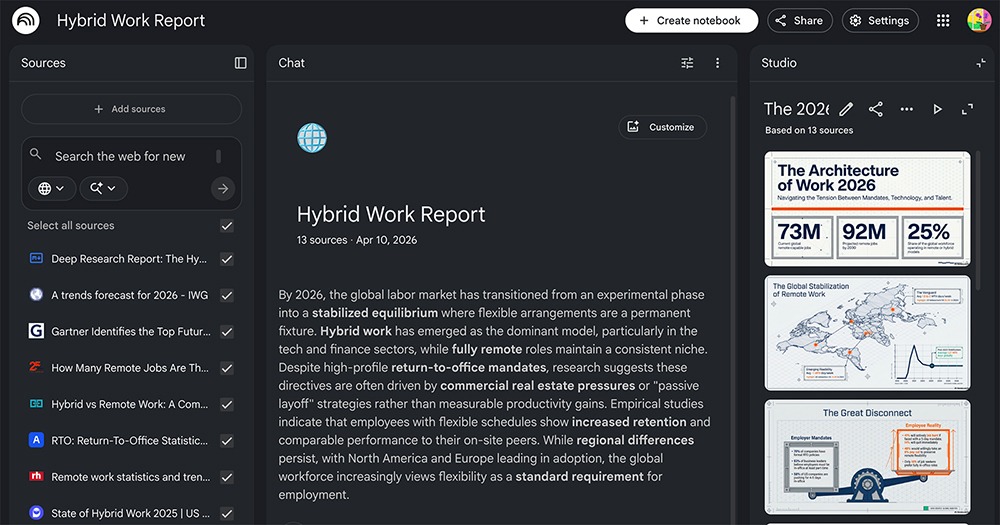
While the app does take design direction into account, it doesn't work from templates. NotebookLM uses Nano Banana Pro to generate slides, so every presentation looks unique.
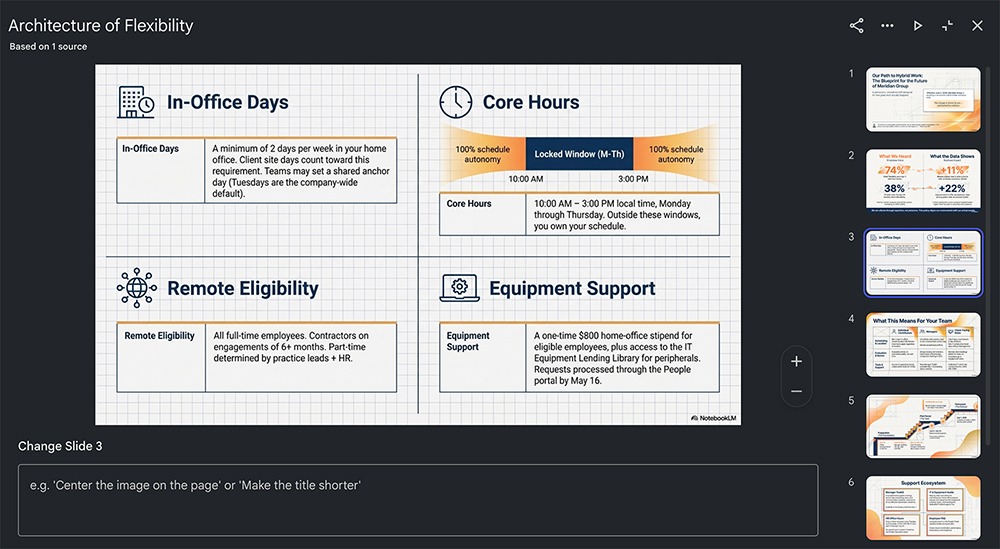
That's not necessarily a bad thing. But if you need professional slide decks for your company or clients or if you want to apply consistent branding, NotebookLM may not be the best choice.
Can you edit slides in NotebookLM?
NotebookLM offers prompt-based editing, but the process is pretty tedious. The only option is to leave comments and edit requests on each individual slide.
There's no quick way to regenerate a slide, rewrite the copy, or add or remove slides. And you can't do any manual editing in NotebookLM.
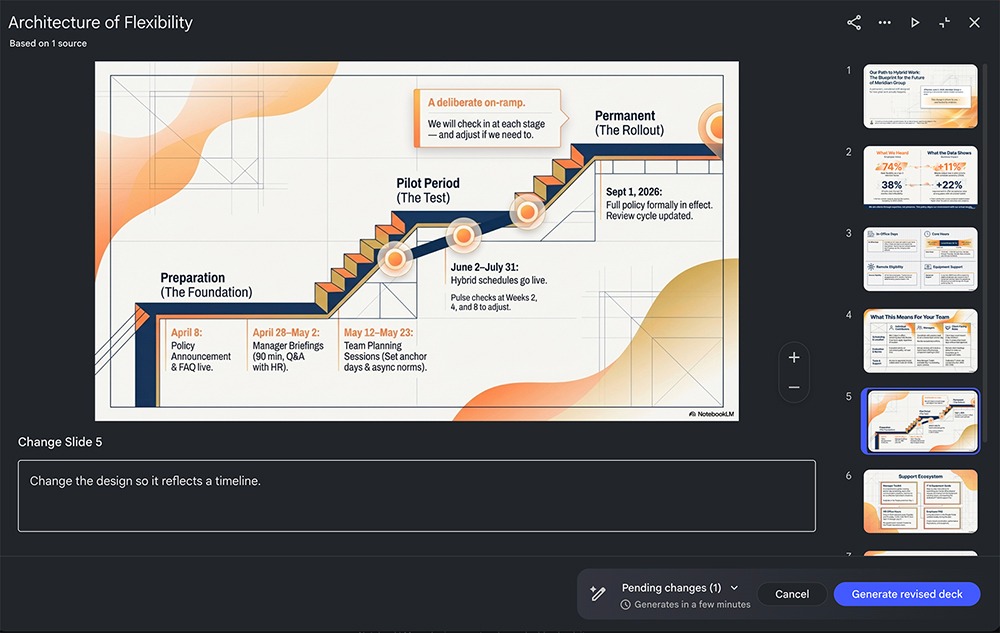
The interface doesn't give you an option to make overall comments about the design, layout, or content. So, if you need a different design or a major layout change, you're better off starting from scratch.
You can't edit NotebookLM presentations in other apps either. While you can export presentations as PPTX or PDF files, each slide contains a single image instead of editable text and graphic elements.
As a result, you're stuck prompting the app to regenerate slides until they're just right. This can lead to higher AI usage, which may push you to upgrade your NotebookLM plan (or give up and try another tool).
How does Plus AI compare for creating and editing slides?
Plus AI can generate a full presentation from several sources: a prompt, a document upload, or web search.
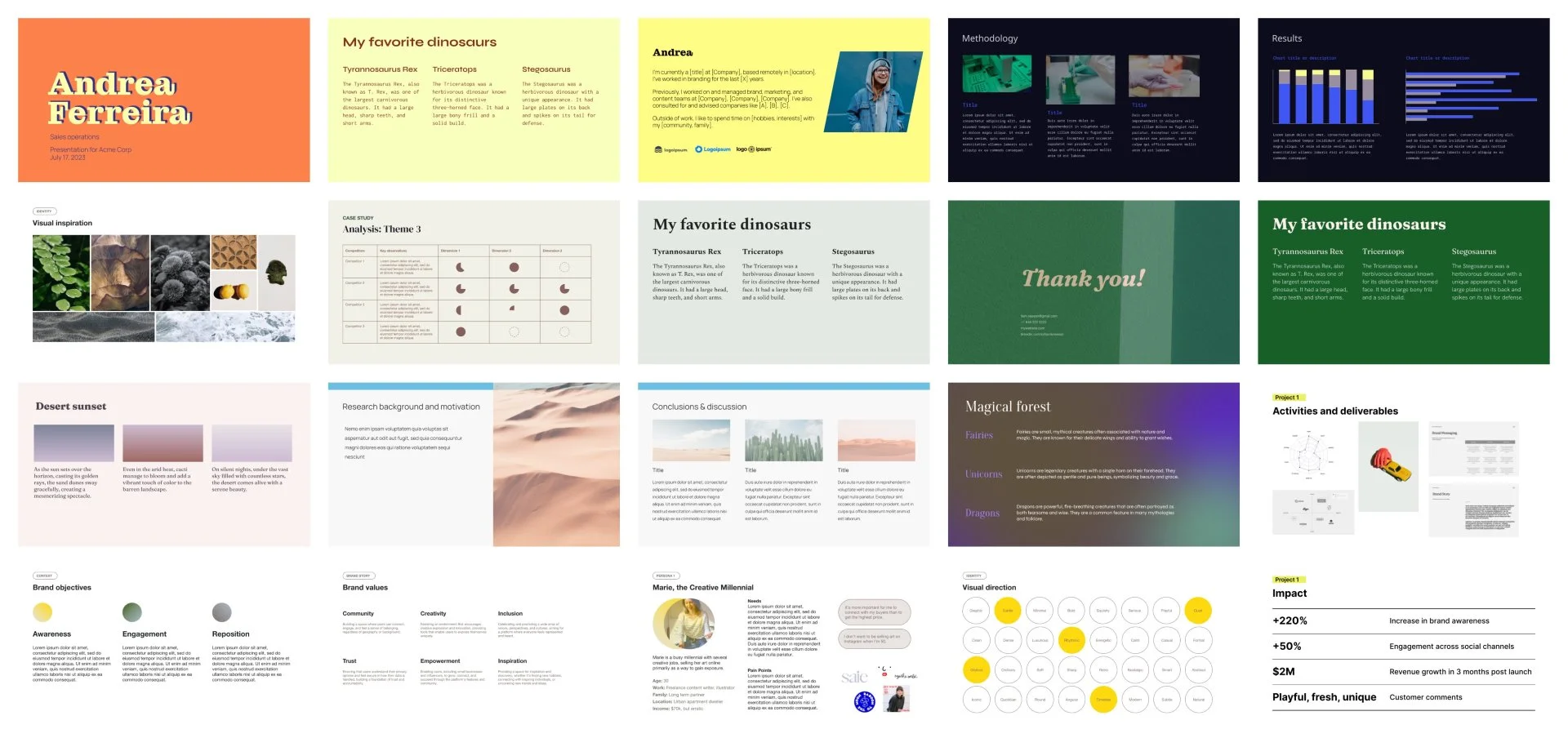
No matter which option you choose, you can select from Plus AI's template library, which includes over two dozen professional layouts. You can also generate images with your choice of AI model (including Nano Banana Pro and GPT Image), source from Lummi stock images, or find images on the web.
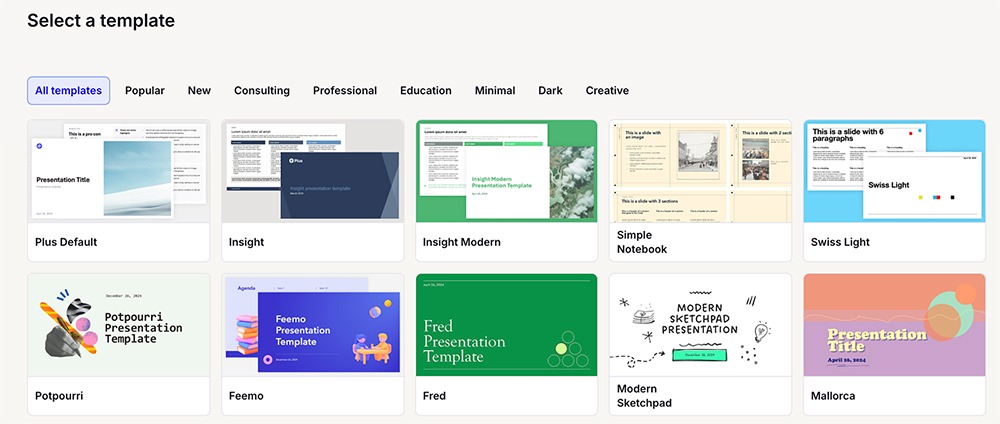
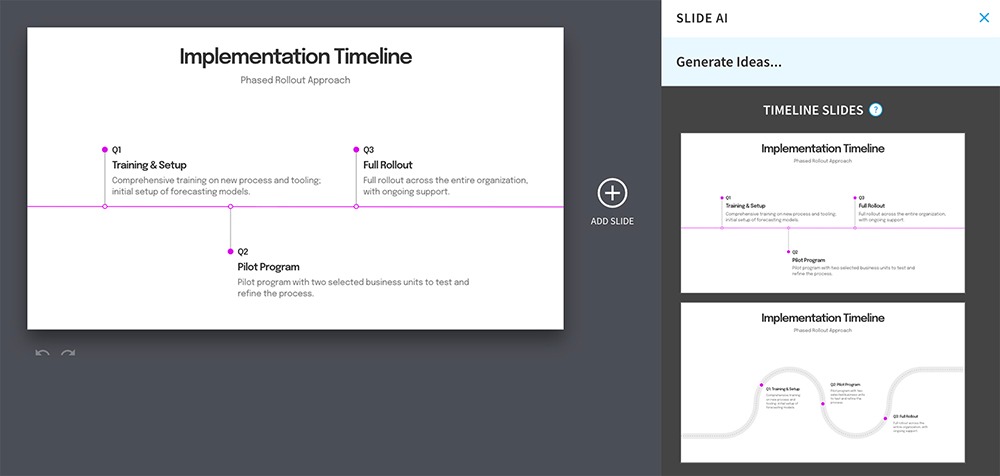
Plus AI works from a few different interfaces. With the web app (pictured below), you can provide a source, review the outline, generate the presentation, and then download the PPTX file to refine in Google Slides or PowerPoint. And with Plus AI add-ins, you can generate presentations directly in Google Slides or PowerPoint.
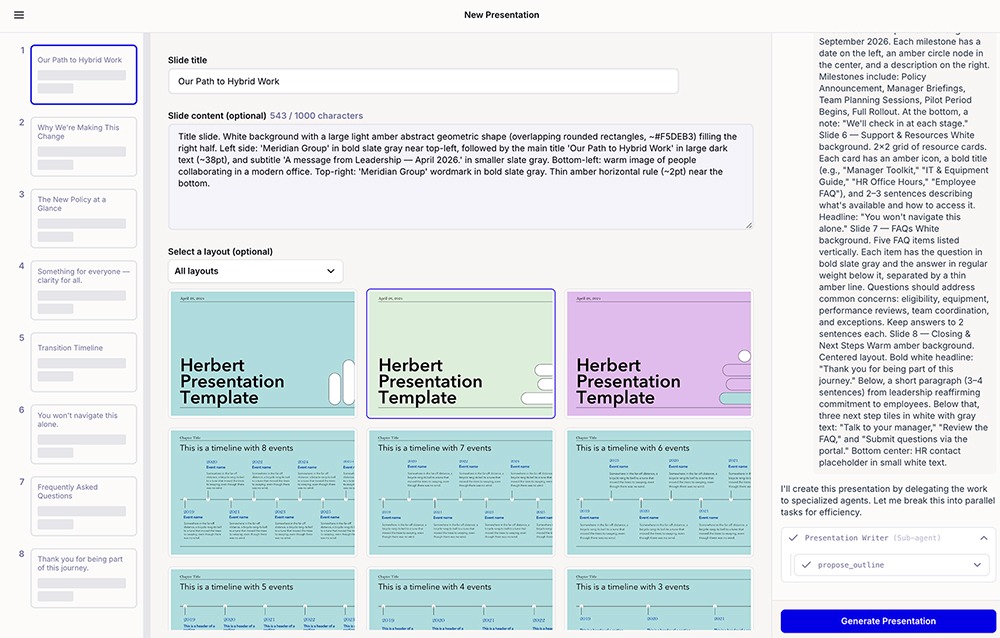
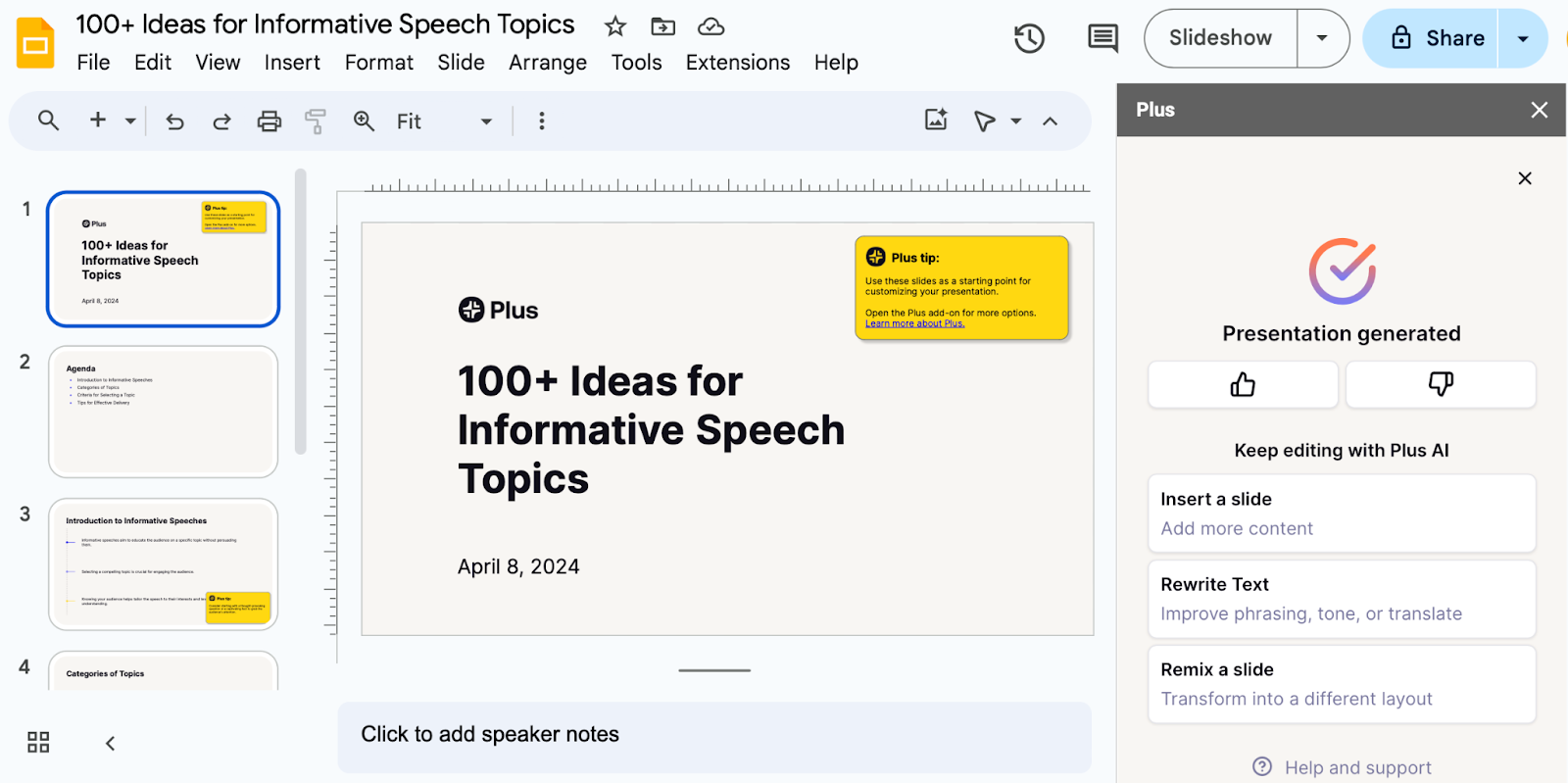
Then, you can edit the slides without exporting any files or switching to another app. The Plus AI Google Slides extension supports AI editing via presets. You can:
- Remix slides to reformat the layout
- Rewrite text to improve phrasing, rework the tone, or translate into another language
- Add images and icons for more visual appeal
- Insert single slides to build the narrative
- Reorder slides to adjust the storyline
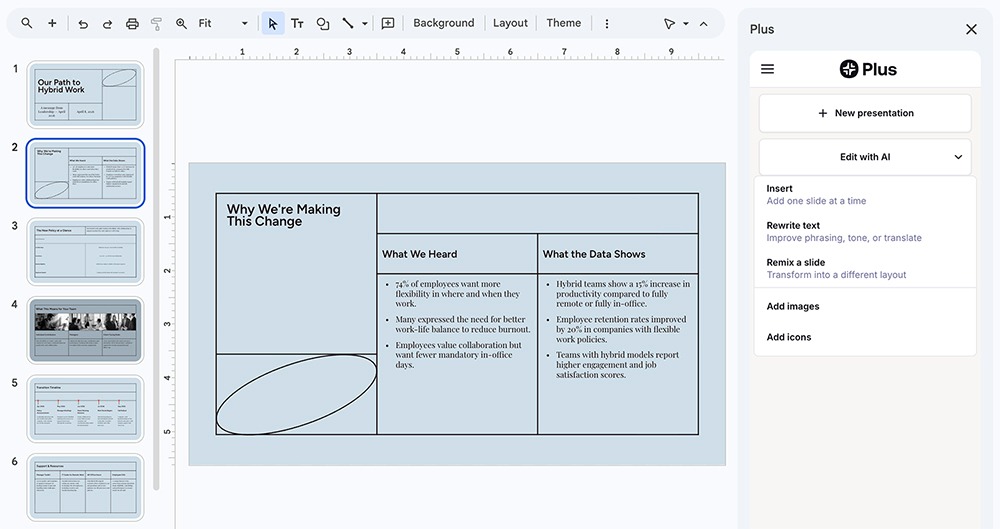
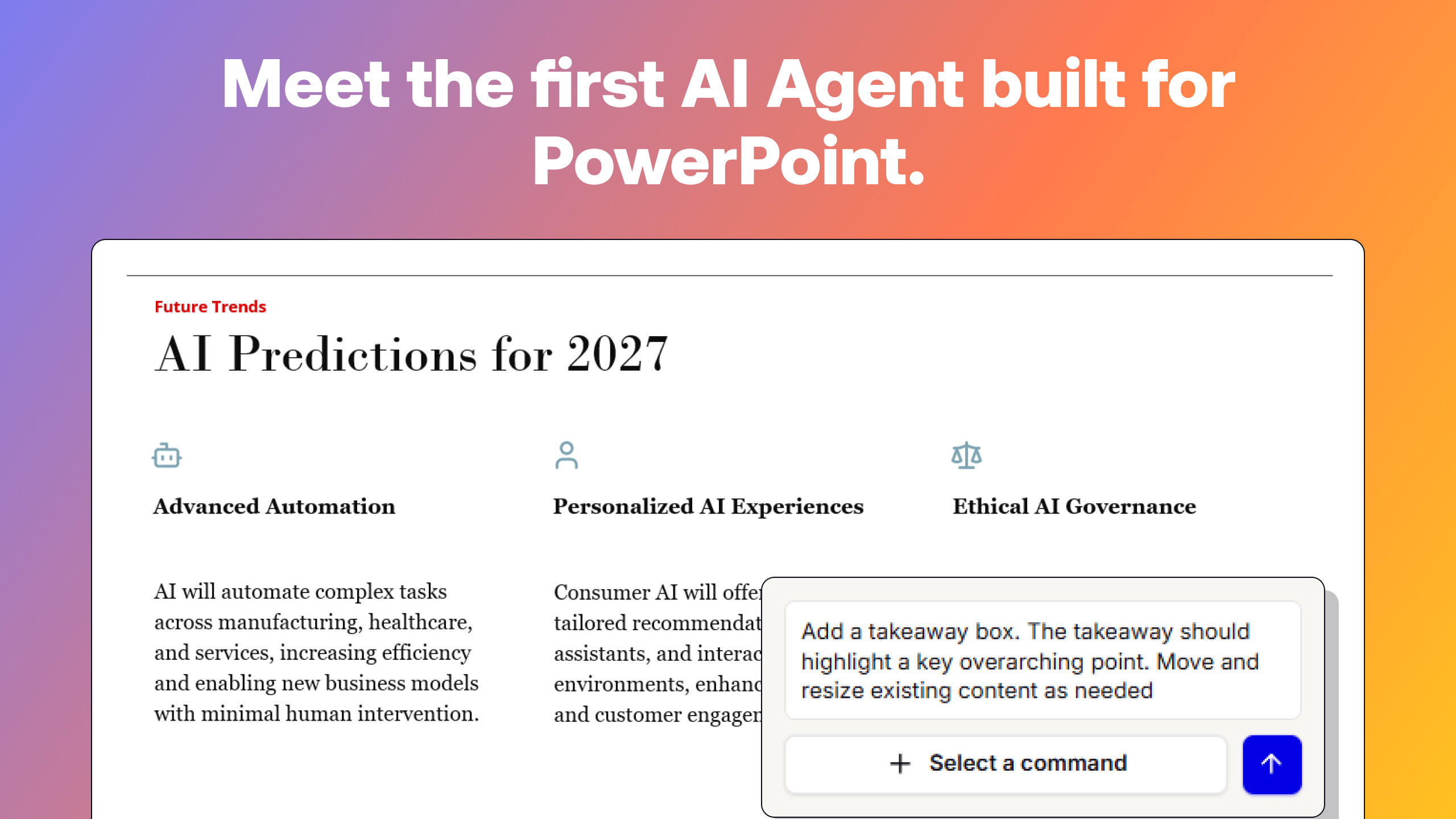
The Plus AI PowerPoint add-in supports the same presets as well as editing via Plus AI Agent. With the agent, you can edit via prompts, giving you more flexibility to get your slide deck just right.
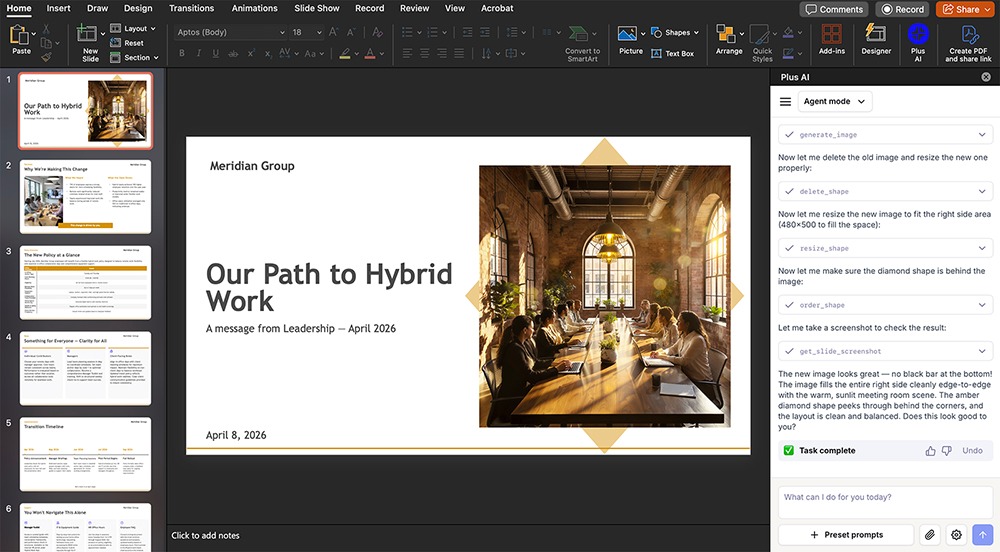
Both integrations also allow manual editing. That means you can quickly update the copy to reflect specific messaging or make minor adjustments to slide layouts.
How much does NotebookLM cost?
NotebookLM isn't a standalone product, so you can't subscribe to it directly. Instead, it's bundled with Google AI subscriptions:
- Free: No cost to use but has limited usage and only supports up to 50 sources per notebook.
- Google AI Plus: Starts at $7.99/month for additional AI generation, up to 100 sources per notebook, and 200 monthly AI credits
- Google AI Pro: Starts at $19.99/month for higher access to Gemini 3 Pro, up to 300 sources per notebook, and 1,000 monthly AI credits
- Google AI Ultra: Starts at $249.99/month for 50x more AI generations, up to 600 sources per notebook, and 25,000 monthly AI credits
All plans except the Ultra plan include watermarks on generative content. That means you'd have to pay $249.99 per month just to create AI content without watermarks.
In contrast, Plus AI plans start at $10/user per month (billed annually) for unlimited AI generation. You can upgrade to the Plus plan ($20/user per month with annual billing) for longer prompts and AI image generation or the Team plan ($30/user per month with annual billing) for custom templates and presets.
Plus AI presentations never have watermarks, and no subscription tier limits your usage. That means you can generate as many slide decks as you need and fine-tune your presentations until they're just right.
Is NotebookLM good for AI presentations?
Although it's a research assistant instead of a dedicated AI presentation tool, NotebookLM has several slide deck-specific advantages. It offers:
- Carefully sourced presentations: NotebookLM supports a long list of sources, allowing you to upload everything from PDF reports to Word documents to Excel files. It can also fetch live URLs and YouTube videos, so you can use just about any kind of media to create a presentation.
- Deep research: As a research assistant, this app excels at searching the web for current data, statistics, and trends. You can supplement your documents with external sources or base presentations solely on deep research. The app provides a full source list so you know where every stat or claim comes from.
- Google Drive integration: As a Google product, NotebookLM can reference files directly from your Google Drive. This is helpful when you want to pull in Google docs or sheets for slide decks.
- Visual quality: NotebookLM uses Nano Banana Pro to generate designs, images, and graphics. If you're going for a creative look, you'll likely appreciate this AI model's aesthetics.
- Presenter slides: This AI tool can generate two different types of slide decks. Along with detailed slide decks, it can create simpler slides with talking points, designed for delivering presentations.
- PPTX exports: You can download presentations as PPTX files. From there, you can import the file into Google Slides or PowerPoint, where you can make minor adjustments or deliver the presentation.
If you need to generate content in multiple different formats, NotebookLM can help. For example, you could turn a report into an AI presentation and an infographic, an audio overview, and a video overview.
What are the limitations of NotebookLM's slide decks?
Since it's a general purpose AI assistant, NotebookLM has a few downsides compared to purpose-built AI presentation tools like Plus.
Not designed for prompting
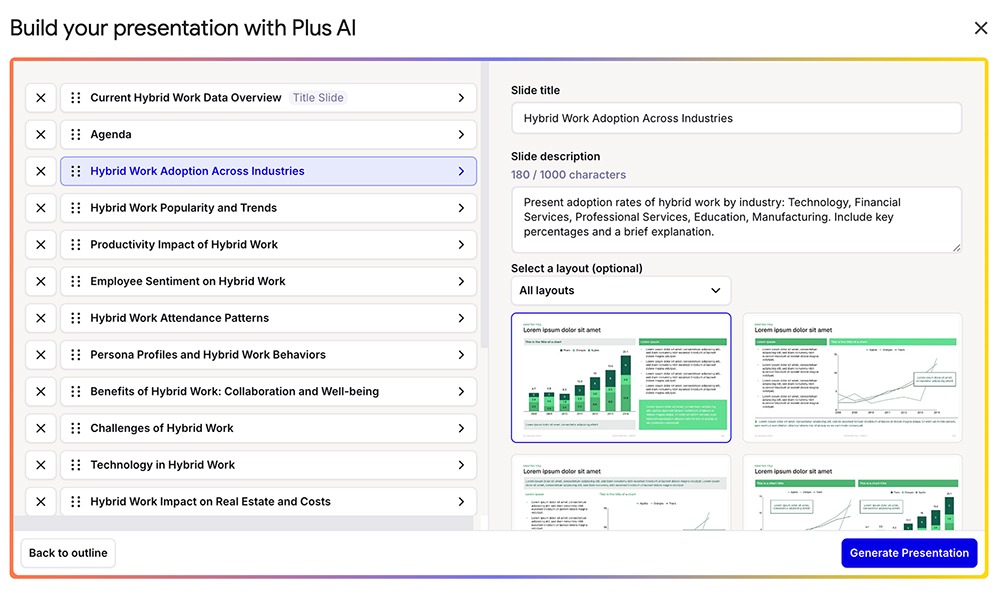
Sure, you can copy and paste text content as a source for NotebookLM. But the AI tool isn't designed for prompting, and the slide generation process isn't particularly collaborative. There's no opportunity to chat with the tool or provide input on the presentation outline.
In contrast, Plus AI supports both prompt- and upload-based deck generation. It can also search the web for current data and sources. No matter which option you choose, you'll get an option to weigh in on the outline and guide the final product before you get to the editing stage.
Limited editing capabilities
You can comment on individual NotebookLM slides to make changes to the layout, visuals, and design. But the AI tool doesn't have preset editing prompts or support large-scale edits.
Every slide it generates includes a single image layer. So, you can't edit copy or visuals, even if you export presentations and upload them to Google Slides or PowerPoint. This seriously limits NotebookLM's use cases in business settings.
In comparison, Plus AI has both editing presets and prompt-based editing when you use the Google Slides or PowerPoint add-in. That means you can easily update the entire layout of your presentation, adjust specific elements on a slide, or edit manually.
Creative (not professional) visual style
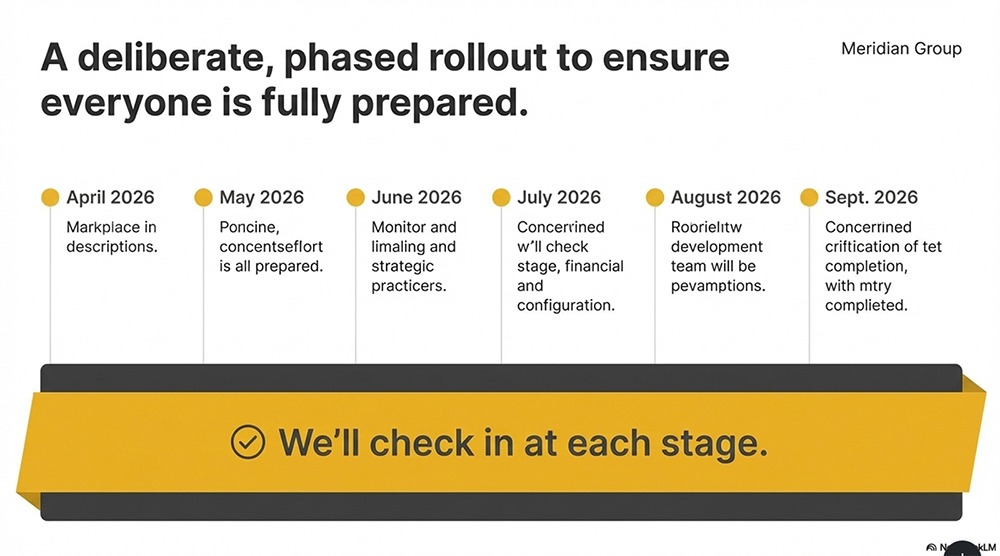
NotebookLM relies on Nano Banana Pro for visuals — including slide designs, graphics, images, and charts. While this AI model generates high-quality visuals, they skew creative instead of professional.
And in some cases (like the example below) even the copy reflects low-quality generative AI. As a result, NotebookLM isn't necessarily the best AI presentation tool for business.
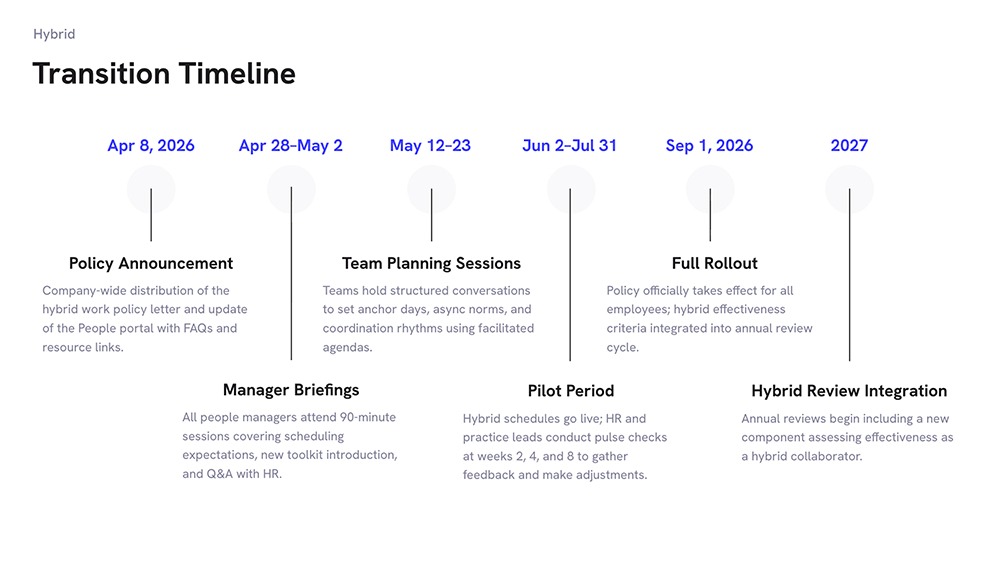
Plus AI provides professional templates to create slide decks for investor meetings, quarterly reports, client pitches, and much more. While the styles offer variety, most are designed for business.
No branding options
Because NotebookLM is an AI research tool, it doesn't support branding. While you can give it design direction, you can't apply a brand kit. And you can never truly feel confident that Nano Banana Pro will apply your colors and fonts as expected.
In contrast, Plus AI supports custom logos, colors, and fonts. You can upload a brand kit and apply it to any presentation with one click. And you can always provide additional design direction by prompting Plus AI Agent.
Strict usage limits
Each NotebookLM plan includes a certain number of AI credits, which limit how much you can create. Quotas update daily, so once you reach your limit, you're out of luck until the next day.
Every Plus AI plan includes unlimited AI generation. That means you don't have to allocate your AI usage or delay projects when you hit a credit limit.
Embedded watermarks with most plans
Aside from the Ultra plan, all NotebookLM tiers apply watermarks to generative content. You'd have to pay $249.99 per user per month to remove watermarks.
Plus AI doesn't embed watermarks in slides. Instead, you can upload your company logo and ensure that your branding (not Plus AI's) appears on all presentations.
No direct integrations with Google Slides or PowerPoint
Since NotebookLM is a Google product, you might expect it to integrate directly with Google Slides. While it can pull Google Drive files into your presentations, it doesn't export slide decks to Google Slides or support native editing. This makes for an unnecessarily complex creative process.
In comparison, Plus AI offers add-ins for both Google Slides and PowerPoint. That means you can use Plus to both generate and edit slide decks in either presentation tool.
When to use NotebookLM vs Plus AI for presentations
Here's how Plus AI and NotebookLM compare in terms of capabilities, pricing, and limitations:
NotebookLM is a research tool that offers slide decks. Consider it if you need a deep research tool that can generate presentations based on external sources or if you want to create slide decks from web content, videos, or reports.
Keep in mind that NotebookLM is designed more for personal and creative use. It's less ideal for business use.
Plus AI is a dedicated AI presentation tool that generates on-brand slide decks. Consider it if you want a tool that lets you create and edit professional presentations for meetings, pitches, and reports.
It works where your team does, thanks to integrations with PowerPoint and Google Slides. And its unlimited AI generation means you can create all the slide decks and iterations you need.
Notebook and Plus AI also work well together. You can use NotebookLM to do deep research and synthesize sources. Then, you can upload the file to Plus AI to build, format, and polish a branded deck. You can even take a NotebookLM diagram and prompt Plus AI Agent to turn it into a slide using your template.
How to start creating presentations with Plus AI
NotebookLM is a strong research tool. It pulls together sources, grounds every claim in citations, and can spin up a first-draft deck from your materials in a few minutes. But it falls apart when you need editing, branding, and business-ready designs.
When you need editable, on-brand slides inside Google Slides or PowerPoint, Plus AI is worth a look. It works as an add-in for both platforms, so the decks it generates are native files you can open, edit, and share. You can create presentations from a prompt or a file upload, apply your brand kit, and edit without switching apps.
Start your free Plus AI trial to see how it fits your workflow.